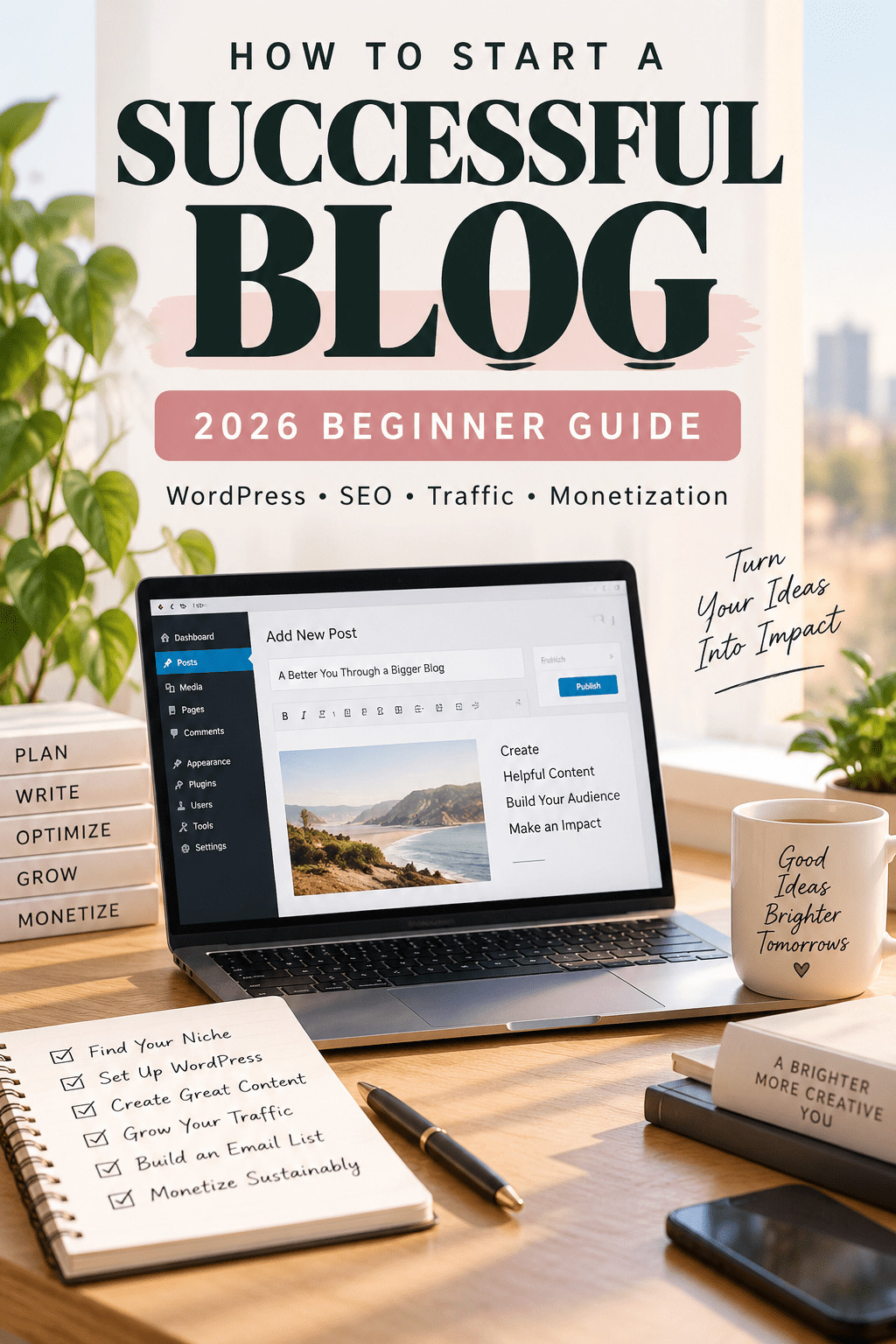
How to Start a Successful Blog in 2026: The Complete Beginner Guide
Learn how to start a successful blog from the ground up, build it with WordPress, publish content people actually need, grow qualified search traffic, earn legitimate links, and turn your blog into a long-term online asset.
How This Guide Is Different
Many beginner guides stop after domain registration and WordPress installation. This guide treats launch as the beginning. The goal is to show you how to build a blog that can develop search visibility, topical authority, an email audience, legitimate backlinks, and a sustainable monetization model.
The recommendations are organized around the same practical workflow used throughout this site: publish focused content, connect related articles with contextual internal links, monitor actual Google Search performance, improve pages based on query data, and monetize only where an offer fits the reader’s next step.
The 7-Part Successful Blog Framework
If your objective is not merely to launch but to build a successful blog, evaluate the site across seven connected areas. Weakness in one area can limit the others.
- Audience: Know exactly who the content is for and what recurring problems they need solved.
- Topical depth: Build clusters of related pages instead of chasing disconnected keywords.
- Original value: Add examples, screenshots, workflows, analysis, templates, tests, or lessons that competing summaries do not provide.
- Discoverability: Make pages crawlable, internally linked, search-intent aligned, and technically sound.
- Distribution: Use search, email, communities, social channels, partnerships, and referrals rather than depending on a single source.
- Trust: Show authorship, cite primary sources, disclose commercial relationships, and correct outdated information.
- Monetization: Match offers to reader intent instead of inserting unrelated products simply because they pay a commission.
Use this framework as a diagnostic. If traffic is weak, inspect discoverability, topical depth, and distribution. If traffic grows but revenue does not, inspect intent and monetization. If pages receive impressions but struggle to earn links or repeat visitors, strengthen originality and trust.
How to Start a Successful Blog in 2026
Learning how to start a successful blog is about much more than installing WordPress. A successful blog needs a defined audience, useful content, search visibility, reader trust, consistent distribution, and a realistic monetization strategy. Blogging remains one of the most flexible ways to build an audience, develop a recognizable online brand, attract search traffic, and create an asset you control. The hard part is not installing WordPress. The hard part is making the right decisions in the right order so you do not spend six months designing a site nobody visits.
This guide gives you a practical launch system. You will choose a viable topic, define a reader, select a domain, set up WordPress, configure an OceanWP-friendly design, plan your first content cluster, write posts that deserve to rank, build an email list, promote your work, earn legitimate backlinks, and choose monetization methods that fit your audience.
If you are starting from absolute zero and want the basic setup process first, read my how to start a blog guide. It covers the foundational steps for choosing a niche, getting WordPress online, planning content, and beginning your blogging journey.
This is not a promise of instant traffic or income. Blogging compounds when useful content, distribution, trust, and consistency reinforce one another. Treat your first 90 days as the foundation rather than the finish line.
What Makes a Blog Successful in 2026?
If you want to understand how to start a successful blog, focus on the system behind the website rather than the website alone. A professional design can create a good first impression, but long-term blogging success depends on whether the site consistently solves problems for a defined audience.
A successful blog usually combines five elements: a clear niche, high-quality content, sustainable search visibility, an audience you can reach again, and a monetization model that fits reader intent. Remove one of those elements and growth becomes harder. For example, traffic without relevant offers may not produce revenue, while excellent products without distribution may never reach enough people.
Successful blogs solve specific problems
Readers rarely visit because they want “content.” They visit because they want an answer, recommendation, explanation, comparison, tool, or solution. Build articles around those needs and make the next action obvious.
Successful blogs build topical authority
Instead of publishing unrelated articles simply because individual keywords have search volume, create connected content clusters. Cover the important questions around a subject deeply enough that readers can move from beginner questions to more advanced decisions without leaving your site unnecessarily.
Successful blogs develop multiple traffic sources
SEO can become a powerful acquisition channel, but a durable blog should not depend entirely on one algorithm. Email subscribers, direct visitors, referrals, social distribution, partnerships, and brand searches can make the business more resilient.
Successful blogs measure outcomes
Track more than pageviews. Search impressions, email subscribers, returning visitors, affiliate clicks, leads, sales, and revenue per content cluster can tell you whether the blog is attracting the right audience and moving toward your business goals.
1. Define What Success Means for Your Blog
Before you buy a domain, decide what success means. A personal journal, a professional portfolio, a local lead-generation site, an affiliate publication, and an expert education business can all be called blogs, but they need different strategies.
If your goal is business growth, write down three things: the audience you want to attract, the recurring problems that audience has, and the action you eventually want a satisfied reader to take. That action could be joining your email list, requesting a service, reading a product comparison, buying a digital product, or visiting a recommended merchant.
Use the audience–problem–outcome test
A strong blog concept can usually be explained in one sentence: “I help this group solve this class of problems so they can achieve this outcome.” A home-office blog might help remote workers build comfortable workspaces. A beginner WordPress blog might help small business owners launch and maintain sites without hiring a developer for every change.
Avoid starting with a category so broad that you cannot tell what the next 30 articles should be. “Lifestyle” is broad. “Simple home organization for parents in small apartments” is much easier to plan. You can expand later after you earn topical authority.
Validate demand before committing
Search your topic and inspect the ecosystem. Are there active publications, YouTube channels, newsletters, communities, products, services, books, advertisers, and recent discussions? Competition is not automatically bad. It often proves that an audience exists. Your job is to find a useful angle, a clearer reader promise, or a segment you can serve exceptionally well.
Then build a list of 50 possible article ideas. If you struggle to reach 20 without repeating yourself, the niche may be too narrow or you may need to broaden the problem set. If you can easily reach 100, organize them into clusters instead of trying to cover everything at once.
2. Choose a Sustainable and Profitable Blog Niche
A niche should sit at the intersection of demand, credibility, enthusiasm, and monetization potential. You do not need to be the world’s leading authority on day one, but you should be willing to learn deeply enough to become unusually helpful.
Score potential niches
Create a simple spreadsheet and score each idea from one to five for: search demand, number of recurring problems, your experience, your willingness to publish for two years, commercial opportunities, and access to original examples. A niche with slightly lower search volume but stronger expertise and clearer buyer intent can be a better business than a giant topic where you have nothing distinctive to contribute.
Look for topic clusters, not isolated keywords
Instead of asking whether one keyword has volume, ask whether the niche contains a network of related searches. A blog about starting an online business could contain clusters for hosting, WordPress, affiliate marketing, email marketing, SEO, content creation, and analytics. Each cluster can contain beginner guides, comparisons, troubleshooting posts, case studies, and templates.
Do not choose only by commission rate
A high affiliate commission does not make a weak niche good. If readers do not trust the recommendations, if the products are irrelevant, or if the site exists only to push links, the content will feel thin. Build usefulness first. Monetization works best when it is a natural next step after solving the reader’s problem.
3. Pick the Right Blogging Platform
For a serious content site you want to control, self-hosted WordPress remains a strong choice because you can choose your host, theme, plugins, analytics, monetization model, and site structure. For the official software and documentation, see WordPress.org. WordPress itself is open-source; you pay for the infrastructure and optional premium tools around it.
Hosted platforms can be excellent for testing an idea quickly, especially if you mainly want to publish writing or a newsletter. The tradeoff is control. If your long-term plan includes deep SEO, custom landing pages, affiliate content, ecommerce, advanced analytics, or a large content library, self-hosted WordPress gives you more room to grow.
Since your site uses OceanWP, the design recommendations below are intentionally compatible with a normal WordPress + OceanWP workflow and do not require a proprietary page builder.
4. Choose a Domain Name That Can Grow With You
Your domain is an address and a branding asset. The best names are easy to say, easy to type, reasonably short, and broad enough to survive modest changes in your content strategy.
Three reliable naming approaches
Audience-based: make the intended reader obvious. Topic-based: signal the subject. Brand-based: use a memorable name that can expand beyond one keyword. Personal-name domains can also work well for consultants, creators, and experts whose reputation is the brand.
Avoid unnecessary hyphens, confusing spellings, trademarked terms, and names that lock you into a year or a single product. Before registering, search the name, check major social platforms, and make sure you are not creating obvious brand confusion.
Do you need a keyword in the domain?
No. A descriptive domain can improve clarity, but your rankings will depend far more on the quality and relevance of your pages, internal structure, reputation, links, and user satisfaction than on stuffing a target phrase into the domain.
5. Get Hosting and Install WordPress
Hosting is the infrastructure that serves your site to visitors. For a new blog, prioritize reliability, usable support, automatic or easy backups, SSL, straightforward WordPress installation, sensible renewal pricing, and an upgrade path. You do not need an expensive server before you have traffic.
Hosting option for beginners
If you want a budget-friendly WordPress option, you can review Hostinger. Always compare the current introductory price, renewal price, backup schedule, storage, and plan limits before purchasing.
Check Hostinger PlansAffiliate disclosure: I may earn a commission if you purchase through this link, at no additional cost to you.
You can also compare hosting options in my best blog hosting sites guide, read my Hostinger review, or see my SiteGround review.
Basic WordPress installation sequence
- Connect or register your domain.
- Enable SSL so the site uses HTTPS.
- Use your host’s WordPress installer.
- Create a unique administrator username and a strong password.
- Log in to the WordPress dashboard.
- Set the site title, timezone, permalink structure, and administrator email.
- Delete unused demo content.
- Confirm backups before making major changes.
Keep a secure record of your domain registrar, hosting account, WordPress administrator account, and recovery email. Many “website problems” become account-access problems when owners do not know which company controls which part of the stack.
6. Configure OceanWP Without Overdesigning
A new blogger can lose days changing fonts, spacing, headers, and colors. Design matters, but your first objective is a fast, readable publishing system. OceanWP gives you enough flexibility to build a polished blog without turning every article into a custom design project.
A simple OceanWP setup
Use a content width that keeps paragraphs comfortable to read. Keep body text large enough on mobile. Use one clear accent color for links and calls to action. Make headings visually distinct. Avoid enormous hero sections that push the answer below the fold. Use a sticky table of contents only if it improves navigation rather than covering content.
For blog posts, a clean single-column layout often performs better than a cluttered page with multiple sidebars. If you use a sidebar, reserve it for genuinely useful elements such as an author box, popular resources, a newsletter form, or one relevant offer.
Build trust pages early
Create About, Contact, Privacy Policy, and—if you use affiliate links—an affiliate disclosure. Depending on your location, audience, and data practices, you may need additional legal disclosures or consent tools. Do not copy another site’s legal pages and assume they apply to you.
7. Install Only the Plugins You Actually Need
Plugins extend WordPress, but more plugins do not automatically create a better site. Every plugin adds code, maintenance, and potential compatibility issues. Start with categories of functionality rather than a giant “must-have” list.
Most blogs need an SEO solution, caching/performance tools appropriate for the host, backups if the host does not provide adequate recovery, spam protection, security hardening, and a forms solution. You may also want image optimization and a table-of-contents tool.
Before installing anything, check whether your host or theme already provides the feature. Running overlapping caching, optimization, or security plugins can create conflicts. Keep WordPress core, OceanWP, and plugins updated, and remove inactive plugins you no longer need.
8. Build a Content Strategy for a Successful Blog
The biggest upgrade you can make over a “publish whatever comes to mind” approach is to build topic clusters. Choose one important subject and publish a set of pages that collectively answer the major questions a reader has before, during, and after solving that problem.
Example cluster: starting a blog
The foundational hub for this topic is my beginner guide to starting a blog. This successful-blog article builds on that foundation by focusing more heavily on growth, authority, traffic, monetization, and long-term strategy.
A pillar guide like this one can link to supporting articles about choosing hosting, WordPress setup, blog SEO, keyword research, writing posts, affiliate marketing, email lists, and monetization. Those supporting pages should link back to the pillar and to one another when the connection helps the reader.
Internal links are not decorations. They create paths for readers and help search engines discover relationships among your pages. Use descriptive anchor text rather than repeating “click here.”
Create a 90-day publishing map
Pick one pillar topic and 8–12 supporting articles. Prioritize questions with clear intent that you can answer better than what already ranks. Mix evergreen guides with specific problem-solving posts. Do not publish ten shallow pages where one comprehensive page would serve the reader better.
For a deeper process, see my SEO content writing guide and SEO for bloggers guide.
9. Find Keywords by Studying Real Search Intent
Keyword research is not just collecting volume numbers. A keyword is useful only when you understand what the searcher expects to find. Search the phrase and inspect the results. Are the winners tutorials, list posts, product pages, tools, videos, forums, or local results? That pattern tells you what format repeatedly satisfies the query.
Start with specific problems
New sites often have a better chance with narrow, explicit searches than with huge head terms. Instead of targeting “blogging,” you might target “how to start a WordPress blog,” “how to choose a blog niche,” or “how to write a first blog post.” The narrower phrase gives you a clearer promise to fulfill.
Use Search Console after publishing
Once Google starts showing your pages, Google Search Console can reveal the queries that generate impressions, clicks, and positions. That data is often more valuable than guessing. A page may begin receiving impressions for a related query you barely covered. If the query genuinely fits the article, improving that section can increase relevance without creating a redundant new page.
Do not chase every keyword. Build topical depth around subjects that connect to your audience and business.
10. Write a First Post That Deserves to Exist
Your first article does not need to be perfect, but it should have a clear reason to exist. Start with one reader problem. State the answer early. Then give the steps, evidence, examples, tradeoffs, and next actions the reader needs.
A practical article structure
Use a specific headline, a short introduction, a quick answer where appropriate, a table of contents for long guides, descriptive H2 sections, supporting H3 subsections, examples, original screenshots or demonstrations, a conclusion, and a small number of relevant next-step links.
Write for scanning without turning every sentence into a bullet. Short paragraphs help on mobile, but a good article still needs reasoning and connective explanation. Use lists when the information is genuinely a list. Use tables when comparison is the point.
Add first-hand value
Originality does not mean inventing facts. It means contributing something the reader could not get by combining the first five search results: your screenshots, workflow, measurements, mistakes, decision criteria, templates, test results, examples, or clearly explained experience.
AI can help brainstorm, organize, edit, and identify gaps, but publishing unverified generic output at scale is not a durable strategy. Fact-check claims, use primary sources for important details, and make sure the final article reflects real editorial judgment.
11. Optimize On-Page SEO Without Keyword Stuffing
On-page SEO is mostly clarity. Google also publishes an official SEO Starter Guide covering foundational search optimization practices. Your title, URL, introduction, headings, image alt text, and internal links should make the page’s subject obvious while still sounding natural to a human reader.
Title and URL
Put the primary topic near the beginning of the SEO title when it reads naturally. Keep the slug short and stable. Avoid dates in the URL unless the date is essential to the page itself. You can update a title from 2026 to 2027 later without changing the permanent address.
Headings
Use one H1 for the page title. Use H2s for major sections and H3s for subsections. Headings should help someone understand the article by scanning. Do not force exact-match keywords into every heading.
Images
Compress images, use modern formats when practical, set width and height to reduce layout shifts, and write alt text that describes the image for accessibility. Alt text is not a place to dump keywords.
Internal and external links
Link internally to relevant resources that move the reader forward. Link externally when an authoritative primary source adds evidence or lets the reader verify a claim. External links do not magically create rankings; their value is editorial usefulness and trust.
12. Technical SEO Basics for a New Blog
Authoritative SEO & Blogging References
For technical or policy-sensitive topics, primary sources are preferable to secondhand summaries. Useful references include:
- WordPress Documentation — official WordPress help and setup guidance.
- Google Search Central Documentation — official Google guidance on crawling, indexing, structured data, and SEO.
- Google Search Console Sitemap Guidance — official explanation of sitemap use.
- FTC Endorsement Guidance — disclosure expectations for endorsements and affiliate relationships.
- Amazon Associates Operating Agreement — current official program terms and disclosure requirement.
You do not need to become a server engineer, but you should understand the basics. Your site should use HTTPS, work well on mobile, return the correct status codes, avoid accidental noindex directives, provide an XML sitemap, and load quickly enough that the interface feels responsive.
Connect Google Search Console and submit your sitemap. Google explains that a sitemap helps search engines discover important URLs and associated information on your site; see the official Search Console sitemap guidance. Check the indexing report for problems. If a page is not indexed, do not immediately assume Google is “penalizing” you. Confirm that the page is crawlable, internally linked, canonicalized correctly, useful, and not duplicating another page.
Keep redirects intentional. When you permanently change a URL, use a 301 redirect from the old address to the closest relevant new address. Do not redirect unrelated expired pages merely to capture authority.
13. Start an Email List Earlier Than Feels Necessary
Search and social platforms can send traffic, but an email list gives interested readers a direct way to hear from you again. Start with a simple promise: what will subscribers receive, how often, and why is it worth their inbox space?
A useful lead magnet can accelerate signups, but it is not mandatory. A focused newsletter with a clear benefit can work. If you create a lead magnet, make it tightly related to the content. A “Blog Launch Checklist” on this page is more relevant than a generic 100-page ebook.
Place signup forms where they make sense: after a useful section, at the end of the post, or in a sidebar. Avoid aggressive popups that make mobile reading miserable.
14. Promote Your Blog and Build a Real Audience
Publishing is only half the job. Distribution helps the right people discover your work. Choose one or two channels where your audience already spends time rather than trying to master every network simultaneously.
Turn one article into multiple useful assets: a short social thread, a checklist, a chart, a short video, an email, or a community answer. The goal is not to paste the same link everywhere. Give value natively and let the article be the deeper resource.
Community participation
Join relevant communities and answer questions without leading with your link. When your article genuinely provides additional depth and the community allows links, share it transparently. Reputation compounds; drive-by promotion usually does not.
15. Build Backlinks the Legitimate Way
Backlinks can help search engines discover and evaluate pages, but link quality matters far more than raw counts. A relevant editorial link from a respected site is different from hundreds of automated directory links.
Create link-worthy assets
Original data, calculators, templates, free tools, definitive reference pages, visual explanations, and unusually useful tutorials are easier to cite than generic opinion posts. Ask yourself: “What could I publish that another writer would actually need as a source?”
Do targeted outreach
Find pages where your resource genuinely improves the reader’s experience. Send a concise note explaining why it is relevant. Do not demand links, buy bulk link packages, or send the same generic pitch to thousands of sites.
Use digital PR when you have something newsworthy
A survey, dataset, expert analysis, or original study can earn coverage if the finding is genuinely interesting. The story comes first; the link is a consequence of being useful as a source.
For more detail, see my SEO for bloggers guide.
16. Turn a Successful Blog Into a Sustainable Business
Recommended Blogging Resources
Hostinger: If you need WordPress hosting for your new blog, you can review Hostinger’s current plans through my affiliate link.
Visit HostingerElevenLabs: If you plan to turn blog posts into voiceovers, audio content, or videos, you can explore ElevenLabs through my affiliate link.
Visit ElevenLabsAffiliate disclosure: I may earn a commission when you purchase or sign up through eligible affiliate links, at no additional cost to you.
A blog can make money through affiliate marketing, advertising, services, sponsorships, memberships, courses, digital products, physical products, or lead generation. You do not need all of them.
Affiliate marketing
Affiliate content works best when the recommendation naturally follows the problem. Disclose the relationship clearly. The FTC Endorsement Guides explain that material relationships between endorsers and marketers should be disclosed clearly and conspicuously. Explain who the product is for, who should skip it, what alternatives exist, and what you actually evaluated. Read my affiliate marketing for beginners guide or how to build an affiliate marketing website.
Services
For a new expert blog, services can generate revenue long before display advertising becomes meaningful. A focused tutorial can demonstrate expertise and lead to consulting, design, writing, implementation, or coaching work.
Digital products
Once you see repeated questions from readers, a template, course, paid guide, or toolkit can solve a deeper version of the problem. Build products from demonstrated demand, not assumptions.
17. Build Your Blogging Toolkit Around the Work
You do not need expensive equipment to start a successful blog. Spend first on the infrastructure that directly affects publishing, reliability, measurement, and audience growth: your domain, dependable WordPress hosting, backups, an email platform, and tools you will genuinely use.
If your blog later expands into video, podcasting, or a home-office workflow, equipment can become relevant. Keep those purchases secondary to content quality and distribution. Readers searching for blogging guidance should get the blogging answer before they see optional gear.
Use Real Search Data to Improve Your Blog
A successful blogging strategy should change when real data contradicts your assumptions. After publishing, use Google Search Console to see which queries generate impressions, which pages are gaining visibility, and where a page is close enough to stronger positions to justify a meaningful update.
Do not manufacture case-study numbers. If you want to publish a traffic or ranking example, capture the actual Search Console result, state the date range, explain what changed, and show what you learned. That kind of evidence is far more persuasive than generic claims of success.
18. Measure Whether Your Blog Is Becoming Successful
Do not judge a new blog only by daily traffic. Early indicators include pages indexed, impressions, query diversity, email signups, returning readers, engagement with internal links, and whether your content is beginning to attract citations or mentions.
Use Search Console for organic search visibility and your analytics platform for on-site behavior. Establish a simple monthly review. Which pages gained impressions? Which pages lost clicks? Which queries are appearing? Which articles convert subscribers? Which links receive clicks? What should be updated, consolidated, or expanded?
Avoid changing pages every few days because rankings fluctuate. Give meaningful edits time to be crawled and evaluated.
19. Your First 30 Days
Week 1: define the audience, choose the niche, register the domain, buy hosting, install WordPress, configure OceanWP, and create essential trust pages.
Week 2: build a keyword and content map. Choose one pillar topic and at least eight supporting articles. Set up Search Console, analytics, backups, and your email service.
Week 3: publish the pillar guide and two supporting posts. Add internal links among them. Create one useful lead magnet or newsletter promise.
Week 4: publish two more supporting posts, begin targeted promotion, answer relevant community questions, and identify ten realistic outreach prospects for your best resource.
At the end of the month, do not ask only “How much money did I make?” Ask whether you built a functioning system that can publish, distribute, measure, and improve useful content every month.
20. Your First 90 Days
By day 90, aim to have a coherent small library rather than dozens of disconnected posts. A reasonable target is one strong pillar plus 10–20 supporting pieces, depending on your available time and the depth required by the niche.
Refresh pages based on Search Console data. Strengthen weak introductions. Add missing examples. Improve internal links. Consolidate overlapping articles. Reach out for links to assets that genuinely deserve citations. Continue growing the email list.
The objective is to discover what the market responds to. Your best early topic may not be the one you expected. Search impressions, reader replies, affiliate clicks, and subscriber behavior will tell you where to deepen your coverage.
21. Common Blogging Mistakes to Avoid
Waiting for perfection: a site cannot learn from readers until it is live. Changing niches every month: topical authority needs time. Publishing only AI summaries: generic information is easy to reproduce and hard to trust. Buying cheap backlinks: manipulative links can create risk without building a real audience. Ignoring email: visitors who leave may never return. Overloading WordPress: unnecessary plugins and scripts can slow the site and complicate maintenance.
Another mistake is measuring yourself against mature sites. An established publication may have years of links, brand searches, thousands of pages, a large email list, and a full editorial team. Your advantage is focus. You can serve a narrow audience more precisely and update faster.
22. Frequently Asked Questions
How much does it cost to start a blog?
The software can be free, but a self-hosted blog normally has domain and hosting costs. Optional expenses include premium themes, plugins, email software, design tools, and content production. Start lean and add paid tools when they solve a real bottleneck.
Can I start a blog for free?
Yes, hosted platforms can let you publish at little or no cost. If you want maximum control over SEO, monetization, design, and long-term ownership, moving to your own domain and hosting is often worth considering.
Is blogging still worth it in 2026?
It can be, especially when the blog is part of a broader business or audience strategy. Search is more competitive and AI-generated content has increased supply, so generic articles have less advantage. First-hand expertise, useful tools, original data, strong branding, and distribution matter more.
How long does it take to get traffic?
There is no guaranteed timeline. Competition, site authority, content quality, crawlability, links, topic choice, and distribution all matter. Some pages gain impressions quickly; competitive topics can take much longer.
How often should I publish?
Choose a pace you can sustain without sacrificing usefulness. One strong post a week can outperform five thin posts. Consistency matters because it keeps the content library growing and gives you more opportunities to learn.
How long should a blog post be?
Long enough to satisfy the query. A narrow troubleshooting question may need 700 words; a complete guide may need several thousand. Word count is not a quality signal by itself. Do not add filler just to match a competitor.
What should my first blog post be?
Start with a problem central to your niche that you can answer with confidence and useful detail. Ideally it should connect naturally to several follow-up posts so it can become the beginning of a topic cluster.
Do I need SEO before I publish?
You need basic SEO awareness, not perfection. Use a clear title, clean URL, logical headings, descriptive links, useful images, and a crawlable site. Publish, then improve using real data.
Do I need social media?
No single social network is mandatory, but distribution is important. Pick the channel where your audience already participates and where you can consistently create useful native content.
Can I make money with Amazon Associates?
Potentially, if you are accepted into the program and comply with its operating agreement. Earnings depend on qualified traffic, product relevance, conversion rates, commission categories, and program terms. Always disclose affiliate relationships.
Should I use WordPress or a website builder?
If you prioritize control, content depth, extensibility, and a large plugin ecosystem, self-hosted WordPress is compelling. A hosted builder may be easier if you want an all-in-one system and do not need extensive customization.
What is the most important thing to do after launching?
Publish useful content consistently and build a feedback loop. Measure what people search for, what they read, what they subscribe to, and what they share. Then make the next piece better.
Final Checklist: Start, Grow, and Improve a Successful Blog
You do not need a perfect logo, 50 plugins, or a year of content to start a successful blog. You need a focused audience, a stable technical foundation, a useful first cluster, a way to measure search performance, and a repeatable publishing routine.
- Choose one audience and a clear problem set.
- Validate that the niche has real demand.
- Register a simple domain.
- Choose reliable hosting and install WordPress.
- Configure OceanWP for speed and readability.
- Create About, Contact, Privacy, and affiliate disclosure pages.
- Plan one pillar and 8–12 supporting articles.
- Connect Search Console and analytics.
- Start an email list.
- Publish useful content with original value.
- Add contextual internal and authoritative external links.
- Promote where your audience already spends time.
- Earn backlinks through useful assets and relevant outreach.
- Monetize only where it helps the reader take a sensible next step.
- Review performance monthly and improve what the data supports.
If you want to build a blog as an online business, continue with my affiliate marketing website guide, SEO content writing guide, and blog hosting comparison.
Advanced Field Guide
Advanced Field Guide: Turning a New Blog Into a Durable Content Asset
Launching is only the first milestone. The difference between a blog that becomes an asset and one that becomes an abandoned folder of posts is the operating system behind it. The following principles help you make better decisions after the excitement of launch wears off.
Build around problems, not categories
Categories are useful for navigation, but readers arrive with problems. A visitor rarely wakes up wanting to “consume the marketing category.” They want to know why their page is not indexed, which host fits their budget, how to write an article, or how to get the first subscribers. Build your editorial calendar from those problems. Categories should emerge as a clean way to organize them.
Give every article a job
Some articles attract new visitors. Some build trust. Some collect email subscribers. Some help readers compare products. Some answer support questions. Some earn links because they contain data or tools. Decide the primary job before you write. A page can perform more than one function, but trying to make every post rank, sell, go viral, collect email, and explain your entire business usually creates a confused experience.
Create editorial standards
Write a short checklist that every post must pass: search intent confirmed, factual claims verified, introduction answers the query, headings are descriptive, examples are included, internal links are relevant, affiliate relationships are disclosed, images have alt text, links work, and the page has a clear next step. Standards reduce quality variation when you publish faster or eventually work with other writers.
Refresh strategically
Updates should improve usefulness, not merely change the date. Refresh a page when prices, screenshots, regulations, interfaces, recommendations, statistics, or search intent have materially changed. Add new firsthand evidence when you have it. Remove obsolete advice. If the page is already performing well, avoid rewriting it merely because a calendar reminder says “update.”
Prune carefully
Old content is not automatically bad. Before deleting a page, check whether it receives traffic, has backlinks, supports internal navigation, or ranks for long-tail queries. If two pages overlap heavily, consolidation may be better than deletion. Redirect only when there is a genuinely relevant replacement.
Develop a recognizable point of view
Facts are necessary, but readers remember judgment. Explain why you prefer one workflow, what tradeoff you accept, what popular advice you think is overused, and what you learned from actual implementation. A point of view should be supported by reasoning, not manufactured controversy.
Build a source library
Bookmark primary sources for your niche: official documentation, regulatory agencies, company documentation, standards bodies, academic research, and original datasets. When a claim can change, check the source again before publishing. This habit improves accuracy and makes future updates faster.
Use content briefs without making every article identical
A brief should define the query, reader, intent, promise, essential questions, evidence needed, internal links, and conversion goal. It should not force every writer into the same robotic template. The structure should follow the problem.
Track business metrics alongside SEO metrics
Traffic is useful, but it is not the whole business. Track email opt-in rate, qualified affiliate clicks, leads, product sales, returning visitors, and revenue by content cluster when possible. A page with 1,000 highly relevant visitors can be more valuable than a page with 20,000 visitors who have no connection to your business.
Create a moat beyond text
Text is increasingly easy to produce. Your moat can be a free calculator, original photographs, a downloadable template, a dataset, an active community, a newsletter readers look forward to, a recognizable voice, proprietary research, or years of practical experience. The strongest sites combine several.
Build relationships before you need links
Comment thoughtfully on peers’ work, share useful resources, contribute expertise to collaborative pieces, attend relevant events, and help people without immediately asking for something. Genuine professional relationships create opportunities that cold outreach cannot manufacture.
Document your experiments
If you change a title, redesign a call to action, move an email form, update a cluster, or improve page speed, note the date and what changed. Over time you will build your own operating knowledge instead of relying exclusively on generic best practices.
Protect the asset
Maintain backups, use strong authentication, keep software updated, limit administrator accounts, and test restoration procedures. A content business can represent thousands of hours of work. Security and recovery deserve the same seriousness as publishing.
Plan for accessibility
Readable contrast, keyboard navigation, descriptive link text, useful alt text, semantic headings, captions where appropriate, and forms with labels improve the experience for more people. Accessibility is not merely an SEO tactic; it is part of publishing responsibly.
Keep the business model visible but not intrusive
Readers understand that publications need revenue. Problems arise when monetization overwhelms the answer. Put disclosures where people can see them. Recommend products only when relevant. Avoid fake scarcity, misleading buttons, and designs that make advertisements look like navigation.
Think in years, execute in weeks
Your strategy can be long term while your work happens in short cycles. Plan the broad direction for a year, choose one cluster for the next quarter, and define the specific articles for the next few weeks. This keeps the project ambitious without making today’s work vague.
23. The New Blogger Growth Playbook: From Zero to a Real Audience
Once the technical setup is finished, your real work becomes audience development. The most useful way to think about growth is as a sequence: discovery, trust, return visits, and conversion. Search engines, social platforms, referrals, communities, and links can create discovery. The article itself earns trust. Email and recognizable branding encourage return visits. A relevant offer can eventually create revenue.
Phase one: become useful before trying to become famous
New bloggers often spend too much time thinking about follower counts. A better first target is to become extremely useful to a small number of people with the same problem. If ten readers tell you that a tutorial solved something they had struggled with for days, you have a stronger signal than a post receiving thousands of low-intent impressions.
Read comments on competing articles, questions in communities, product reviews, support forums, and search suggestions. Look for frustration. The phrase “I tried this but…” is editorial gold because it reveals where existing tutorials fail. Build content that handles the step after the obvious step.
Phase two: build a recognizable content pattern
A publication becomes easier to remember when readers know what quality to expect. You might become known for detailed screenshots, beginner-friendly explanations, comparison tables, original tests, downloadable checklists, or exceptionally clear troubleshooting. Pick one or two strengths and repeat them until they become part of your identity.
This does not mean every article should look identical. It means the editorial promise is consistent. A reader who liked one guide should have a reason to believe the next guide will also respect their time.
Phase three: create return paths
Every strong page should offer a logical continuation. A beginner who finishes a hosting guide might next need WordPress setup. A reader who learns keyword research might next need content writing. A person reading an affiliate marketing guide may need a website-building tutorial. Internal links create these paths, while email gives readers a way to return later.
Phase four: create compounding assets
Some work disappears quickly; other work compounds. A social post may be useful for a day. A well-ranked evergreen guide can bring visitors for years. A free tool can attract links repeatedly. An email sequence can welcome every new subscriber. A reusable content template can speed up every future article. Prioritize assets that continue producing value after the initial work is done.
24. How to Research Competitors Without Copying Them
Competitor research is useful when you treat ranking pages as evidence of what the market values, not as templates to rewrite. Study the questions they answer, page format, search intent, sources, comments, internal links, and missing details. Then close the gaps with your own structure and evidence.
Build a content-gap worksheet
For each important competitor, record the major sections, the reader level, the type of examples used, whether the page contains firsthand evidence, the freshness of screenshots, and the questions left unanswered. Then compare three to five pages. Repeated sections often indicate baseline expectations. Missing sections can reveal opportunities, but only add them if they are useful to the searcher.
Find the “next question”
The strongest way to outperform a page is often to answer what happens next. A tutorial may explain how to install WordPress but not what settings to change afterward. A hosting comparison may list prices without explaining renewal economics. A keyword guide may show tools without explaining how to choose between two phrases with different intent. Those next questions create practical depth.
Do not imitate personal stories or proprietary examples
A competitor’s biography, unique case study, screenshots, charts, and original framework belong to that publication. Create your own examples. If a competitor makes a factual claim that matters to your article, trace it to the primary source instead of copying the competitor’s wording or citation chain.
25. A Better Internal Linking System for WordPress Blogs
Internal linking is easiest when you plan it at the cluster level. Each major topic should have a central page and supporting pages. The central page links down to detailed resources. Supporting pages link back to the central guide and sideways to closely related pages where the reader benefits.
Use descriptive anchors
An anchor such as “SEO for bloggers” tells readers what they will get. “Read more” does not. Vary anchor text naturally; do not force the same exact phrase into every link. The objective is clarity, not manipulation.
Fix orphan pages
An orphan page has few or no internal links pointing to it. Even an excellent article is harder for readers and crawlers to discover if nothing on the site leads there. During your monthly review, inspect new posts and make sure older relevant articles link to them.
Link from strong pages when relevant
If an older page already attracts traffic and a new article is a genuinely useful next step, add a contextual link from the older page. This can send immediate readers to the new content and integrate it into the site architecture faster.
26. Content Quality: What “Better” Actually Means
More words do not automatically mean better content. A better page reduces uncertainty faster. It anticipates mistakes, explains tradeoffs, demonstrates important steps, cites reliable sources, and helps the reader act.
Accuracy
Verify facts that can affect money, safety, legal compliance, or purchasing decisions. For software instructions, check the current interface. For prices and plan limits, make clear that they can change and link to the official provider. For statistics, prefer the organization that collected the data.
Completeness
Completeness means covering what the reader needs, not everything ever written about the subject. If a section does not help the reader make progress, remove it. If a missing step would cause the reader to fail, add it even if competitors ignore it.
Clarity
Define unfamiliar terms the first time you use them. Break complex procedures into steps. Put warnings before the action that can cause a problem, not three paragraphs afterward. Use screenshots when the interface is difficult to describe with words.
Experience
Show the reader what happened when you used the process. Include the setup, result, limitation, and lesson. Even a failed test can be valuable if it prevents the reader from repeating the same mistake.
27. How to Use Affiliate Links Without Weakening the Article
Affiliate marketing should sit inside an editorial framework. The article should remain useful even if every affiliate link disappears. That is a simple quality test.
Disclose the relationship near the beginning of pages containing affiliate links. When reviewing a product, explain your criteria. Do not call every product “the best.” The best option depends on budget, experience, workload, location, and features. A recommendation becomes more credible when you clearly state who should choose an alternative.
For Amazon links, follow the current Amazon Associates rules and use the required disclosure. Amazon’s official Associates Program Operating Agreement requires participating sites to clearly identify themselves as Associates. Do not manually display prices unless your implementation complies with Amazon’s current requirements for price information. Product availability and imagery can change, so periodically audit older commercial posts.
Also avoid making an unrelated product recommendation simply because it pays a commission. A microphone makes sense in a section about turning a blog into a podcast. It does not belong in a paragraph about XML sitemaps.
28. How to Earn Trust on a New Domain
A new site has no reputation yet. You build one through consistency and transparency. Use a real author identity where appropriate. For broader guidance on creating people-first, useful search content, review Google Search Central’s helpful content guidance. Explain why you are qualified to discuss the topic. Publish contact information or a working contact method. Correct mistakes when you find them. Keep disclosures visible. Link to sources readers can verify.
Author pages can summarize relevant experience and link to the author’s work. Review pages should explain methodology. Commercial content should distinguish editorial judgment from advertising. If you use AI in your workflow, you are still responsible for the accuracy of what you publish.
Trust also comes from restraint. If you do not know something, say so. If a product has a meaningful drawback, include it. If a result is an estimate, label it as an estimate rather than presenting it as measured fact.
29. A Practical Blog Maintenance Calendar
Weekly: publish or improve content, answer legitimate comments, check forms, and verify that critical pages are working. Monthly: review Search Console, analytics, affiliate clicks, broken links, plugin updates, backups, and your top gaining and declining pages. Quarterly: audit content clusters, refresh important commercial pages, test site speed, review navigation, and update your editorial priorities. Annually: review the domain, hosting renewal, legal pages, major tools, brand positioning, and monetization mix.
Maintenance should be proportional to risk. A five-page hobby blog does not need the same process as a publication with thousands of URLs and meaningful revenue. Create a checklist you can actually follow.
30. When to Update, Merge, Redirect, or Delete a Post
Update when the topic is still relevant but details are stale. Merge when two pages compete for the same intent and neither benefits from being separate. Redirect when an old URL has a clear replacement. Delete when content has no value, no traffic, no links, no strategic role, and no relevant replacement.
Before making a destructive change, inspect traffic and backlinks. A forgotten page may still earn links that support the site. Keep a record of redirects so you do not create chains after multiple redesigns.
31. How to Build a Content Team Later
If the blog grows, your first hire does not necessarily need to be another writer. Identify the bottleneck. If you have ideas but no time to upload and format posts, an editor or publishing assistant may help more. If research is slow, hire research support. If your drafts need structure, an editor can create leverage.
Create documentation before delegating: voice guidelines, formatting rules, sourcing standards, affiliate disclosure requirements, image specifications, internal linking rules, and a pre-publish checklist. Give collaborators examples of strong finished work.
Quality control remains the publisher’s responsibility. Review factual claims, links, commercial recommendations, and anything that could materially affect a reader’s decision.
32. What to Do When Traffic Does Not Grow
First, diagnose rather than panic. If pages are not indexed, investigate crawlability and quality. If pages are indexed but have almost no impressions, the topics may have little demand, the site may lack relevance for those subjects, or Google may not yet see enough evidence to rank them. If impressions exist but clicks are low, titles, positions, or intent alignment may be the issue.
If a page ranks on page two or three for relevant terms, compare it carefully with the top results. Does it answer the same intent? Is the information current? Are there missing subtopics? Does the page demonstrate experience? Does the site have supporting content around the topic? Are stronger sites citing competitors but not you?
Do not respond by stuffing more keywords into every paragraph. Improve the answer and the ecosystem around it.
33. Blogging SEO and AI Search
Search experiences increasingly summarize information directly. That makes it even more important to create content worth citing and worth visiting. Clear definitions, original evidence, useful tables, unique tools, and authoritative sourcing can make your work more valuable across traditional search and AI-assisted discovery.
Do not optimize only for a hypothetical AI crawler. Build pages that are technically accessible, semantically clear, well sourced, and genuinely useful to people. Those fundamentals travel well across changing discovery systems.
Your brand matters too. When people recognize your site, search for it by name, subscribe, link to it, and return directly, you are less dependent on any single algorithmic surface.
34. Final 12-Month Roadmap
Months 1–3: establish the technical foundation, publish the first cluster, connect measurement tools, and start email capture. Months 4–6: deepen the winning cluster, refresh early posts using Search Console data, create one link-worthy asset, and begin consistent outreach. Months 7–9: expand into an adjacent cluster, improve conversion paths, test a monetization method, and strengthen author and trust signals. Months 10–12: consolidate weak or overlapping content, double down on pages that attract qualified traffic, improve the newsletter, and create a plan for the next year based on evidence.
The exact numbers will differ by niche, resources, and competition. What matters is that each quarter produces a stronger library, a clearer audience, more useful data, and better distribution. Blogging rewards accumulated competence. The site you build after a year of deliberate work should be dramatically better than the one you launched on day one.



Pingback: How to Start a Blog in 2026: Step-by-Step Beginner Guide
Pingback: SEO for Bloggers: 7 Proven Tips to Rank on Google’s First Page in 2026
Pingback: 7 Best Blog Hosting Sites for 2026: Top Hosting Compared
Pingback: SEO Content Writing: 8 Steps to Rank Higher in 2026
Pingback: How to Build an Affiliate Marketing Website in 2026 (Step-by-Step)
Pingback: 7 Best Passive Income Ideas to Make Money in 2026
Pingback: 25 Best Work From Home Jobs in 2026 (Remote Careers)
Pingback: Garmin Venu 4 45mm Review 2026: Features, Battery