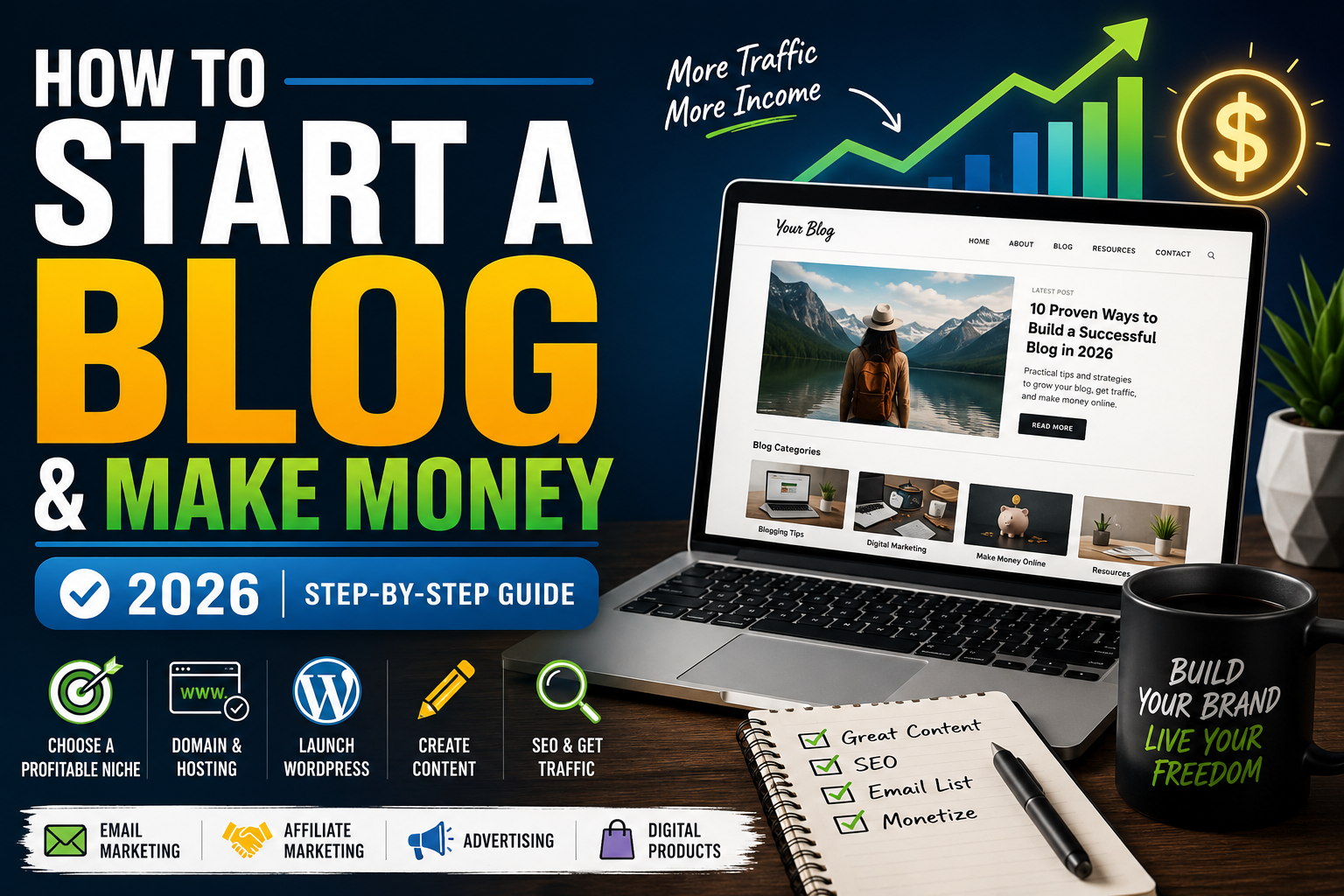
How to Start a Blog and Make Money in 2026: Step-by-Step Guide
Want to learn how to start a blog and make money? This beginner-friendly tutorial walks you through choosing a niche, getting hosting, installing WordPress, creating content, optimizing your posts for Google and monetizing your audience with affiliate marketing, advertising and email marketing.
No coding experience is required.
Starting a blog is no longer simply about publishing personal stories. A well-built blog can become a digital asset that attracts visitors from Google, grows an email audience and generates revenue from multiple sources.
The basic strategy is straightforward: create useful content around topics people are already searching for and connect that traffic to products, services or advertising.
This guide is inspired by the major concepts demonstrated in Nayyar Shaikh’s WordPress blogging tutorial, but it has been reorganized, rewritten and updated for the way I would approach building a blog in 2026.
The Blogging Business Model in One Graphic
Table of Contents
- What You Need to Start a Blog
- Choose a Profitable Blog Niche
- Choose Your Domain Name
- Get WordPress Hosting
- Install WordPress
- Configure WordPress
- Choose Your WordPress Theme
- Install Essential Plugins
- Set Up Rank Math SEO
- Set Up Google Analytics
- Create Your First Blog Post
- Optimize Blog Posts for SEO
- Create Your Homepage
- Make Your Blog Mobile-Friendly
- Build an Email List
- Make Money With Affiliate Marketing
- Make Money With Google AdSense
- Additional Blog Income Streams
- Frequently Asked Questions
What Do You Need to Start a Blog?
You don’t need to be a programmer or professional web designer to start a WordPress blog.
At a minimum, you need:
Step 1: Choose a Profitable Blog Niche
One of the biggest mistakes beginners make is trying to write about everything.
A focused blog gives Google and your readers a clearer understanding of what your website is about.
Good blogging niches typically sit at the intersection of three things:
Search Demand
People are actively searching for information, products or solutions related to the topic.
Commercial Intent
Companies are already selling products and services to the audience.
Content Opportunities
You can realistically create dozens or hundreds of useful articles.
Examples of Blog Niches
- Personal finance
- WordPress and web hosting
- Software and AI tools
- Home improvement
- Travel
- Technology
- Beauty
- Fitness
- Business
- Photography
- Parenting
- Food and recipes
Step 2: Choose a Domain Name
Your domain is your website’s permanent address.
Examples include:
- yourbrand.com
- yourname.com
- topicguide.com
Try to choose something short, memorable and easy to spell.
You do not need to stuff your primary keyword into the domain name. Building a recognizable brand can be more valuable over the long term.
Step 3: Get Hosting for Your WordPress Blog
Hosting is the service that stores your website and makes it accessible to visitors on the internet.
For beginners, I generally prefer managed WordPress hosting rather than trying to configure and maintain a server manually.
Recommended Beginner Option: Hostinger
Hostinger provides WordPress hosting with tools designed to simplify installation, website management, security, backups and performance. The exact features available can vary by plan, so always check the current plan details before purchasing.
- WordPress-friendly hosting environment
- WordPress installation tools
- SSL support
- Automatic WordPress management features
- Backup options
- Performance and caching tools
- Beginner-friendly control panel
Affiliate link. Check Hostinger directly for current pricing, renewal rates and features because hosting offers can change.
How to Start a Blog and Make Money Step by Step
Step 4: Install WordPress
Once your hosting account and domain are ready, install WordPress. Many managed WordPress hosts provide an installation workflow that handles much of the technical setup.
Open Your Hosting Dashboard
Log into your hosting account and select the domain where you want your blog installed.
Select WordPress
Choose WordPress as your website platform and follow the installation instructions supplied by your host.
Create Your Administrator Account
Use a secure administrator username, email address and strong password. Avoid using an obvious username such as “admin.”
Log Into WordPress
After installation, access your WordPress dashboard. This is where you will create posts, pages, menus, install plugins and control most of your website.
Step 5: Configure Your Basic WordPress Settings
Before writing content, configure a few important settings.
Site Title and Tagline
Navigate to:
Settings → General
Enter your website name and an appropriate tagline.
Permalinks
Go to:
Settings → Permalinks
Use clean, descriptive URLs. For most blogs, a simple post-name structure works well.
For example:
yourwebsite.com/how-to-start-a-blog/
is generally easier to understand than:
yourwebsite.com/?p=873
Step 6: Choose a WordPress Theme
Your theme controls much of the visual appearance and layout of your website.
Look for a theme that is:
- Responsive
- Fast
- Regularly maintained
- Compatible with major WordPress plugins
- Easy to customize
You do not need an extremely complicated design.
A successful blog primarily needs to make its content easy to read and its navigation easy to understand.
Step 7: Install Essential WordPress Plugins
Plugins add functionality to WordPress.
You should avoid installing dozens of plugins simply because they are available. Every plugin should have a clear purpose.
| Purpose | Example | Why You Need It |
|---|---|---|
| SEO | Rank Math | Helps configure important on-page SEO settings. |
| Page Building | WordPress Blocks / Elementor | Helps create pages and layouts. |
| Forms | WPForms or similar | Contact and lead-generation forms. |
| Performance | Hosting/caching solution | Helps improve page-load performance. |
| Backup | Hosting backup or backup plugin | Protects against data loss. |
Step 8: Set Up Rank Math SEO
An SEO plugin helps you manage important technical and on-page SEO settings without manually editing WordPress code.
Rank Math provides a setup wizard that walks users through website information, sitemap options and other SEO settings.
After installing and activating it, navigate to:
WordPress Dashboard → Rank Math SEO → Dashboard → Setup Wizard
Follow the wizard and configure the options appropriate for your website.
Visit Rank MathStep 9: Connect Google Analytics
If you want to grow your blog like a business, you need to understand your traffic.
Google Analytics can help you measure how visitors interact with your website.
The modern setup uses Google Analytics 4 (GA4).
The basic process is:
- Create or access your Google Analytics account.
- Create a GA4 property.
- Create a website data stream.
- Connect the Google tag to your WordPress website.
- Verify that data is being collected.
Step 10: Create Your First Blog Post
WordPress includes a block editor that lets you build articles from individual content blocks.
Instead of writing an article as one giant wall of text, organize it into sections.
A Good Blog Post Structure
Step 11: Optimize Your Blog Posts for SEO
Search engine optimization is one of the main reasons blogging can continue generating traffic long after an article is published.
You should not write only for an SEO plugin’s score. Your main goal is to create the best possible page for the searcher’s intent.
On-Page SEO Checklist
Step 12: Create a Professional Blog Homepage
Your homepage should quickly communicate what your blog covers and help visitors reach your most important content.
A simple homepage can contain:
- A strong headline.
- A short explanation of the website.
- Your main blog categories.
- Popular or recent articles.
- An email signup section.
- An author/about section.
Step 13: Make Your Website Mobile-Friendly
A significant portion of visitors may access your blog on phones. Your design therefore cannot be optimized only for desktop computers.
Check:
- Font sizes
- Button sizes
- Navigation
- Image width
- Tables
- Popups
- Forms
- Page speed
This article layout itself uses responsive CSS so cards, tables and graphics adapt to smaller screens.
Step 14: Build an Email List
Search traffic is valuable, but you do not control Google. Social media traffic is valuable, but you do not control those platforms either.
An email list gives you a way to communicate directly with people who have voluntarily subscribed to hear from you.
One common strategy is to offer something useful in exchange for an email address.
Email Marketing Funnel
Lead Magnet Ideas
- Checklist
- Mini guide
- Template
- Resource list
- Free course
- Coupon or special offer
Step 15: Make Money Blogging With Affiliate Marketing
Affiliate marketing is one of the simplest ways to understand how a blog can generate revenue.
A company gives you a special tracking link. You publish useful content that sends qualified visitors to that company. If a visitor makes an eligible purchase or completes another qualifying action, the affiliate program may pay you a commission.
How Affiliate Marketing Works
Affiliate Content That Can Convert
- Product reviews
- Software reviews
- Best-product lists
- Product comparisons
- Alternatives articles
- Tutorials
- Buying guides
- Case studies
Example: Hosting Affiliate Marketing
This article discusses starting a WordPress blog, so recommending a WordPress hosting provider is contextually relevant.
Instead of randomly inserting an unrelated product, the offer directly supports the task the visitor is trying to complete.
Start a WordPress Blog With Hostinger →
Step 16: Make Money With Google AdSense
Advertising is another way blogs can generate income.
Google AdSense allows eligible publishers to display advertising on their websites.
However, you should not build a website consisting of thin pages simply to display ads.
Focus first on publishing genuinely useful content and building a website people have a reason to visit.
Before applying, make sure your website has important trust and navigation pages where appropriate, such as:
- About
- Contact
- Privacy Policy
- Terms or legal information where relevant
- Clear navigation
- Original content
Approval and earnings are never guaranteed.
Learn About Google AdSenseStep 17: Add Multiple Blog Income Streams
One of the advantages of owning a blog is that you are not limited to one revenue model.
Affiliate Marketing
Recommend relevant products and earn commissions.
Advertising
Monetize eligible page views with display advertising.
Digital Products
Sell ebooks, templates, guides, courses or downloads.
Services
Sell consulting, design, marketing or other professional services.
Sponsorships
Work directly with brands once you build an audience.
Email Marketing
Turn subscribers into repeat readers and potential customers.
A Simple Content Strategy for a New Blog
Instead of randomly choosing article topics, build clusters of related content.
Example: WordPress Blog
- How to start a WordPress blog
- Best WordPress hosting
- Hostinger review
- Best WordPress themes
- Best WordPress plugins
- How to install WordPress
- WordPress SEO guide
- Rank Math tutorial
- How to speed up WordPress
- How to make money blogging
These articles support each other and can be connected with internal links.
How Long Does It Take to Make Money Blogging?
There is no guaranteed timeline.
Some bloggers generate their first commission quickly because they already have an audience. Others may publish for months before generating meaningful traffic.
Results depend on factors including:
- Your niche
- Competition
- Content quality
- Search demand
- Authority
- Promotion
- Conversion rates
- Your offers
How Much Does It Cost to Start a Blog?
Costs vary significantly depending on the tools you choose.
| Expense | Required? | Notes |
|---|---|---|
| Domain Name | Yes for a professional site | Some hosting packages may include an introductory domain offer. |
| Web Hosting | Yes for self-hosted WordPress | Pricing depends on provider, term and plan. |
| WordPress | Yes | The WordPress software itself is open source. |
| Premium Theme | No | You can begin with a free theme. |
| Premium Plugins | No | Many free tools are sufficient for beginners. |
| Email Marketing | Optional initially | Many services offer entry-level options. |
Ready to Start Your Blog?
You do not need a perfect website before publishing. Get the technical foundation in place, create genuinely useful content and improve your site as you learn what your audience wants.
Get Started With Hostinger →Affiliate link. Always review the current plan price, term and renewal cost before purchasing.
Video That Inspired This Updated Guide
This article expands on concepts demonstrated in Nayyar Shaikh’s WordPress blogging tutorial covering hosting, WordPress, Rank Math, Google Analytics, Gutenberg, SEO, website design, email capture and Google AdSense.
Video: How to Start Money Making Blog for FREE with WordPress, AdSense, Affiliate & Email Marketing 2022
Watch the Original Tutorial on YouTubeFrequently Asked Questions About Starting a Blog
Can you really make money blogging?
Yes, blogs can generate revenue through affiliate marketing, advertising, services, sponsorships and digital products. However, creating a blog does not guarantee income. You still need useful content, qualified traffic and an effective monetization strategy.
How can a beginner start a blog?
Choose a niche, register a domain, purchase hosting, install WordPress, configure your site, create important pages and start publishing useful articles targeting topics your audience searches for.
Is WordPress good for blogging?
WordPress is particularly suited to content publishing because it provides post management, categories, tags, themes, plugins, user roles and extensive customization options.
Do I need to know how to code?
No. Modern WordPress themes and the WordPress block editor allow beginners to create sophisticated websites without writing code. Knowing HTML and CSS can still be useful for advanced customization.
How do bloggers get paid?
Common revenue streams include affiliate commissions, display ads, sponsored content, consulting, memberships, courses, ebooks and other digital or physical products.
Should I use affiliate marketing or Google AdSense?
You don’t necessarily have to choose one. Depending on your niche and website, you may eventually combine affiliate marketing with display advertising and other income streams.
What is the best hosting for a beginner WordPress blog?
Look for managed WordPress hosting with straightforward installation, SSL, backups, good performance, responsive support and transparent renewal pricing. Hostinger is one option worth comparing for beginner WordPress websites.
How many articles should I publish?
There is no magic number. A better goal is to build comprehensive topic coverage. Start with a group of closely related articles and continue expanding based on search demand and what your audience finds useful.
Can I start a blog for free?
You can experiment with free blogging platforms or install WordPress locally for learning. However, a self-hosted professional WordPress website normally requires a domain and hosting.
Final Thoughts
Learning how to start a blog and make money is really about learning several connected skills: website creation, writing, SEO, audience building and monetization.
You do not have to master everything on day one.
Start with the foundation:
- Choose a focused niche.
- Launch WordPress.
- Publish genuinely helpful content.
- Optimize it for people and search engines.
- Build traffic.
- Collect email subscribers.
- Add relevant monetization.
- Continue improving the site.
The websites that become valuable are usually the ones whose owners continue publishing, testing and improving long after the initial excitement of launching the site disappears.


Pingback: 7 Best Blog Hosting Sites for 2026: Top Hosting Compared
Pingback: 7 Best Passive Income Ideas to Make Money in 2026
Pingback: 25 Best Work From Home Jobs in 2026 (Remote Careers)
Pingback: 29 Ways How to Make Money Online in 2026: Realistic Methods
Pingback: 15 Passive Income Ideas With $100 or Less in 2026
Pingback: 15 AI Passive Income Ideas to Make Money in 2026
Pingback: Passive Income Online: 17 Ways to Make Money From Home
Pingback: 25 Side Hustles for Passive Income to Start in 2026
Pingback: Pinterest Passive Income: How to Make Money in 2026
Pingback: 20 Passive Income Ideas for Beginners With No Experience