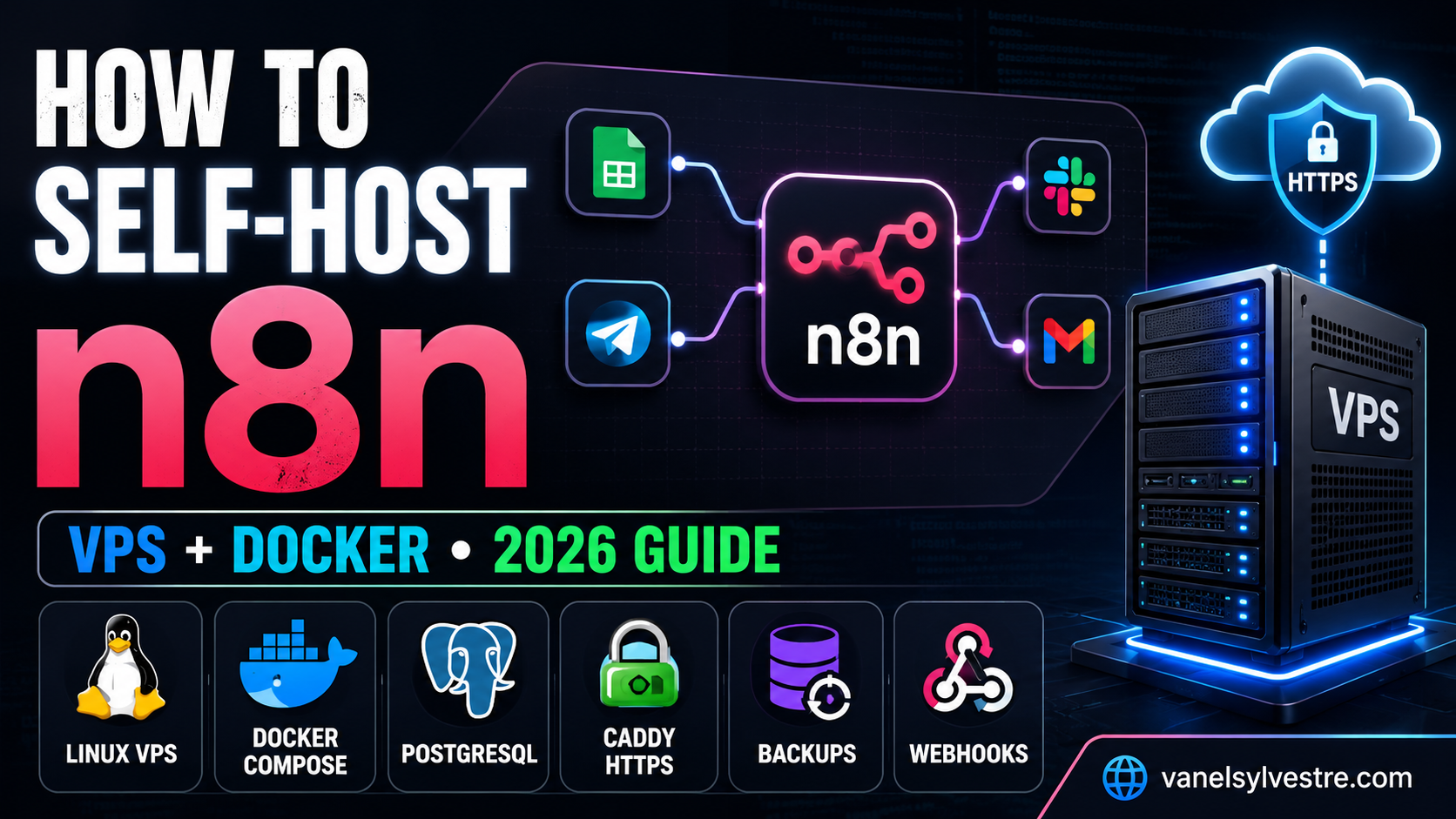
How to Self-Host n8n on a VPS: Complete Docker Setup + Real Cost Guide
A practical, beginner-friendly walkthrough for running n8n on your own Linux server with Docker Compose, PostgreSQL, a custom domain, automatic HTTPS, backups, and a real webhook test.
Self-hosting n8n replaces a managed automation subscription with software running on a VPS you control. For a small production setup, a 2 GB Linux server is a comfortable starting point. You install Docker, point a subdomain at the server, launch n8n + PostgreSQL + Caddy, create the owner account, and verify the setup with a public webhook.
- n8n on your own server
- PostgreSQL for persistent application data
- Automatic HTTPS on a custom subdomain
- A tested public webhook endpoint
- A basic update, backup, and security routine
n8n is a visual workflow-automation platform that connects APIs, databases, AI services, CRMs, spreadsheets, webhooks, and hundreds of other tools. The cloud version is convenient because the infrastructure is managed for you. The self-hosted Community Edition gives you much more control because the application and its data can live on infrastructure you operate.
This guide focuses on the practical middle ground: not a fragile local-only experiment, and not a complicated enterprise cluster. The goal is a small, understandable VPS stack that can run real automations over HTTPS.
Why Self-Host n8n?
The strongest reason is control. With a managed automation service, the provider decides the pricing model, execution limits, retention policy, upgrade schedule, and infrastructure. When n8n runs on your own server, you control the machine, the database, the domain, the deployment schedule, and the backup process.
The tradeoff is responsibility. You become the operator. That means keeping the server updated, monitoring disk space, protecting SSH, backing up data, handling provider-specific OAuth configuration, and deciding when to upgrade n8n.
What “Self-Hosted n8n” Actually Means
You are not rebuilding n8n. You are running n8n’s published container image on a machine you control. Docker provides an isolated environment for the application. PostgreSQL stores persistent database data. Caddy sits in front of n8n and handles incoming HTTPS traffic.
| Area | n8n Cloud | Self-hosted n8n |
|---|---|---|
| Infrastructure | Managed for you | You choose and maintain the VPS |
| Software updates | Provider-managed | You schedule updates |
| Execution limits | Depend on current plan | No software execution meter; server capacity becomes the practical limit |
| Database | Provider infrastructure | Your database / volume |
| Backups | Managed service responsibility | Your responsibility |
| OAuth setup | Often simpler | Some providers require your own OAuth app configuration |
n8n uses a fair-code licensing model rather than a traditional OSI open-source license. Self-hosting it for your own workflows is a common use case, but you should review the current license before building a commercial service around n8n itself.
What You Need Before You Start
If Docker itself is new to you, read my complete Docker tutorial for beginners first. It explains images, containers, registries, ports, volumes, and practical deployment concepts in more depth.
Step 1: Create a Small VPS
For a beginner setup, start with a general-purpose VPS rather than a complex managed Kubernetes platform. A 2 GB RAM server is a sensible baseline when you want room for n8n, PostgreSQL, the reverse proxy, and operating-system overhead.
A 1 GB server can work for light automation, but available memory gets tight faster. If your workflows process large files, execute browser automation, run code-heavy tasks, or call local AI models, plan for more RAM and CPU.
Need hosting for the project?
You can use any reputable Linux VPS provider. If you already use my hosting recommendation, you can check the current plans through the link below. Compare the available VPS resources before buying.
During server creation, choose a current Ubuntu LTS image, add your SSH key, and note the server’s public IPv4 address. For production use, avoid relying on root-password login when SSH keys are available.
Step 2: Install Docker and Docker Compose
n8n recommends Docker for most self-hosting use cases because containers keep the application environment predictable and make upgrades easier to manage.
SSH into the server:
ssh root@YOUR_SERVER_IP
On a fresh Ubuntu server, you can use Docker’s official convenience installer:
curl -fsSL https://get.docker.com | sh
Verify the engine and Compose plugin:
docker --version
docker compose version
Step 3: Point a Subdomain to the Server
Create a DNS A record at the provider that manages your domain. A clean pattern is:
n8n.example.com → YOUR_SERVER_IP
A real domain is important because external services need a stable HTTPS address for production webhooks. It also allows the reverse proxy to obtain and renew TLS certificates automatically.
Wait until the subdomain resolves to the server before starting the full stack. You can check from your computer with:
nslookup n8n.example.com
Step 4: Launch n8n + PostgreSQL + Caddy With Docker Compose
This stack uses three services. PostgreSQL stores application data. n8n runs the editor and workflow engine. Caddy receives internet traffic on ports 80 and 443, automatically manages HTTPS, and forwards requests internally to n8n.
4.1 Create the project directory
mkdir -p /opt/n8n
cd /opt/n8n
4.2 Create secure environment secrets
Generate a database password and n8n encryption key instead of typing easy-to-guess values:
cat > .env <<EOF
N8N_DOMAIN=n8n.example.com
POSTGRES_PASSWORD=$(openssl rand -hex 24)
N8N_ENCRYPTION_KEY=$(openssl rand -hex 32)
EOF
4.3 Create compose.yaml
This example intentionally uses an explicit n8n version instead of latest. Before publishing or deploying, confirm the current stable version in n8n’s release notes and replace the tag if needed.
services:
  postgres:
    image: postgres:16-alpine
    restart: unless-stopped
    environment:
      POSTGRES_USER: n8n
      POSTGRES_PASSWORD: ${POSTGRES_PASSWORD}
      POSTGRES_DB: n8n
    volumes:
      - postgres_data:/var/lib/postgresql/data
    healthcheck:
      test: ["CMD-SHELL", "pg_isready -U n8n -d n8n"]
      interval: 5s
      timeout: 5s
      retries: 10

  n8n:
    image: docker.n8n.io/n8nio/n8n:2.34.4
    restart: unless-stopped
    environment:
      DB_TYPE: postgresdb
      DB_POSTGRESDB_HOST: postgres
      DB_POSTGRESDB_PORT: "5432"
      DB_POSTGRESDB_DATABASE: n8n
      DB_POSTGRESDB_USER: n8n
      DB_POSTGRESDB_PASSWORD: ${POSTGRES_PASSWORD}
      N8N_HOST: ${N8N_DOMAIN}
      N8N_PROTOCOL: https
      WEBHOOK_URL: https://${N8N_DOMAIN}/
      N8N_PROXY_HOPS: "1"
      N8N_ENCRYPTION_KEY: ${N8N_ENCRYPTION_KEY}
      N8N_DIAGNOSTICS_ENABLED: "false"
      GENERIC_TIMEZONE: UTC
    volumes:
      - n8n_data:/home/node/.n8n
    depends_on:
      postgres:
        condition: service_healthy

  caddy:
    image: caddy:2-alpine
    restart: unless-stopped
    ports:
      - "80:80"
      - "443:443"
    environment:
      N8N_DOMAIN: ${N8N_DOMAIN}
    volumes:
      - ./Caddyfile:/etc/caddy/Caddyfile:ro
      - caddy_data:/data
      - caddy_config:/config

volumes:
  postgres_data:
  n8n_data:
  caddy_data:
  caddy_config:
4.4 Create the Caddyfile
{$N8N_DOMAIN} {
  reverse_proxy n8n:5678
}
4.5 Start the services
docker compose pull
docker compose up -d
docker compose ps
If all services show as running or healthy, open https://n8n.example.com in your browser. If HTTPS is not ready immediately, give Caddy a short moment and inspect logs with:
docker compose logs --tail=100 caddy
docker compose logs --tail=100 n8n
Step 5: Create the n8n Owner Account Immediately
A fresh n8n instance displays an owner-account setup page. Complete that setup as soon as the public site becomes reachable. The first owner account controls the instance, so do not leave a brand-new public installation sitting unattended.
Fresh install security checklist
- Use a unique, long password for the owner account.
- Store the password in a password manager.
- Keep SSH key authentication enabled.
- Do not expose PostgreSQL directly to the public internet.
- Do not publish n8n’s port 5678 directly when Caddy is already proxying it.
Step 6: Prove the Setup With a Real Webhook
A login screen proves that the editor loads. It does not prove that external automation requests can reach a published workflow. A webhook test verifies the entire path: DNS → HTTPS → Caddy → n8n → workflow execution.
Create a tiny workflow
- Add a Webhook trigger node.
- Set the method to POST.
- Use a path such as
order-test. - Add a Respond to Webhook node or configure the webhook response behavior you prefer.
- Publish / activate the workflow.
Then call the production webhook URL from another computer:
curl -X POST https://n8n.example.com/webhook/order-test \
  -H 'Content-Type: application/json' \
  -d '{"order":"A-1001","qty":2,"price":49}'
If the workflow executes and returns the expected response, you know the public URL is working end to end. If n8n says the webhook is not registered, confirm that you are using the production URL and that the workflow is active.
What Does Self-Hosting n8n Actually Cost?
The software can be self-hosted without paying a per-execution software fee, but infrastructure is not free. Your recurring cost is mainly the VPS, domain registration if you do not already own a domain, backups or object storage if you use a paid provider, and your own time.
| Cost area | Typical self-hosted impact | What changes with usage |
|---|---|---|
| VPS | Usually a flat monthly server bill | You may need a larger server as workloads grow |
| Domain | Annual registration fee | Usually unchanged by executions |
| TLS certificate | Caddy can use free public certificates | Normally no per-request charge |
| n8n Community Edition | No per-execution software meter for your own self-hosted workflows | Infrastructure capacity becomes the practical limit |
| Backups | Can be free locally or paid off-site storage | Grows with retained data |
| Your time | Setup, updates, troubleshooting | Depends on how complex your stack becomes |
Why the billing model matters
Automation services do not all count usage the same way. Some platforms bill by action or task; n8n Cloud is organized around workflow executions; a self-hosted server is generally paid for as infrastructure capacity. That makes self-hosting especially attractive when a workflow contains many steps or runs frequently, but the calculation should include maintenance time as well as the server invoice.
Keeping n8n Alive: Updates, Backups, and Security
Update with a pinned version
Using a fixed image tag makes upgrades deliberate. Read the n8n release notes, take a backup, update the version in compose.yaml, then pull and recreate the service.
cd /opt/n8n
docker compose pull n8n
docker compose up -d n8n
docker compose logs --tail=100 n8n
Back up PostgreSQL
A database dump is a simple way to create a portable PostgreSQL backup:
docker compose exec -T postgres pg_dump -U n8n n8n \
  | gzip > n8n-db-$(date +%F).sql.gz
Back up the n8n data volume
docker run --rm \
  -v n8n_n8n_data:/data \
  -v "$(pwd)":/backup \
  alpine \
  tar czf /backup/n8n-data-$(date +%F).tar.gz -C /data .
Also protect the N8N_ENCRYPTION_KEY. A backup strategy is incomplete until you have tested restoring the database, application data, and encryption key on a clean environment.
Basic public-server security
If you want a broader explanation of the model before adding more services, read my self-hosting guide and the Docker tutorial. The same principles—portable containers, private networks, backups, versioning, and least-privilege access—apply to nearly every self-hosted application.
When Self-Hosted n8n Is the Right Choice
| Choose self-hosted n8n when… | Choose managed n8n Cloud when… |
|---|---|
| You want control over the server and database. | You want the fastest path with minimal operations work. |
| Your workflows run often or contain many actions. | Your execution volume fits comfortably inside a managed plan. |
| You already operate Docker services on a VPS. | You do not want to maintain Docker, backups, or Linux. |
| You need custom networking or deeper infrastructure control. | You prefer provider support and managed availability. |
| You are comfortable scheduling upgrades yourself. | You want upgrades handled automatically. |
Self-hosting becomes even more valuable when the same VPS runs several compatible tools. For example, you might eventually combine n8n with analytics, internal dashboards, databases, an AI API gateway, or private business utilities. Do that carefully: every additional service increases memory usage, backup scope, and the number of things you must patch.
Build a self-hosting topic cluster
For stronger internal linking and topical SEO, connect this article to related tutorials instead of leaving it as an isolated page.
Frequently Asked Questions
Is self-hosted n8n free?
The Community Edition can be self-hosted for your own workflows without a per-execution software charge. You still pay for the infrastructure you use, and n8n has licensing rules that should be reviewed if you plan to commercialize n8n itself as a service.
How much RAM does n8n need?
Light personal workloads can run on a small VPS, but 2 GB RAM is a safer beginner baseline for n8n plus PostgreSQL and a reverse proxy. File-heavy workflows, code execution, large concurrency, or additional services can require significantly more memory.
Can I use SQLite instead of PostgreSQL?
n8n can use SQLite, and it is convenient for lightweight installations. PostgreSQL is a stronger default for a small production VPS because it is designed for concurrent database workloads and has mature backup tooling such as pg_dump.
Why do I need a domain for n8n?
You can experiment locally without a domain, but production webhooks need a stable public URL. A domain also makes automatic HTTPS much easier and avoids building integrations around a raw server IP.
Can I run n8n behind Cloudflare?
Yes, but understand what is being proxied and make sure webhook URLs, TLS settings, forwarded headers, and any Cloudflare security rules do not block legitimate webhook traffic. Keep your architecture as simple as possible until the base setup works.
How do I update self-hosted n8n safely?
Pin a version, read the release notes, back up PostgreSQL and the n8n data volume, keep a protected copy of your encryption key, update the image tag, pull the new image, recreate the n8n service, and verify workflows afterward.
Is it safe to expose n8n to the public internet?
It can be operated safely when you apply standard server security practices: claim the owner account immediately, use strong authentication, protect SSH, minimize exposed ports, keep software patched, secure sensitive webhooks, and maintain tested off-site backups.
Is n8n better than Zapier or Make?
They solve overlapping problems with different tradeoffs. n8n is attractive when you want self-hosting, technical flexibility, and control. Zapier and Make can be easier when you prefer a managed platform and want less infrastructure responsibility. The best choice depends on workflow complexity, volume, integrations, and your tolerance for maintenance.
Official Resources and Further Reading
- n8n self-hosting documentation — current deployment guidance and configuration options.
- Official n8n hosting examples on GitHub — Docker Compose and other infrastructure examples.
- Docker Engine installation documentation.
- Caddy documentation — reverse proxy and automatic HTTPS.
- PostgreSQL documentation.
- n8n pricing — check current Cloud plans before publishing price comparisons.
- Zapier pricing and Make pricing — verify current limits and rates.




Pingback: What Is Self-Hosting? A Practical Answer With a Real Server