If your affiliate site will use blogging as its primary traffic engine, read my how to start a successful blog guide. It connects content strategy, SEO, audience building, trust, backlinks, and monetization so affiliate offers support the reader journey instead of dominating it.
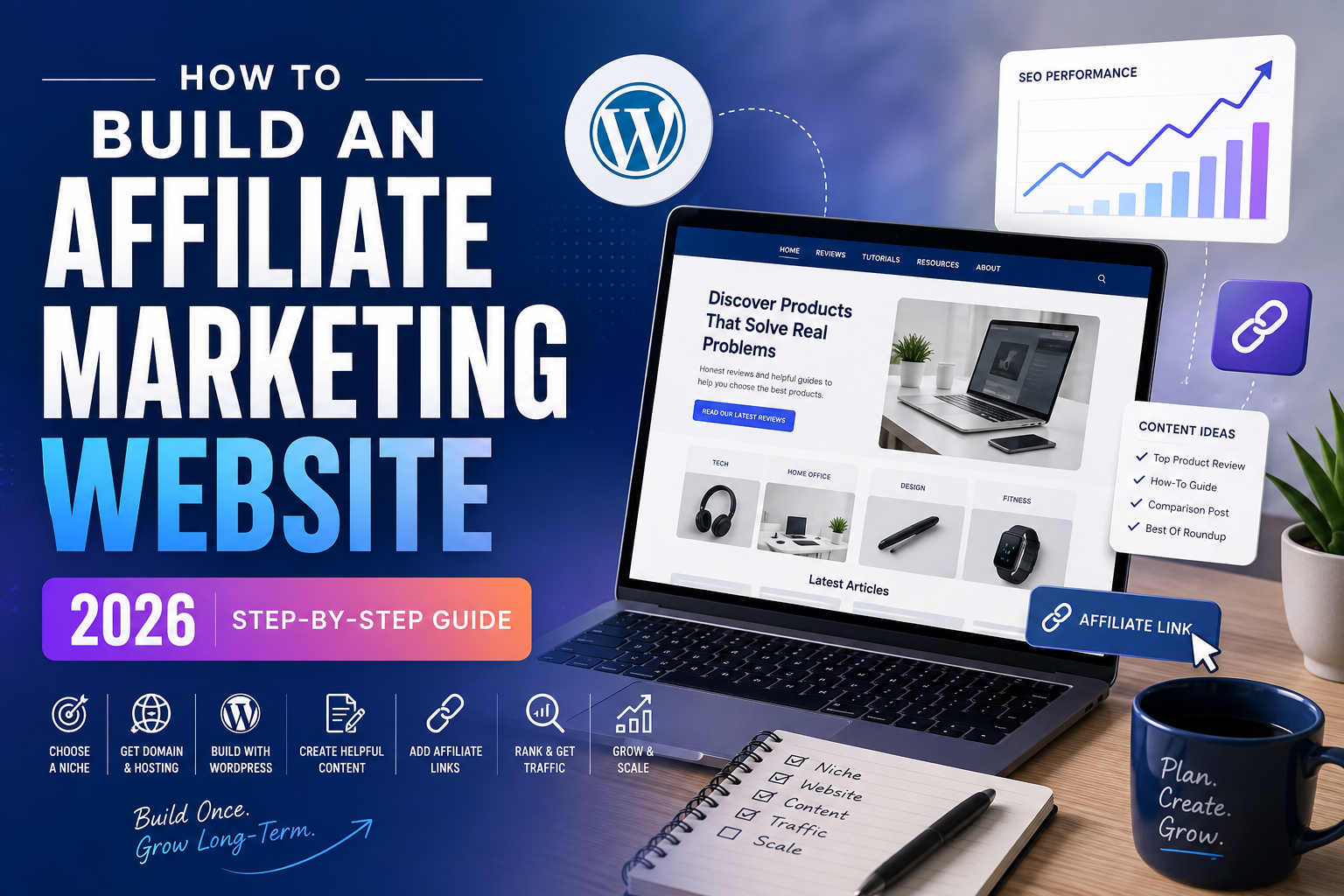
Want to build an affiliate marketing website? This guide shows you how. First, you will choose a niche. Next, you will build your website. Then, you will create content and add affiliate links.
However, You will also learn how to use AI, improve SEO, attract traffic, and grow your website over time.
Affiliate marketing is a simple online business model. You recommend useful products or services to an audience. Then, you can earn a commission when a person buys through your tracked link.
However, affiliate marketing is not only about placing links on a website. You need useful content first. That content should help readers make better decisions.
What Is an Affiliate Marketing Website?
An affiliate marketing website publishes useful content. That content may include reviews, tutorials, buying guides, and comparisons.
The website also recommends products or services. These recommendations include tracked affiliate links.
For example, imagine that you build a website about home offices. You could publish articles about desks, chairs, monitors, and software.
In addition, Some readers may click your links and buy a product. If the purchase qualifies, the merchant may pay you a commission.
Step 1: Choose a Profitable Niche
First, choose a focused topic. Your niche affects your keywords, audience, content, and affiliate programs.
Do not choose a niche only because the commissions look high. Instead, choose a market with real demand.
Ask these questions
- Are people searching for this topic?
- Are there useful products to recommend?
- Can I create many helpful articles?
- Are affiliate programs available?
- Can I provide useful information in this market?
Popular affiliate niches
Technology
Hosting, software, AI tools, electronics, and online services.
Home
Furniture, appliances, home offices, and home improvement.
Travel
Hotels, luggage, travel gear, and booking services.
A focused niche is often easier to grow. Later, you can expand into related topics.
Step 2: Choose a Domain Name
Next, choose a domain name. Your domain becomes the address of your website.
For example, Keep the name simple. It should also be easy to remember and easy to spell.
- Keep it short when possible.
- Avoid unnecessary numbers.
- Avoid confusing spelling.
- Choose a name that can grow with the site.
- Check for possible trademark issues.
You do not need to place your exact keyword in the domain. A strong brand name can work just as well.
Step 3: Get Web Hosting
Now you need web hosting. Hosting stores your website files and makes the site available online.
As a result, For a beginner WordPress website, Hostinger is one option to consider. It offers WordPress hosting and beginner-friendly setup tools.
Recommended Hosting: Hostinger
Hostinger can help you launch a WordPress website without setting up a server manually. It also includes tools that make website setup easier.
- WordPress hosting options
- Easy website setup
- SSL and security tools
- Website management dashboard
- Options for future growth
Affiliate link. Features and prices can change. Check the current plan details before buying.
Step 4: Install WordPress
After you buy hosting, install WordPress. Many hosting companies provide a guided setup process.
Therefore, Once WordPress is ready, complete the basic settings first. Do not spend days trying to make the site perfect.
- Set your site title.
- Turn on HTTPS.
- Choose a simple permalink structure.
- Delete sample pages and posts.
- Install a lightweight theme.
- Create your main navigation menu.
- Set up backups.
Step 5: Design Your Affiliate Website
Your design should make the website easy to use. It should also make the content easy to read.
You do not need complicated animations. In fact, a clean design is often better for long articles.
Your homepage should explain:
- Who the website is for
- What topics you cover
- Where visitors should start
- Which articles are most useful
- Who runs the website
Next, make your article pages easy to scan. Use short paragraphs, clear headings, lists, tables, and visual boxes.
Strengthen the Foundation of Your Affiliate Marketing Website
Meanwhile, A strong affiliate website needs more than an attractive design. Before you publish heavily, make sure the technical foundation and navigation are easy for visitors and search engines to use.
Use HTTPS and check SSL
Your site should load securely over HTTPS. Confirm that HTTP versions redirect to HTTPS and fix mixed-content warnings caused by older image, script, or link URLs.
Create essential trust pages
- About page
- Contact page
- Affiliate disclosure
- Privacy policy
- Clear homepage
Keep navigation simple
Use your main menu to guide visitors toward your strongest topic clusters, reviews, buying guides, and useful how-to content. Contextual internal links should also connect informational articles with relevant commercial pages.
Install only useful WordPress plugins
In practice, Plugins can add SEO, backups, security, caching, forms, and affiliate-link management. However, avoid installing several plugins that solve the same problem because unnecessary plugins can make maintenance harder.
Step 6: Find Affiliate Programs
Next, look for companies that offer affiliate programs. Some companies manage their own programs. Others use affiliate networks.
Before joining a program, study the terms. Do not focus only on the commission rate.
- Check the commission structure.
- Check the cookie period.
- Read the payment terms.
- Review promotion restrictions.
- Study the merchant’s reputation.
- Make sure the product fits your audience.
Step 7: Find Keywords With Buyer Intent
Keywords show you what people want. However, not every keyword has the same value.
Some keywords are informational. Others show that the reader is close to buying.
Informational keyword examples
- how does web hosting work
- how to start a blog
- how to choose an office chair
Commercial keyword examples
- best hosting for beginners
- Hostinger review
- Hostinger vs Bluehost
- best standing desk under $500
Next, group related keywords together. This helps you build authority around one topic.
Best Web Hosting
Hostinger Review
Hostinger vs Bluehost
Step 8: Create Helpful Affiliate Content
More importantly, Now it is time to create articles. However, do not publish thin content just to add affiliate links.
Your content should make the buying decision easier. It should also answer the reader’s main questions.
Useful content formats
Best Lists
Compare several products for one specific need.
Comparisons
Help readers choose between two products.
Reviews
Explain the strengths, weaknesses, and ideal user.
A good review should explain:
- Who the product is for
- Who should avoid it
- The most important features
- Real advantages
- Real disadvantages
- Alternative products
- Your final recommendation
Step 9: Use AI the Right Way
AI can save time. For example, it can help with research, outlines, drafts, and editing.
However, AI can also produce incorrect information. Therefore, you should review important facts before publishing.
A simple AI workflow
- Research the topic.
- Study the search intent.
- Create a clear outline.
- Use AI to help draft sections.
- Verify facts.
- Add original examples and insights.
- Edit the article before publishing.
AI Tool Mentioned in the Tutorial: Koala AI
However, Koala AI focuses on content and SEO workflows. It can help with article creation and publishing tasks.
Still, review every article before you publish it. Also, verify product information and other important facts.
Explore Koala AI →Step 10: Add Affiliate Links Naturally
Affiliate links should appear when they are useful. Do not add a sales link to every paragraph.
Good places for affiliate links
- After a product recommendation
- Inside a comparison table
- At the end of a product section
- Inside a clear CTA box
- Near a pricing discussion
Ready to Build Your Website?
In addition, If you want to use WordPress, you can compare Hostinger’s current plans below. Choose a plan that fits your website and budget.
View Hostinger Plans →Step 11: Optimize the Website for SEO
SEO can help people discover your articles through search engines. However, SEO is more than repeating a keyword.
Your article must answer the searcher’s question. It should also be easy to read and easy to navigate.
On-page SEO checklist
- Use one clear H1 heading.
- Add useful H2 and H3 headings.
- Use your keyword naturally.
- Write a strong SEO title.
- Add a clear meta description.
- Link to related articles.
- Add descriptive image alt text.
- Make the page mobile-friendly.
Also, avoid keyword stuffing. Use related terms naturally instead.
Use Google Search Console to Measure Search Performance
For example, Publishing an article is only the beginning. Google Search Console can show which queries and pages receive impressions and clicks, while also helping you spot indexing problems.
- Verify the correct website property.
- Submit your XML sitemap.
- Review indexing and coverage issues.
- Watch which queries begin earning impressions.
- Improve pages that receive visibility but weak click-through rates.
Step 12: Get Traffic to Your Website
A website needs visitors. Without traffic, your affiliate links cannot generate results.
SEO is one traffic source. However, you can also use other channels.
Create useful content around topics people search for.
YouTube
Create videos and send viewers to detailed website resources.
Build an email list so you can reach your audience directly.
As a result, Over time, try to build more than one traffic source. This can reduce your dependence on a single platform.
Build an Email List So You Do Not Depend Only on Search
A search visitor may read one article and never return. An email list gives interested readers a way to hear from you again and reduces your dependence on a single traffic source.
Match your lead magnet to the niche. For example, a hosting site could offer a WordPress launch checklist, while a camera site could offer a buyer checklist. Keep signup forms useful and avoid interrupting the reading experience with excessive popups.
Step 13: Scale What Works
Do not scale too quickly. First, find out which pages perform well.
Next, improve those pages. Then, create more content around successful topics.
- Update older articles.
- Create related supporting content.
- Improve calls to action.
- Track affiliate clicks.
- Build an email list.
- Create videos from successful articles.
- Outsource tasks when it makes financial sense.
How Much Can an Affiliate Website Make?
There is no guaranteed income. Results vary from one website to another.
Therefore, Traffic matters. Conversion rates also matter. In addition, commission rates and product demand affect revenue.
For example, imagine that an article gets 10,000 visitors. If 20% click an affiliate link, that creates 2,000 merchant visits.
If 2% of those visitors buy, that creates 40 conversions. At a $30 commission, the total would be $1,200.
This is only an example. Actual results can be higher, lower, or zero.
Common Affiliate Marketing Mistakes
Choosing a niche only for the commission
High commissions do not guarantee success. You still need a real audience and useful products.
Publishing too much weak AI content
Meanwhile, AI can speed up production. However, weak content will not become useful simply because you publish more of it.
Promoting every product
Be selective. Your recommendations become more valuable when readers trust them.
Ignoring mobile users
Many readers use phones. Therefore, test your pages on small screens.
Failing to update articles
Products change. Prices change. Affiliate programs also change. Update important pages regularly.
Affiliate Marketing Website FAQ
Do I need a website for affiliate marketing?
Not always. Some affiliates use YouTube, social media, or email. However, a website gives you a central place to publish content and build your brand.
Is WordPress good for affiliate marketing?
Yes. WordPress gives you strong control over content, design, SEO, and monetization.
Can beginners start affiliate marketing?
Yes. However, beginners still need to learn content creation, SEO, analytics, and affiliate program rules.
Can I use AI to write affiliate articles?
In practice, Yes. AI can help with research and drafting. However, you should verify facts and edit the final article.
How many articles do I need?
There is no fixed number. One strong article can perform better than many weak articles.
Is affiliate marketing passive income?
Not completely. A website can earn from older content, but you still need updates, research, SEO, and maintenance.
Final Thoughts
More importantly, Building an affiliate marketing website takes time. However, the process is simple to understand.
First, choose a focused niche. Next, build your website. Then, create useful content and add relevant affiliate links.
After that, work on SEO and traffic. Finally, measure your results and improve what works.
Most importantly, focus on helping the reader. A useful website is more valuable than a website filled with sales links.
Ready to Start Your Affiliate Marketing Website?
However, You can begin by choosing your hosting and setting up WordPress. Check Hostinger’s current plans below.
Start With Hostinger →Affiliate link. I may earn a commission if you purchase through this link.


Pingback: Affiliate Marketing for Beginners: Step-by-Step Guide (2026)
Pingback: How to Start a Successful Blog in 2026: Beginner Guide
Pingback: 7 Best Passive Income Ideas to Make Money in 2026 - Vanel Sylvestre
Pingback: 25 Best Work From Home Jobs in 2026 (Remote Careers)
Pingback: 29 Ways How to Make Money Online in 2026: Realistic Methods
Pingback: 15 Passive Income Ideas With $100 or Less in 2026
Pingback: Affiliate Marketing Passive Income: Complete 2026 Guide - Vanel Sylvestre
Pingback: Blog Passive Income: How to Start a Money-Making Blog
Pingback: Passive Income Online: 17 Ways to Make Money From Home
Pingback: 15 Digital Products to Sell for Passive Income in 2026
Pingback: 20 Passive Income Ideas for Beginners With No Experience
Pingback: 15 AI Passive Income Ideas to Make Money in 2026
Pingback: Pinterest Passive Income: How to Make Money in 2026
Pingback: 25 Side Hustles for Passive Income to Start in 2026
Pingback: 21 Passive Income Ideas for Stay-at-Home Moms in 2026
Pingback: 25 Passive Income Ideas With No Money to Start in 2026
Pingback: Website Passive Income: 15 Ways to Make Money in 2026
Pingback: Canva Passive Income: 21 Ideas to Make Money in 2026
Pingback: YouTube Passive Income: 17 Faceless Ideas for 2026
Pingback: 25 Passive Income Assets That Can Generate Money in 2026
Pingback: Passive Income Ideas: 25 Ways to Make Money in 2026