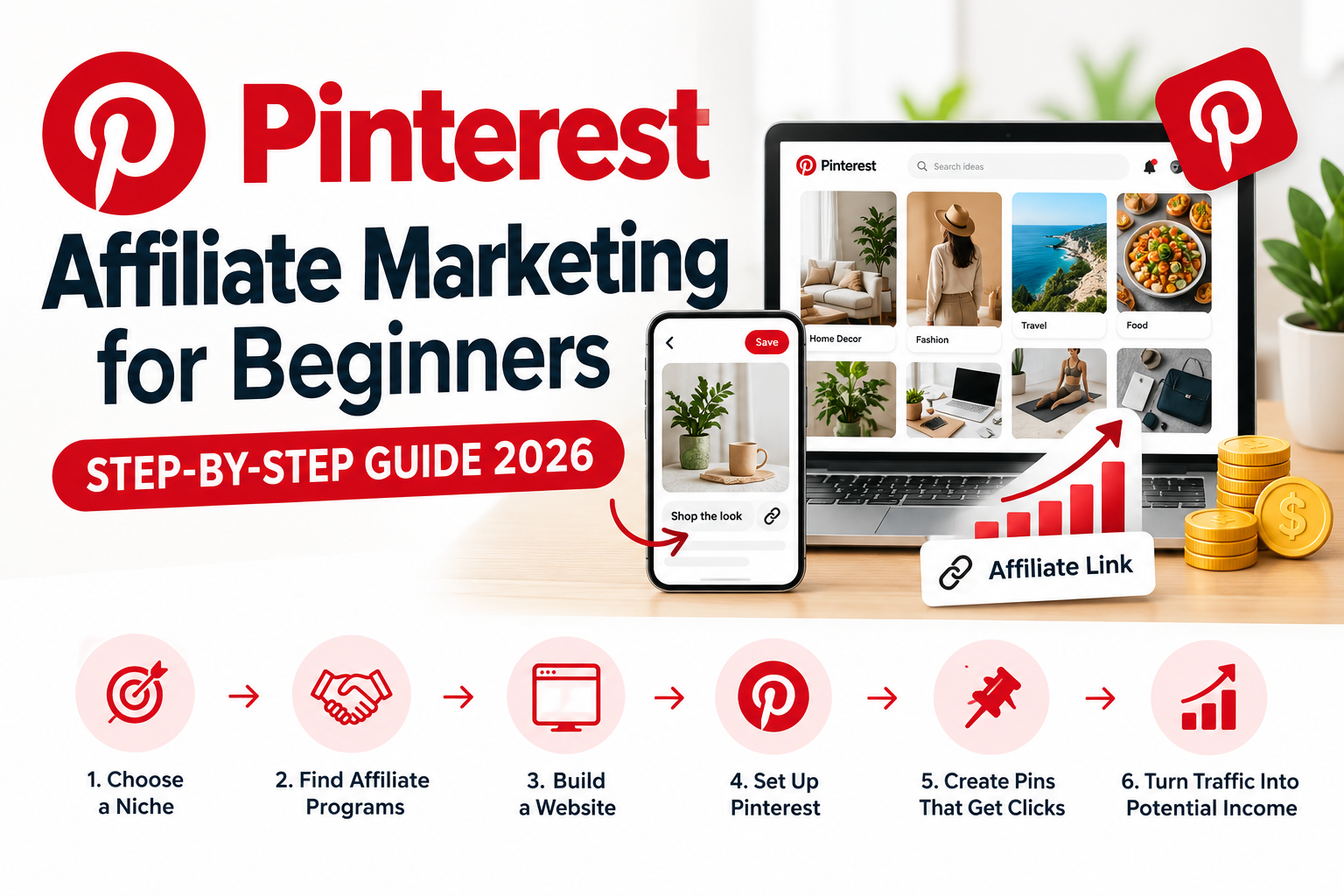
Pinterest Affiliate Marketing for Beginners: How to Turn Pins Into Affiliate Income
Pinterest can work like a visual search engine: people search for ideas, products and solutions, then click through to websites. This guide turns the strategy demonstrated in Santrel Media’s tutorial into an expanded, practical workflow you can use to build an affiliate business.
Start the 7-Step PlanWatch the Original TutorialWhat Is Pinterest Affiliate Marketing?
Affiliate marketing means recommending another company’s product or service using a trackable referral link. When an eligible visitor buys or completes the required action, the affiliate can earn a commission.
The strongest version of this model is not simply dropping affiliate links everywhere. Build useful content around what people are already searching for, then recommend relevant products naturally.
The 7-Step Pinterest Affiliate Marketing Plan
The referenced Santrel Media video moves from niche selection to brands, Amazon Associates, a website, Pinterest setup, posting and fast video creation. Here is that workflow expanded into an actionable plan.
Choose one niche
Focus your account around a clear audience and category.
Find offers
Identify brands and affiliate programs that fit that audience.
Build your site
Create useful pages that can rank, educate and convert.
Join programs
Apply to programs only after reading their current terms.
Set up Pinterest
Use a focused business profile, boards and keyword themes.
Publish consistently
Create fresh pins connected to specific useful pages.
Measure and scale
Track impressions, outbound clicks and conversions.
Step 1: Choose a Niche People Search and Shop In
Instead of creating a general account about everything, choose a category where you can repeatedly answer questions and recommend products. Examples include home organization, beauty, fashion, travel gear, home offices, cooking, technology, pets, DIY projects and online business.
A simple niche test
- Search demand: Are people actively looking for ideas and solutions?
- Visual potential: Can the topic produce attractive images, comparisons, checklists or demonstrations?
- Commercial intent: Are there products or services people buy in this niche?
- Content depth: Can you realistically publish dozens of useful articles and pins?
Step 2: Find Brands and Affiliate Programs to Promote
Once the niche is clear, list products and companies your audience already searches for. Look for official affiliate programs, affiliate networks and programs that explicitly permit your planned traffic sources.
Amazon
Useful for product-heavy niches because of the breadth of its catalog. Always follow the current Amazon Associates rules and disclosure requirements.
Hostinger
A website-hosting option for readers who want to build their own affiliate website. The button uses Vanel Sylvestre’s Hostinger referral tracking.
Step 3: Understand Amazon Associates Before You Promote Products
The video specifically covers getting into the Amazon affiliate program. Amazon Associates can make sense for product recommendation content, but approval, qualifying sales, link placement, commission rates and program policies can change. Read the current operating agreement before building a strategy around it.
For your own site, create product-focused articles such as “best,” “review,” “versus,” “alternatives,” “ideas” and problem-solving guides. Each recommendation should add original value rather than functioning as a thin page of links.
Step 4: Build an Affiliate Website You Control
A website gives you a destination where a Pinterest visitor can get the complete answer, compare products, see disclosures and choose what to do next. It also gives you an asset that is not dependent on a single social platform.
Pinterest → Website → Offer
Create a Pin around one specific search intent. Send the click to a closely matched article. Inside the article, answer the question first and place relevant affiliate recommendations where they genuinely help.
Basic pages to publish
- Homepage explaining the site’s niche
- About page
- Contact page
- Privacy policy
- Affiliate disclosure
- Helpful articles targeting specific search queries
Step 5: Set Up a Pinterest Business Account
Build the profile around the same niche as your website. Use a clear profile name and description, organize boards around closely related subtopics, and connect Pins to pages that match the promise of the Pin.
Think like a search marketer
If your article is about “small home office desk ideas,” your Pin headline, image, description, board and destination page should all reinforce that same intent. Avoid misleading clickbait that promises something the landing page does not deliver.
Step 6: Create Pins Designed to Earn the Click
Good Pins communicate one idea quickly. A user should be able to understand the benefit while scrolling. Test multiple creative angles for the same useful article rather than relying on a single design.
Problem angle
“7 Small Office Ideas That Save Space”
Buyer angle
“Best Compact Desks for Small Rooms”
Curiosity angle
“10 Desk Setups Worth Copying”
Pin optimization checklist
- Use a vertical, mobile-friendly creative.
- Make the headline readable at a glance.
- Use the primary topic naturally in the title/description.
- Send users to the most relevant destination page.
- Disclose affiliate relationships clearly where required.
- Create fresh variations instead of mass-posting identical creatives.
Step 7: Use Video to Create More Pinterest Content
The final part of the referenced tutorial discusses making videos faster and mentions VideoGen. Short visual demonstrations can give you another format to test alongside static Pins. AI tools can accelerate production, but the strategy still depends on a useful idea, a strong hook and a relevant destination.
VideoGen
An AI-assisted video creation tool mentioned by Santrel Media. Check its current features and pricing directly before deciding whether it fits your workflow.
Watch the Original Santrel Media Tutorial
The video that inspired this expanded guide covers choosing a niche, finding brands, Amazon Associates, building a website, setting up Pinterest, posting content and creating videos.
Source video: Santrel Media. This article is an independent, expanded written guide and is not a transcript or reproduction of the video.
7 Pinterest Affiliate Marketing Mistakes to Avoid
Random niches
A scattered profile makes it harder to build topical consistency.
Thin content
Give readers a reason to visit beyond a collection of affiliate buttons.
No disclosure
Be transparent about affiliate relationships.
Misleading Pins
The landing page should deliver exactly what the creative promises.
Ignoring data
Use analytics to identify topics and creatives that earn outbound clicks.
Expecting instant income
Traffic and conversions can take time. There is no guaranteed earnings level.
Frequently Asked Questions
Can beginners do affiliate marketing on Pinterest?
Yes. The mechanics are straightforward, but meaningful results require useful content, suitable affiliate programs, consistent publishing, policy compliance and testing.
Do I need a website?
A website is not required for every Pinterest strategy, but it gives you greater control over content, SEO, disclosures, email capture and how affiliate recommendations are presented. Always check both Pinterest’s rules and the affiliate program’s traffic-source rules.
Can I use Amazon affiliate links?
Amazon Associates has detailed rules governing affiliate links and traffic sources. Review the current Amazon Associates policies before publishing links and make the required disclosures.
How much can I make?
There is no guaranteed amount. Earnings depend on traffic, click-through rate, conversion rate, commission structure, product pricing, seasonality, content quality and many other variables.
How many Pins should I create?
There is no universal number. Start with a sustainable publishing schedule, create genuinely different useful creatives, then increase output around topics that analytics show are working.
Ready to Build Your Pinterest Affiliate System?
Pick one niche, build useful content around real searches, publish compelling Pins, track what earns outbound clicks and improve the winners. Treat it like a content business—not a shortcut.
Start Your WebsiteSEO Settings for WordPress
Focus keyword: Pinterest affiliate marketing for beginners
SEO title: Pinterest Affiliate Marketing for Beginners (2026): Step-by-Step Guide
Meta description: Learn Pinterest affiliate marketing for beginners in 2026. Choose a niche, find affiliate programs, build a website, create Pins, drive traffic and earn commissions.
Related keywords: Pinterest affiliate marketing, affiliate marketing on Pinterest, how to make money on Pinterest, Pinterest affiliate links, Pinterest marketing for beginners, Amazon affiliate marketing Pinterest, Pinterest business account, affiliate marketing for beginners, Pinterest SEO, make money online with Pinterest.


Pingback: Affiliate Marketing for Beginners: Step-by-Step Guide (2026)