How to Generate Motion Graphics With AI for Free – Prompts and Tools Inside
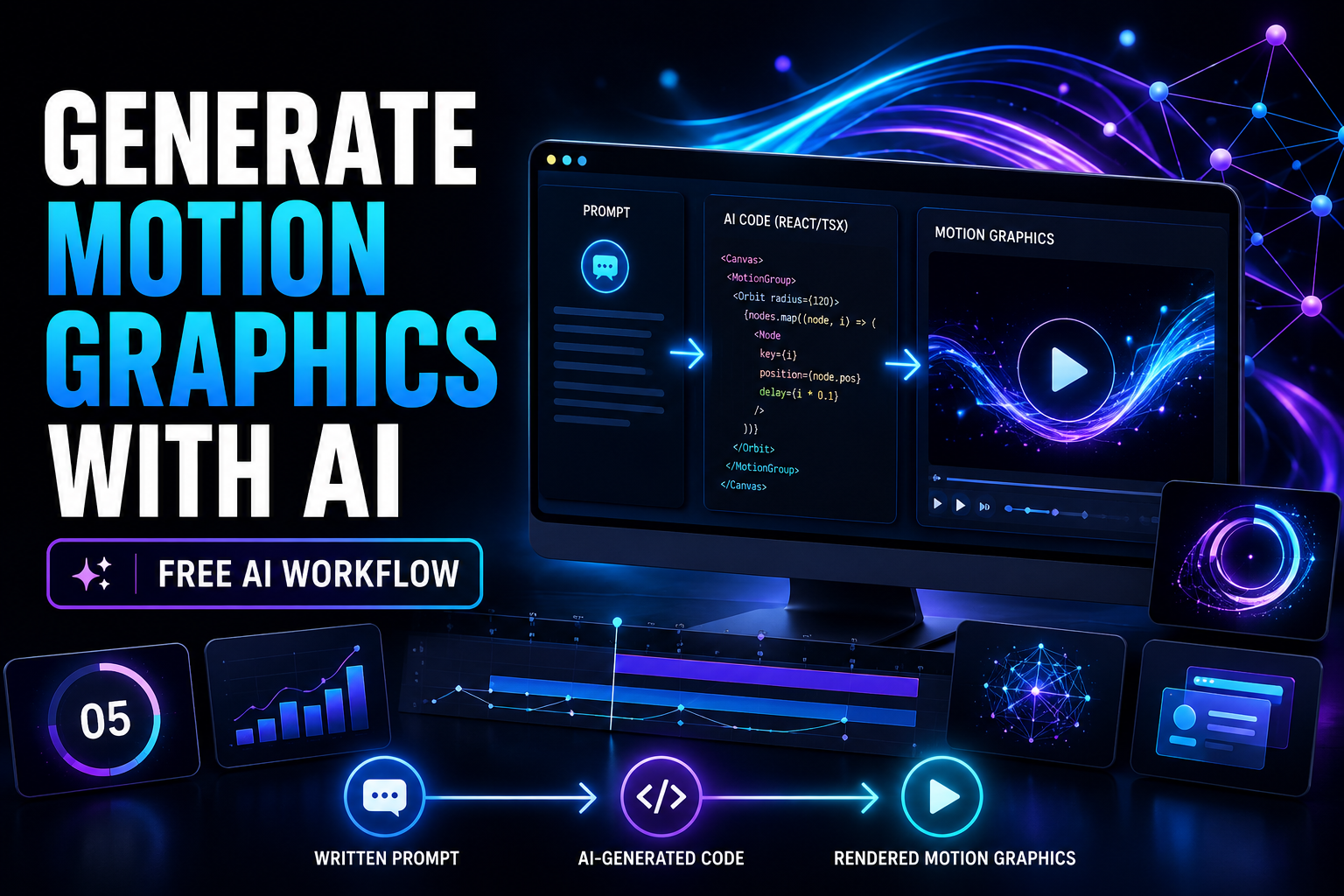
AI can now help you create animated graphics without manually building every keyframe. One practical workflow is to describe an animation, have an AI assistant generate React/TSX animation code, and render that code into a video using a tool such as Remotion.
In this tutorial, I’ll show you the basic workflow, the tools you need, example prompts you can adapt, common limitations, and ways to make better-looking animations without becoming an After Effects expert.
Why AI Motion Graphics Are Worth Exploring
Motion graphics are used almost everywhere online: YouTube intros, advertisements, course videos, app demonstrations, Instagram content, product presentations, explainer videos and business presentations.
The problem is that traditional animation software can take time to learn. Even a simple animated title may require you to understand timelines, keyframes, easing, masks, layers and rendering settings.
Generative AI offers another approach.
Instead of manually designing every movement, you can explain the visual result you want in normal language and allow an AI coding assistant to create much of the animation logic for you.
How AI-Generated Motion Graphics Work
There are several ways to create AI video today. Some platforms generate entire scenes directly from text or images. Another method is to let AI generate programmable graphics.
The programmable method is particularly useful for titles, counters, charts, diagrams, notifications, UI animations, animated logos and other graphics where precise positioning matters.
What You Need to Get Started
You don’t need a professional animation studio. A capable AI assistant, a computer, and a rendering workflow are enough to begin experimenting.
| Requirement | Recommended Option |
|---|---|
| AI Assistant | ChatGPT, Claude or another strong coding model |
| Animation Framework | Remotion or a similar programmable video system |
| Computer | Windows, macOS or Linux depending on your setup |
| Programming Experience | Helpful, but not essential for basic experiments |
| Video Editor | Optional for adding voiceover, music and final edits |
Want the Tools I Recommend?
Use the resource page below to see the AI tools, hosting services, software and creator resources I recommend for building online.
View My Recommended AI Tools →Step-by-Step: Create Your First AI Motion Graphic
Here is a beginner-friendly workflow you can experiment with.
Give Your AI Clear Animation Instructions
Start a new conversation with your preferred AI coding assistant. Explain that you want it to produce a short animation designed for a React-based video-rendering workflow.
Your instructions should specify things such as:
- Video dimensions
- Frame rate
- Animation duration
- Background style
- Typography
- Entrance and exit animations
- Timing and easing
- Whether animations should loop
Describe the Motion Graphic You Want
Once the AI understands the format, describe your animation in straightforward language.
For example:
The more clearly you describe the timing, composition and transitions, the less revision you usually need.
Save the Generated Animation
If your workflow produces a TSX component, copy the completed code and save it using a descriptive filename.
Keep each experiment in its own project folder. This makes it easier to manage variations and locate your rendered files.
Render Your Animation
Next, load your component into your chosen Remotion-based project or rendering workflow and export it as a video.
If something fails, copy the error message and give it back to your AI assistant. Modern coding models can often identify a syntax, dependency or component problem and generate a corrected version.
5 AI Motion Graphics Prompts You Can Try
You can use the following original prompt templates as starting points. Change the colors, dimensions, duration, typography and visual style to match your brand.
Futuristic Countdown
AI Network Animation
Modern Logo Reveal
Mobile Notification Animation
Animated Statistics Card
AI Motion Graphics vs Traditional Animation
AI-assisted animation does not completely replace professional motion design software. Instead, it offers another workflow that can be much quicker for certain kinds of content.
| Factor | AI + Code | Traditional Editor | Freelancer |
|---|---|---|---|
| Starting Cost | Potentially very low | Software may require payment | Project-based fees |
| Learning Curve | Prompt-focused | Usually higher | Little technical learning |
| Iteration | Regenerate or edit prompts | Manual adjustments | Revision requests |
| Fine Control | Good for structured graphics | Excellent | Depends on designer |
| Best Use | Rapid content production | Complex custom animation | Premium outsourced work |
Where AI Motion Graphics Work Especially Well
Programmable animations are particularly useful when your video involves structured elements rather than photorealistic scenes.
- Animated headlines and typography
- Number counters
- YouTube intros and outros
- Logo reveals
- Charts and data visualizations
- Product feature demonstrations
- SaaS user-interface mockups
- Animated social media posts
- Countdown timers
- Educational diagrams
- Explainer-video graphics
- Calls to action and lower thirds
Current Limitations
This workflow is powerful, but there are several things worth understanding before relying on it for every video project.
A model may create a component that contains an error. In most cases, giving the model the error message is the fastest way to troubleshoot it.
Advanced compositing, realistic 3D rendering, character animation and cinema-quality visual effects remain better suited to specialized tools.
Depending on your setup, you may find it easier to add narration, sound effects and music afterward in a conventional video editor.
A vague request often produces a generic animation. Specify duration, timing, layout, visual hierarchy, colors and transition behavior whenever those details matter.
How to Get Better Results From Your Prompts
One of the easiest ways to improve AI-generated graphics is to stop describing only what the animation contains and start describing how it should behave.
Instead of writing:
Try something closer to:
The second version gives the model far more information about how to construct the animation.
Build Faster With AI
I regularly test AI platforms, online-business software, hosting services and creator tools. Use the button below to explore the resources I recommend.
See My Favorite Tools →Using AI Motion Graphics for YouTube
YouTube creators can get a lot of value from this workflow because many recurring graphics can be turned into reusable templates.
For example, you could build one animated subscribe sequence and ask the AI to generate several variations. You could then do the same for chapter titles, statistics, callouts, quote cards, comparison tables and outros.
This is particularly useful for faceless YouTube channels where graphics, screenshots, stock footage and animations carry much of the visual story.
Using It for Short-Form Content
You can also request vertical compositions designed for TikTok, Instagram Reels and YouTube Shorts.
Using AI for Product Videos
Motion graphics are also useful when you sell software, online courses, digital products or ecommerce products.
Instead of displaying a static screenshot, you can animate the interface, highlight a particular feature, zoom toward a button, reveal a benefit, or show a before-and-after comparison.
For affiliate marketers, these animations can also make review videos more visually engaging when you explain software features or compare competing products.
Create a Reusable Motion Graphics Library
After creating several successful animations, save your best prompts instead of starting from zero every time.
You might eventually create your own library containing:
- Countdown prompt
- Logo animation prompt
- Statistics animation prompt
- YouTube subscribe prompt
- Product feature prompt
- Animated quote prompt
- Comparison graphic prompt
- Vertical Shorts template
- Call-to-action prompt
This turns AI from a one-time experiment into a repeatable content production system.
Watch the Full Tutorial
You can place your YouTube tutorial in the area below.
Frequently Asked Questions
Can beginners create motion graphics with AI?
Yes. AI-assisted coding makes programmable animation significantly more accessible because you can describe the animation you want in ordinary language. Some troubleshooting may still be necessary.
Do I need to know how to code?
Not necessarily for basic experimentation. However, understanding a little JavaScript, React or TSX can make it easier to customize and troubleshoot more advanced projects.
What AI should I use?
Use an AI model that performs well with coding and can work with React/TypeScript. ChatGPT and Claude are common options, although the best choice depends on your workflow.
What kinds of videos can I create?
You can experiment with animated titles, logos, charts, countdowns, notifications, diagrams, UI demonstrations, statistic cards, lower-thirds and many other structured motion graphics.
Can AI replace After Effects completely?
No. Professional animation applications still provide substantially more manual control for advanced compositing and complex effects. AI-generated code is most attractive when speed, automation and repeatable graphics are priorities.
Can I create vertical videos?
Yes. Specify a vertical composition such as 1080 × 1920 when asking the AI to design graphics for Shorts, Reels or TikTok.
Can I use the animations for client work?
That depends on the licenses and terms of the specific AI models, frameworks, fonts, images, music and other assets you use. Always review the applicable licensing terms before commercial distribution.
Start Experimenting With AI Animation
AI is changing the way creators approach motion design. Instead of spending hours manually adjusting every movement, you can use natural language to create a first version and then iterate until the animation matches your idea.
Start with something simple: a countdown, an animated headline or a statistics card. Once that works, save your prompt and gradually build a collection of reusable templates.
The important part isn’t trying to automate every aspect of video production. It is identifying repetitive design tasks where AI can save you time while still allowing you to control the final result.
Ready to Try AI Motion Graphics?
Explore the AI and online-business tools I recommend and start building your own content-production workflow.
Explore the Tools →


Pingback: Inside My AI Content Factory: How I Build Evidence-Driven Content