Is SiteGround still one of the best choices for WordPress hosting? In this detailed SiteGround review, I break down its speed, reliability, WordPress tools, security, customer support, pricing, advantages, disadvantages, and the type of website owner I believe will get the most value from it.
Check the Latest SiteGround Deal → Promotional pricing and plan details may change. Check SiteGround for the current offer.SiteGround Review at a Glance
SiteGround is a managed hosting provider built for people who value WordPress convenience, site speed, backups, security tools and responsive support in one platform.
Its entry-level promotional pricing makes it approachable for new websites, while GrowBig and GoGeek add features aimed at businesses, developers and people operating multiple WordPress installations.
Visit SiteGround
How This SiteGround Review Was Evaluated
This review compares SiteGround’s current hosting plans, WordPress tools, backup and security features, management interface, support options and published pricing. I do not present laboratory benchmark results or uptime measurements that I did not personally collect. Where SiteGround publishes plan specifications or promotional pricing, I treat those figures as provider-reported information and recommend confirming the current offer before purchasing.
The goal is to help you decide whether SiteGround’s managed approach fits your website and budget. I place extra weight on renewal cost, WordPress management, backups, staging, migration tools and the difference between the StartUp, GrowBig and GoGeek plans. This makes the recommendation easier to evaluate without relying on invented performance scores.
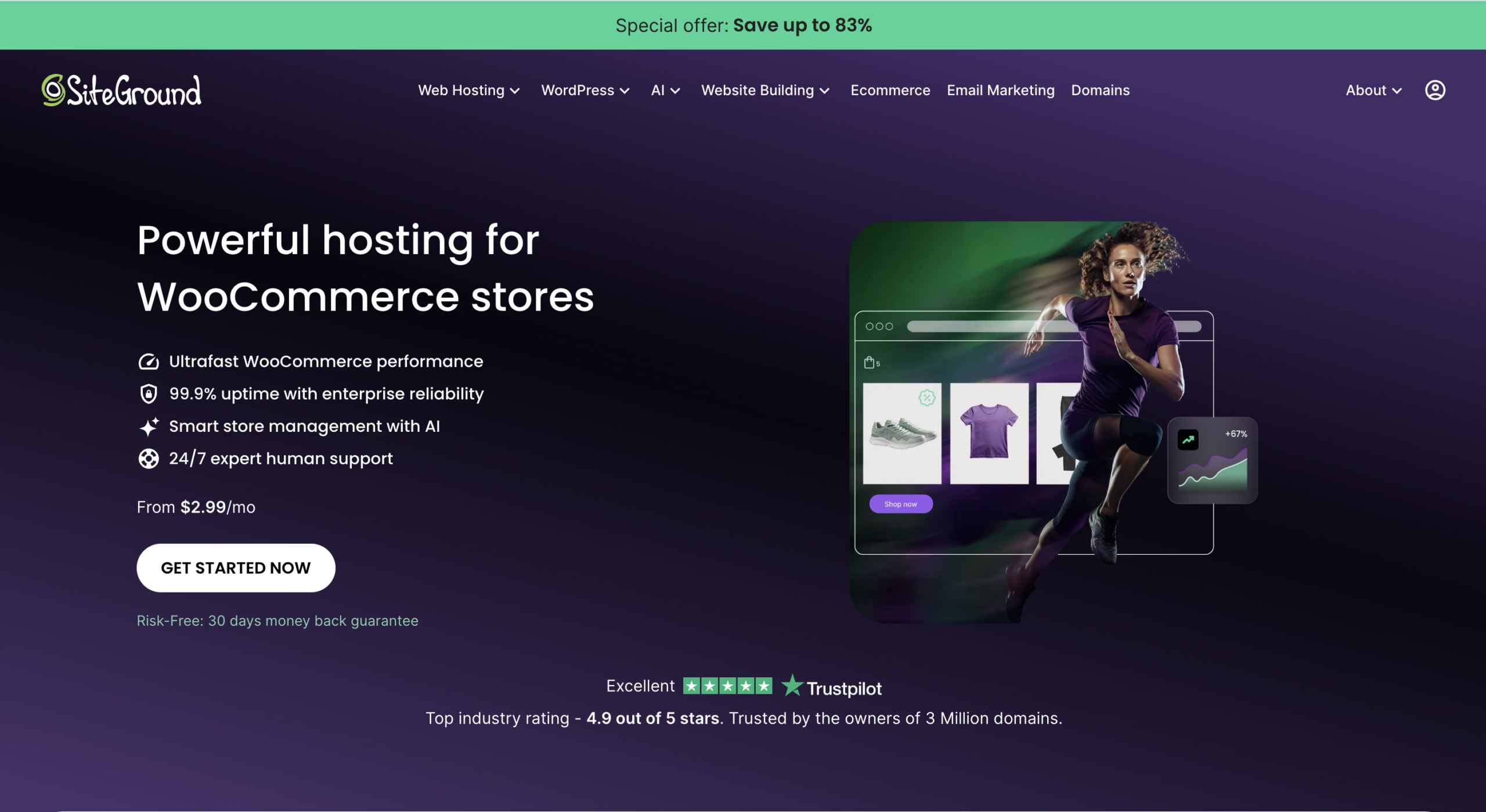
What Is SiteGround?
SiteGround is a web hosting company offering hosting for WordPress, standard websites, WooCommerce stores and more advanced projects. The service combines hosting infrastructure with a collection of management, security and performance features designed to reduce the amount of technical work a website owner has to do manually.
Instead of simply renting server space, you receive an environment that includes tools for tasks such as SSL installation, backups, caching, WordPress updates, website migration and security management. That all-in-one approach is one of the main reasons SiteGround has remained popular with WordPress users.
SiteGround currently promotes WordPress hosting with features including free WordPress transfer, managed automatic updates, its Speed Optimizer and Security Optimizer plugins, SSL, CDN and backups.
For a beginner, these features can make hosting less intimidating. For an experienced site owner, they can reduce the number of separate tools and plugins needed to manage routine hosting tasks.
SiteGround Pros and Cons
No hosting company is perfect. SiteGround has several strong advantages, but there are also costs and limitations you should understand before moving your website.
- Strong WordPress-focused hosting environment
- Free SSL certificates
- Free CDN functionality
- Daily backups
- Managed WordPress updates
- Free WordPress migration options
- Built-in caching and optimization tools
- 24/7 customer support
- Staging available on higher plans
- Easy-to-understand hosting dashboard
- Multiple websites supported on GrowBig and GoGeek
- Renewal pricing is significantly higher than introductory pricing
- StartUp is limited to one website
- Advanced features come with higher plans
- It may cost more than very basic budget hosting
- Shared hosting still has resource limitations
- People needing full VPS-level server control may prefer another solution
Want to See SiteGround’s Current Discount?
SiteGround regularly changes its introductory offers. Use the button below to see the current price and features available for each hosting plan.
View SiteGround Plans →SiteGround Performance: Is It Actually Fast?
Hosting performance is one of the first things I examine because a beautifully designed website is not very useful if visitors have to wait several seconds for every page to respond.
SiteGround approaches performance through multiple layers rather than relying on one single optimization. Its WordPress hosting environment includes server-side caching plus the company’s Speed Optimizer plugin, which provides additional controls for WordPress performance.
SiteGround says Speed Optimizer can handle features such as caching, image optimization, lazy loading and frontend optimization. Having these tools connected directly to the hosting environment can be convenient because you are not trying to configure several unrelated optimization plugins.
Server-Level Caching
SiteGround includes multiple caching layers designed to reduce processing work and serve pages more efficiently.
CDN Integration
CDN functionality can help deliver static assets from locations closer to visitors instead of relying only on the origin server.
Image Optimization
The WordPress optimization tools can help reduce the performance impact of oversized images and media-heavy layouts.
Dynamic Caching
Dynamic caching can reduce the amount of work required to build WordPress pages for repeat requests.
Frontend Optimization
Optimization options can help improve CSS, JavaScript and other frontend resources that affect page-loading experience.
WordPress Integration
Because its performance tools are designed specifically for its own hosting environment, configuration is generally straightforward.
SiteGround Reliability and Uptime
Speed gets much of the attention in hosting reviews, but reliability matters just as much. If your server becomes unavailable, visitors cannot purchase products, read your content, submit forms or contact your company.
SiteGround has built its hosting service around a managed infrastructure where server maintenance, security and platform updates the provider handles. This is especially attractive to website owners who do not want to manage servers themselves.
What I Look for in Hosting Reliability
The more important point for most small-business owners is that SiteGround bundles the tools required to recover from common website problems. Daily backups, managed updates and security features reduce the risk of a minor WordPress mistake becoming a major disaster.
SiteGround for WordPress
WordPress is one of the strongest reasons to consider SiteGround. The hosting service removes several technical chores that otherwise fall on the website owner.
1. Easy WordPress Setup
You can launch WordPress without manually creating databases or uploading WordPress files through FTP. That makes SiteGround much more approachable for first-time website builders.
2. WordPress Migration
Existing WordPress users can migrate a website rather than rebuilding everything from scratch. This is particularly useful if you already have content, plugins, product pages, customers or search-engine traffic.
3. Managed Updates
Keeping WordPress software current is an important part of maintaining a secure site. Managed update functionality reduces the chance that an old WordPress installation is forgotten for months.
4. Speed Optimizer
SiteGround’s Speed Optimizer plugin acts as the WordPress-side control center for many performance features. It is particularly useful if you prefer one integrated optimization system instead of combining several caching and optimization plugins.
5. Security Optimizer
WordPress is continuously targeted by bots, brute-force attacks and automated scans. SiteGround’s security tools add another layer of protection around common WordPress weaknesses.
6. Staging on Higher Plans
A staging site gives you a private copy of your website where you can test a plugin, redesign a page or modify code before making the change on the live site.
This is particularly valuable for ecommerce sites and established business websites where a broken update can directly affect revenue.
Security and Backups
Hosting security is often invisible until something goes wrong. A good hosting platform should therefore help prevent problems while also giving you a practical recovery path when an update, plugin or human error damages the site.
Free SSL
SSL enables encrypted HTTPS connections between your website and visitors’ browsers.
Daily Backups
Automated backups give you recovery options when an update, edit or technical problem causes damage.
Security Tools
SiteGround includes security features at both the hosting and WordPress levels.
The backup feature is especially important. Even experienced website owners occasionally install a plugin that creates a conflict, delete something accidentally or break a page during an update.
Having automatic backups directly inside your hosting account is much more reassuring than discovering after the problem that no recent copy of your website exists.
Is SiteGround Easy to Use?
SiteGround uses its own website-management interface rather than depending entirely on the traditional cPanel experience found at many older hosting providers.
The important everyday functions use individual websites. That means you can access features for domains, email, security, caching, databases and backups without digging through an overwhelming server-management interface.
For Beginners
A new user should be able to install WordPress, activate SSL, create email accounts and find backup tools without needing to understand Linux server administration.
For Experienced Users
More technical users still have access to developer-oriented tools such as WP-CLI and SSH, while higher plans include functionality like staging.
SiteGround Customer Support
Support quality becomes extremely important the moment your website stops working. A hosting provider can have excellent specifications, but if you cannot get help during a critical problem, the experience quickly becomes frustrating.
SiteGround advertises 24/7 human support. Its website also reports a high customer-satisfaction level for support interactions.
For beginners, the most useful aspect of hosting support is often not simply receiving a link to documentation. You want someone who can identify whether a problem comes from DNS, SSL, WordPress, a plugin, PHP configuration, caching or the hosting environment itself.
Situations Where Hosting Support Matters
- Your WordPress site suddenly shows an error.
- Your domain is not pointing to the correct hosting account.
- SSL will not activate correctly.
- A migration has not completed as expected.
- Your email stops sending or receiving messages.
- A caching configuration breaks part of the site.
- You need help restoring a backup.
- Your site has become unusually slow.
This is one area where paying slightly more for hosting can make sense for business owners who would rather solve problems quickly than spend hours searching forums.
SiteGround Is Especially Strong for WordPress
If you want managed WordPress features, backups, SSL, caching, migration tools and support bundled into one hosting account, SiteGround is worth putting on your shortlist.
Check SiteGround’s Current Offer →SiteGround Pricing in 2026
SiteGround’s shared and WordPress hosting is organized around three familiar plans: StartUp, GrowBig and GoGeek.
At the time this review was updated, SiteGround was advertising promotional prices starting around $2.99 per month for WordPress hosting, with higher introductory prices for GrowBig and GoGeek. These promotional offers can change, and renewal rates are higher than the introductory rates.
- 1 website
- 10 GB storage listed on current WordPress offer
- Unlimited traffic
- Free SSL
- Free CDN
- Daily backups
- Free email
- Managed WordPress updates
- Speed Optimizer
- Security Optimizer
- Unlimited websites
- 50 GB storage listed on current WordPress offer
- Unlimited traffic
- Everything in StartUp
- On-demand backups
- WordPress staging
- Additional performance features
- Good balance of price and flexibility
- Unlimited websites
- 100 GB storage listed on the current offer
- Higher resource allocation
- Advanced WordPress features
- Staging functionality
- On-demand backups
- Developer-friendly tools
- Designed for heavier websites
StartUp vs GrowBig vs GoGeek: Which SiteGround Plan Should You Choose?
| Feature | StartUp | GrowBig | GoGeek |
|---|---|---|---|
| Best for | New/small website | Growing websites | Larger projects |
| Websites | 1 | Unlimited | Unlimited |
| Free SSL | ✓ | ✓ | ✓ |
| Free CDN | ✓ | ✓ | ✓ |
| Daily backups | ✓ | ✓ | ✓ |
| On-demand backups | — | ✓ | ✓ |
| WordPress staging | — | ✓ | ✓ |
| My choice for most users | Good | Best balance | Advanced |
Choose StartUp If…
StartUp makes the most sense if you are launching your first website and know you only need one site. A new portfolio, personal blog, local business website or simple informational site may never need the additional features of the higher plans.
Choose GrowBig If…
GrowBig is the plan I would look at first for most serious WordPress users because it gives you room for multiple websites and adds useful features such as staging and on-demand backups.
The ability to create a staging copy alone can be worth upgrading if you frequently change plugins, themes or website layouts.
Choose GoGeek If…
GoGeek serves people whose websites need more resources or who want the highest shared-hosting tier before considering a more powerful hosting environment.
Is SiteGround Expensive?
The answer depends on what you compare it with.
If your only requirement is to put a tiny website online for the lowest possible dollar amount, there are cheaper hosting companies. SiteGround is not trying to compete only on rock-bottom pricing.
The value proposition is based on combining hosting with backups, security, WordPress management, caching, CDN functionality and customer support.
A business owner may be willing to pay more for that convenience, while someone running an experimental website with almost no traffic may prefer the cheapest host available.
The biggest pricing concern is renewal cost. New-customer promotions can make SiteGround look extremely inexpensive initially, but you should budget according to the standard renewal price rather than assuming the promotional price will continue forever.
Moving an Existing Website to SiteGround
Switching hosts sounds intimidating because an established website may already contain hundreds of posts, images, plugins, forms and email accounts.
SiteGround offers migration options intended to simplify this process for WordPress websites. Instead of manually downloading every file and exporting the database yourself, the migration process can handle much of the technical work.
Before migrating any important website, however, I recommend keeping an independent backup of the old site until you have confirmed that the new copy works correctly.
Check your pages, contact forms, checkout process, SSL, images, redirects and email before cancelling the old hosting account.
SiteGround Email Hosting
SiteGround currently lists free email among the core features of its WordPress hosting packages.
That can be useful for a small business that wants an address such as contact@yourdomain.com rather than using a free Gmail or Yahoo address publicly.
For businesses with sophisticated collaboration, compliance or productivity requirements, you may still decide to use a dedicated email platform. But having domain-based email included with hosting can be convenient for bloggers and smaller businesses.
Is SiteGround Good for WooCommerce?
SiteGround also markets managed hosting specifically for WooCommerce. Its WooCommerce plans include many of the same core features offered with WordPress hosting, including SSL, CDN, backups, migration and managed updates.
Ecommerce sites have higher stakes than ordinary blogs because poor performance or downtime can directly interfere with checkout and revenue.
For a small or medium WooCommerce store, the combination of managed WordPress features, backups and performance tools makes SiteGround a reasonable option to evaluate.
Very large ecommerce operations, however, may eventually require dedicated resources or scalable cloud infrastructure rather than a standard shared plan.
Who Should Use SiteGround?
Bloggers
Bloggers who want WordPress hosting without spending a lot of time configuring server settings should find SiteGround easy to work with.
Small Businesses
Businesses that depend on their website for leads, bookings or customer information can benefit from backups, SSL and reliable support.
Affiliate Marketers
Content sites need good page performance, WordPress compatibility and enough flexibility to grow as organic traffic increases.
Freelancers & Agencies
GrowBig and GoGeek are more practical for people who need to host and manage several websites from one account.
WooCommerce Stores
Smaller ecommerce stores can benefit from a managed WordPress environment with security and performance tools built in.
WordPress Beginners
You don’t need to be a server administrator to install WordPress, enable SSL, manage backups and operate the basic hosting account.
Who Might Want a Different Host?
SiteGround is not automatically the right choice for every website. You may prefer another provider if one of the following situations describes you.
- Your number-one priority is the absolute lowest renewal price. Some budget hosts compete much more aggressively on long-term cost.
- You need full VPS or root-level server control. Standard SiteGround shared hosting is a managed environment rather than an unrestricted virtual private server.
- You operate extremely resource-intensive applications. A specialized cloud, VPS or dedicated environment may be more appropriate.
- You enjoy managing every server configuration yourself. SiteGround’s appeal is largely the opposite: it handles much of the infrastructure for you.
What I Don’t Like About SiteGround
1. Renewal Prices
This is probably the most important drawback to understand before signing up. The first-term promotional offer can be significantly cheaper than the standard renewal rate.
That does not make SiteGround a bad value, but you should make your purchasing decision based on what you can afford long term, not only the introductory rate displayed in a promotion.
2. StartUp Supports Only One Website
If you already know you want to run several domains, StartUp will probably feel restrictive. GrowBig is the more logical place to begin.
3. Some of the Best Tools Require an Upgrade
Features such as staging and on-demand backups come with higher tiers. A beginner may not need them, but experienced WordPress users often appreciate these tools.
4. Shared Hosting Still Has Limits
StartUp, GrowBig and GoGeek are shared hosting plans, meaning server resources are shared among accounts. This is normal for the category, but very large websites may eventually need a more powerful solution.
Ready to Try SiteGround?
Start with the plan that matches your current website rather than overpaying for resources you don’t need. You can upgrade later as your traffic and business grow.
Get SiteGround Hosting → Affiliate link — you pay the same price while supporting this website.SiteGround Review Verdict: Is SiteGround Worth It in 2026?
For WordPress users who care about performance, security, convenient management tools and dependable technical support, SiteGround remains a strong hosting option. If you want to compare it with other providers, see my best blog hosting sites comparison.
Its biggest strength is not any single feature. It is the way several important hosting functions are packaged together: WordPress installation, migration, caching, SSL, CDN, backups, managed updates and security tools.
That combination can save considerable time for a website owner who would otherwise have to research, install and maintain several separate services.
The main issue to keep in mind is price. Introductory pricing is attractive, but renewal pricing is considerably higher. If you understand that before buying and your budget supports the ongoing cost, it is easier to evaluate SiteGround fairly.
My Final SiteGround Assessment
Check SiteGround Pricing →
SiteGround Review: Frequently Asked Questions
Is SiteGround good for WordPress?
Yes. WordPress is one of SiteGround’s primary use cases. Its WordPress hosting includes managed updates, migration tools, SSL, CDN, daily backups and SiteGround’s WordPress performance and security plugins.
Is SiteGround good for beginners?
SiteGround is relatively beginner-friendly because you can install and manage WordPress through a graphical interface rather than manually configuring a server.
Does SiteGround offer free SSL?
SiteGround currently lists free SSL among the core features included with its hosting plans.
Does SiteGround include backups?
Yes. Daily backups are included with the current hosting plans, while higher tiers add additional backup functionality such as on-demand backups.
Can I host multiple websites on SiteGround?
GrowBig and GoGeek support multiple websites. StartUp is intended for one website.
Which SiteGround plan is best?
StartUp is appropriate for one small website. GrowBig is my preferred balance for many users because it supports multiple websites and includes additional WordPress features. GoGeek is better suited to users needing more resources and advanced functionality.
Does SiteGround offer website migration?
Yes. SiteGround advertises WordPress migration options for people moving existing sites to its platform.
Is SiteGround good for WooCommerce?
SiteGround offers managed WooCommerce hosting and includes WordPress-focused performance, security and management tools that can work well for small and medium ecommerce sites.
What is the biggest downside of SiteGround?
The biggest concern for many customers is the difference between discounted introductory pricing and standard renewal pricing. Always check both before purchasing.
Is SiteGround worth the money?
It can be worth the price if you value managed WordPress features, integrated performance tools, backups, security and customer support. If your only priority is obtaining the cheapest possible hosting, a budget provider may suit you better.
Final Recommendation
SiteGround is a particularly attractive option for WordPress users, bloggers, affiliate marketers and small businesses that want a managed hosting experience without having to become server administrators.
Check the current SiteGround offer below and compare the StartUp, GrowBig and GoGeek plans before choosing.
Visit SiteGround & See Current Deals →



Pingback: Cloudways Hosting Review 2026: Is It Worth It for WordPress?
Pingback: Hostinger Hosting Review 2026: Is Hostinger Worth Your Money?