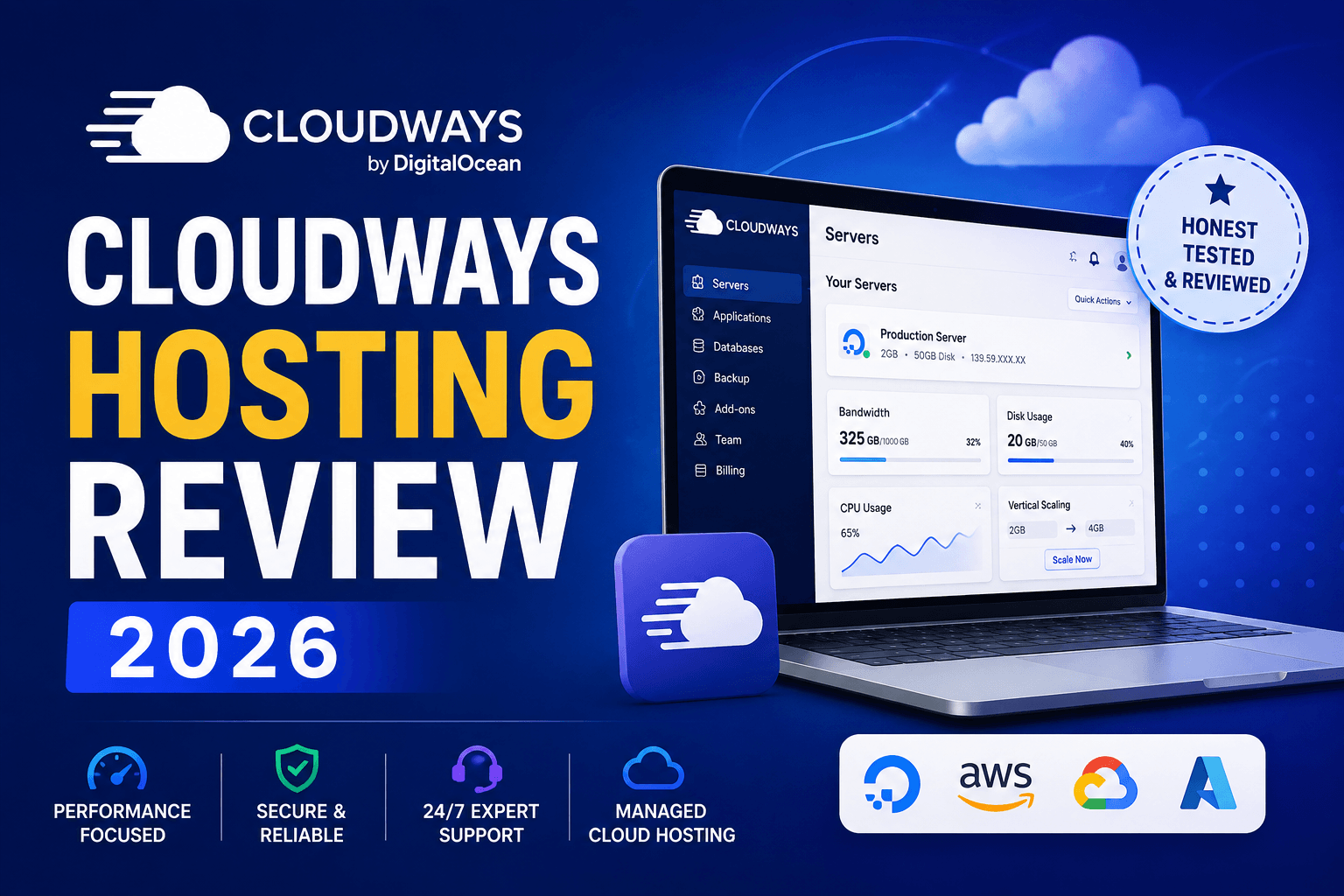
Cloudways Hosting Review: Is It The Best Host For Your Money?
Cloudways promises the performance and control of cloud infrastructure without forcing you to become a server administrator. But is that combination actually better than traditional WordPress hosting?
Updated for 2026 • Independent Cloudways review
Explore Cloudways → Jump To Verdict
Cloudways Review — Quick Verdict
Cloudways sits in an interesting position between conventional managed WordPress hosting and managing a raw cloud server yourself. Instead of giving you a basic shared-hosting account, it gives you a management platform designed to make cloud infrastructure significantly easier to operate.
✓ What I Like
- Strong performance potential
- Dedicated cloud resources
- Easy vertical scaling
- Staging environments
- Automated backups
- Free SSL certificates
- Server and application controls
- Good option for multiple websites
- Useful for WooCommerce and dynamic sites
✕ What To Know
- Different from traditional cPanel hosting
- Domain registration is handled separately
- Email hosting may require another service
- Some features cost extra
- Beginners may face a learning curve
- More technical settings than basic shared hosting
Choosing web hosting sounds simple until your website begins getting real traffic.
When you first create a WordPress site, almost any respectable hosting account may feel fast enough. Your website is small, your database is clean, traffic is limited, and there simply isn’t much work for the server to perform.
Things change when that little website becomes a real online business.
You install more plugins. Your email list grows. Visitors arrive from Google, social media or paid advertising. You add WooCommerce, membership functionality, online courses, landing pages, analytics software and automation tools.
Suddenly, the inexpensive hosting plan that seemed perfectly adequate may become one of the biggest bottlenecks in your business.
That is where a platform such as Cloudways starts becoming interesting.
What Exactly Is Cloudways?
Cloudways is a managed cloud hosting platform. The easiest way to understand that description is to think of Cloudways as a management layer placed between you and powerful cloud-server infrastructure.
Running your own cloud server directly can give you fantastic control and performance, but it can also involve server configuration, updates, command-line management, security settings and ongoing maintenance.
That is simply more server administration than many bloggers, marketers and small-business owners want to deal with.
Cloudways attempts to remove much of that complexity.
You get an interface for launching applications, configuring servers, creating staging environments, setting backups, deploying SSL certificates, monitoring resource usage and managing many other hosting functions.
How Cloud Hosting Differs From Traditional Shared Hosting
Many new bloggers begin with shared hosting, and there is nothing inherently wrong with that.
It is cheap, convenient and designed to make getting online as easy as possible.
The important part is understanding what you are buying.
With traditional shared hosting, multiple customers generally depend on the resources of the same underlying server environment. Hosting companies impose resource policies so one account cannot consume everything available.
For a small brochure website, that may be perfectly adequate.
For a growing website, however, CPU, memory, database activity and simultaneous visitors begin to matter much more.
Cloud Resources Give You More Breathing Room
A cloud-hosting environment is built differently.
Rather than buying a generic hosting package with vaguely defined resources, you can select an infrastructure configuration based on actual server specifications.
That distinction becomes especially valuable when your WordPress installation needs more processing power.
Think about a busy WooCommerce store.
A visitor searching for a product, adding it to the cart, logging in and completing checkout creates dynamic requests that cannot always be solved by simply caching the entire page.
The same problem occurs with membership sites, online communities, learning-management systems and other logged-in experiences.
Those websites frequently benefit from having more predictable server resources available to them.
Who Should Consider Moving Beyond Shared Hosting?
You do not need sophisticated cloud infrastructure just because it exists.
But there are several situations where a platform such as Cloudways begins to make significantly more sense.
1. Your Website Is Becoming Noticeably Slower
Page builders, analytics scripts, plugins and a growing WordPress database can turn a lightweight blog into a fairly demanding application.
A faster server will not magically repair badly optimized software, but additional processing power and memory can give WordPress far more room to operate.
2. You Run WooCommerce
An ecommerce site has different requirements from a static blog.
Product searches, shopping carts, customer accounts, inventory queries and checkout requests make WooCommerce much more dynamic.
Performance matters here for more than just SEO. Every unnecessary delay adds friction between a visitor and a completed purchase.
3. You Operate A Membership Or Course Website
Logged-in members frequently see personalized pages that cannot simply be served as identical cached copies to everybody.
That makes CPU speed, database performance and object caching far more important.
4. You Manage Multiple Websites
Freelancers and agencies often reach a point where buying a separate low-cost hosting plan for every website becomes inefficient.
A managed cloud environment gives you another model: allocate sufficient server resources and run several suitable applications from the same infrastructure.
The practical limit isn’t a marketing number such as “unlimited.” The real limit is how much traffic and processing your server resources can comfortably handle.
5. You Expect Traffic Spikes
A successful promotion can be surprisingly stressful when you are unsure whether your server can survive it.
Traffic from an influencer mention, email campaign, product launch, viral post or paid-ad campaign can arrive rapidly.
The ability to increase resources gives a growing business more flexibility than being trapped inside a small predefined hosting package.
6. You Want More Technical Control
Some website owners eventually become frustrated by basic hosting environments because so many settings are hidden from them.
Cloudways exposes more server-level and application-level controls without requiring the full workload of self-managing a VPS.
7. You Want Performance Without Becoming A Server Administrator
This is probably the main audience for Cloudways.
If you are completely comfortable managing Linux servers yourself, you may prefer buying infrastructure directly and configuring everything manually.
Many WordPress business owners do not want that job.
They want to concentrate on content, products, leads and sales.
Want To See Cloudways For Yourself?
You can compare the available managed-cloud options directly on Cloudways before deciding whether it fits your website.
Visit Cloudways →How Cloudways Works
Cloudways is different enough from traditional hosting that the dashboard may initially feel unfamiliar.
Instead of thinking mainly in terms of a generic hosting account, you will encounter concepts such as servers, applications, projects and teams.
An application is essentially an individual website or web application operating inside your hosting environment.
For example, you could have:
- Your primary WordPress blog
- A WooCommerce store
- A client website
- A course or membership site
- A staging version of one of those websites
This structure is one of the reasons Cloudways becomes attractive as your online business grows.
You are no longer thinking only about buying “a hosting plan.”
You are beginning to manage infrastructure around the actual applications that run your business.
Flexible vs. Autonomous Hosting
Cloudways currently separates its offering into different managed-cloud approaches.
Cloudways Flexible is intended for users who want more direct control over the servers and applications they deploy.
Cloudways Autonomous is designed around a more hands-off WordPress experience with automatic scaling capabilities for changing traffic demand.
The right choice depends heavily on what you are running.
A blogger with several WordPress sites may value the flexibility of server management, while a site expecting unpredictable traffic peaks may care more about automated scaling.
Cloudways Features That Matter Most
⚡ Performance Stack
Server and application technology designed around fast delivery of dynamic websites.
🔒 Free SSL
SSL deployment helps secure visitor connections without purchasing a basic certificate separately.
🧪 Staging
Create a staging copy so changes can be tested before you push them to a production website.
💾 Automated Backups
Configure backup protection so recovering from a bad update or error does not depend solely on local copies.
📈 Monitoring
Inspect server and application performance rather than operating completely blind.
👥 Team Management
Useful when developers, employees or contractors need controlled access to your projects.
🌍 Cloud Infrastructure
Deploy applications on supported cloud infrastructure rather than conventional shared-hosting architecture.
🚀 Scaling
Increase resources when a site outgrows its current configuration instead of performing a traditional hosting migration.
Moving A WordPress Site To Cloudways
Migration is often the biggest reason website owners postpone changing hosts.
Nobody wants a migration to result in broken images, missing orders, database errors or an unexpected period of downtime.
Cloudways provides migration options intended to reduce this friction.
A typical WordPress migration process looks something like this:
- Create the destination WordPress application in Cloudways.
- Back up your existing website before making changes.
- Move or migrate the site’s WordPress files and database.
- Review the migrated website using the temporary environment.
- Check pages, forms, checkout flows and login functionality.
- Connect your real domain to the new application.
- Update the appropriate DNS records.
- Install or activate SSL.
- Run another full website test.
The key is not to rush the DNS step.
Test the website before directing your live traffic to the new server.
Cloudways Performance And Caching
Performance is one of the biggest reasons people look at Cloudways in the first place.
However, hosting performance should never be judged by one magical speed-test screenshot.
Website speed depends on several variables:
- Server location
- Available CPU and RAM
- WordPress theme quality
- Number and quality of plugins
- Database efficiency
- Image optimization
- Caching configuration
- CDN configuration
- Traffic levels
- Third-party scripts
A badly built WordPress website can still be slow on expensive hosting.
The advantage of stronger infrastructure is that it gives your optimization work a much better foundation.
Breeze Caching
Cloudways has its own WordPress caching plugin called Breeze.
Caching can reduce the amount of repeated processing required to produce pages for visitors.
For a traditional blog, effective full-page caching can produce dramatic improvements.
Dynamic sites require more consideration because you may need to exclude carts, dashboards, checkout pages and personalized member content from caching.
Object Caching
Database-heavy websites can also benefit from object caching.
This is especially relevant when your application repeatedly needs the same data from the database.
For WooCommerce, memberships and complex WordPress environments, database efficiency can be just as important as optimizing static images and CSS files.
Cloudflare And CDN Delivery
A content delivery network can store static website assets closer to visitors in different geographical locations.
That reduces the distance those assets need to travel and can improve perceived loading performance for a global audience.
Cloudways also offers Cloudflare-related integration and security functionality depending on the service configuration you select.
Security, Backups And Monitoring
Better performance means very little if your hosting environment is unreliable or poorly protected.
Cloudways includes managed security capabilities designed to reduce the amount of low-level server administration required from the customer.
Depending on the current hosting product and configuration, Cloudways advertises features around server firewalls, SSL, vulnerability protection, malware-related protection, backups and monitoring.
That does not eliminate your own responsibilities.
You still need to:
- Use strong administrator passwords
- Enable two-factor authentication where available
- Keep WordPress software updated
- Remove abandoned plugins and themes
- Restrict unnecessary administrator accounts
- Maintain independent backups for critical websites
- Be cautious about third-party code
There is no hosting provider that makes website security completely automatic.
Important Things To Know Before Using Cloudways
Cloudways offers a lot, but it is important to understand what it is not.
Cloudways Isn’t Traditional cPanel Hosting
If you have spent years using conventional cPanel hosting, Cloudways will feel different.
The interface is structured around the Cloudways platform’s own approach to server and application management.
After learning where the main controls are located, this often makes sense. But you should expect an adjustment period.
Your Domain Is Separate
Your domain name does not have to be purchased from your web-hosting company.
In fact, keeping domain registration separate from hosting can provide useful flexibility.
With Cloudways, you generally manage the domain through your registrar and point the necessary DNS records toward your Cloudways application.
Email Hosting Is A Separate Consideration
Traditional web-hosting packages often bundle website hosting and basic mailbox hosting together.
A managed-cloud platform takes a different approach.
For serious business email, many website owners already use dedicated solutions such as Google Workspace or Microsoft 365 anyway.
Just make sure email is part of your migration checklist before switching hosts.
There Are More Settings To Understand
Cloudways makes cloud hosting easier, but it cannot completely hide the fact that you are working with more capable infrastructure.
You may encounter terms involving memory, PHP, caching, cron jobs, SSH, databases and application settings.
The good news is that you do not have to modify every advanced option.
The important thing is that the controls are there when your website grows enough to need them.
What About Cloudways Support?
Hosting support matters because technical problems have an annoying habit of appearing at the worst possible time.
Cloudways offers 24/7 support and currently promotes expert assistance as an important part of the managed platform.
The distinction to remember is that hosting support and WordPress-development support are not necessarily the same thing.
A hosting provider can investigate a server issue, SSL configuration or platform problem.
That does not automatically mean the hosting team is responsible for repairing every conflict caused by a custom theme, badly coded plugin or third-party integration.
Understanding that boundary will make your support experience much more realistic.
Cloudways Gives You More Than Basic Shared Hosting
If your website has reached the point where performance, scaling and server control matter, Cloudways is worth comparing with your current host.
Explore Cloudways Hosting →Cloudways Pricing: Is It Good Value?
The cheapest hosting is not necessarily the hosting that gives you the best value.
A $4 hosting account that causes constant performance problems can become extremely expensive when those problems affect search traffic, advertising conversions or ecommerce sales.
Likewise, spending hundreds every month for infrastructure your website does not need makes little sense.
Cloudways is most compelling when you evaluate the combination of:
- Server resources
- Managed administration
- Scaling flexibility
- Staging functionality
- Backups
- Security tools
- Performance controls
- Support
Instead of comparing Cloudways purely with introductory shared-hosting prices, I would compare it with other performance-oriented managed WordPress and cloud-hosting solutions.
Cloudways currently has multiple configurations and pricing can vary depending on the hosting product and resources selected, so I recommend checking the current pricing directly rather than relying on an old price quoted in a review.
Cloudways vs. Typical Shared Hosting
| Feature | Cloudways | Typical Shared Hosting |
|---|---|---|
| Infrastructure | Managed cloud environment | Shared server environment |
| Scaling | Designed with scalable resources in mind | Usually requires changing plans or hosting tiers |
| Control | More server/application controls | Generally simplified and restricted |
| Staging | Available within the platform | Depends on host and plan |
| Domain Registration | Typically managed separately | Often sold by the host |
| Typically handled separately or through add-ons | Often bundled | |
| Best For | Growing and performance-focused sites | Small and simple websites |
| Learning Curve | Moderate | Usually beginner-friendly |
Is Cloudways Beginner-Friendly?
That depends on what you mean by beginner.
If you have never purchased a domain, installed WordPress or changed a DNS record, a traditional all-in-one hosting company may initially be easier.
If you already understand the basic components of a WordPress website, Cloudways is much more approachable.
You do not need to be a programmer.
You should, however, be comfortable learning a few concepts that inexpensive beginner hosting companies tend to hide.
For me, that difference is important.
A hosting platform should be easy enough to operate, but I do not necessarily want it to remove every meaningful control simply to make the dashboard look simpler.
Who Is Cloudways Best For?
I think Cloudways makes the most sense for several types of website owners.
Bloggers With Growing Traffic
If your blog has become an important source of leads or affiliate revenue, improving the hosting foundation can be a reasonable investment.
Affiliate Marketers
Affiliate websites can contain hundreds or thousands of pages, comparison tables, product images, plugins and conversion tools.
A fast and stable backend also makes managing those sites far less frustrating.
WooCommerce Store Owners
Ecommerce is one of the situations where I would be especially reluctant to rely indefinitely on the cheapest possible shared-hosting environment.
Membership And Course Creators
Logged-in environments are more demanding and cannot depend entirely on aggressive page caching.
Agencies And Freelancers
Being able to organize multiple websites, servers, applications and team access under one platform can make Cloudways appealing for people managing client sites.
Growing Small Businesses
If your website generates leads, appointments or direct revenue, hosting should be treated as business infrastructure rather than merely another expense.
Who Probably Doesn’t Need Cloudways?
Not everybody needs it.
If you are creating your very first hobby blog, expect almost no traffic and simply want the lowest possible price, basic shared hosting may be enough.
Similarly, if you strongly prefer having your website, domain, mailbox and every other service bundled inside one beginner-oriented interface, Cloudways’ modular approach may feel unnecessarily complicated.
And if you are an experienced system administrator who actually wants full control over a raw server, you may decide that paying for a managed layer is unnecessary.
Cloudways exists largely for everybody between those two extremes.
What I Like Most About The Cloudways Approach
What I like about the concept behind Cloudways is that it recognizes a common problem.
Many online business owners eventually outgrow entry-level hosting but do not want to become DevOps engineers.
The next step should not have to be choosing between an artificially restricted shared account and spending your evenings administering a server from the command line.
Managed cloud hosting creates a useful middle ground.
You can gain more control over the infrastructure while letting the platform handle much of the routine server-management burden.
That balance will not be right for everybody, but for a growing WordPress business it can be extremely attractive.
Cloudways Review: My Final Verdict
Cloudways is a strong option for WordPress site owners who want more performance, flexibility and server control than entry-level shared hosting provides, without taking on the complexity of managing raw cloud infrastructure entirely by themselves.
Its biggest strengths are not flashy website-building tools. They are the underlying hosting capabilities: scalable infrastructure, application management, staging, backups, SSL, monitoring, caching options and stronger control over how your websites operate.
The trade-off is that Cloudways expects you to understand a little more about hosting than an ultra-basic beginner platform.
You will probably manage your domain elsewhere. Business email may be separate. Some terminology may initially be unfamiliar.
For many growing website owners, however, those are reasonable trade-offs for the additional flexibility.
If your current website is running perfectly on inexpensive shared hosting and you have no performance problems, there is no urgent reason to migrate simply because cloud hosting sounds more advanced.
But if WordPress feels sluggish, your store is growing, your membership website needs additional resources, you manage multiple sites, or your business simply needs a stronger hosting foundation, Cloudways belongs on your shortlist.
Ready To Check Out Cloudways?
Compare the current Cloudways hosting options, available resources and features to determine whether it fits your website.
Visit Cloudways →Frequently Asked Questions
Is Cloudways good for WordPress?
Yes. Cloudways is designed to run WordPress alongside other supported web applications and provides managed features such as SSL, backups, staging, monitoring and performance tools.
Is Cloudways shared hosting?
No. Cloudways is a managed cloud-hosting platform rather than a conventional low-cost shared-hosting service.
Do I need technical experience to use Cloudways?
You do not need to be a developer, but understanding basic concepts such as WordPress, domains, DNS, SSL and caching will make the platform easier to use.
Can I host multiple WordPress sites with Cloudways?
Cloudways’ Flexible offering is designed to allow multiple applications to be deployed on server resources. How many websites you should realistically host together depends on their traffic and resource requirements.
Does Cloudways include SSL?
Cloudways provides SSL functionality within its platform, allowing WordPress websites to use HTTPS without buying a basic SSL certificate separately.
Can I create a staging website?
Yes. Staging functionality is one of the useful features for WordPress owners because it allows changes to be tested away from the live production website.
Does Cloudways offer backups?
Cloudways offers managed backup functionality. For important revenue-generating sites, maintaining an additional independent backup strategy is still a sensible precaution.
Is Cloudways good for WooCommerce?
WooCommerce sites are one of the stronger use cases for performance-focused cloud hosting because stores generate many dynamic requests involving customers, products, sessions and database activity.
Does Cloudways register domain names?
Cloudways is primarily focused on hosting infrastructure. Your domain can be maintained with a separate registrar and connected to your Cloudways application using DNS.
Is Cloudways worth the money?
It can offer good value for websites that actually benefit from improved resources, server control and managed-cloud features. A tiny personal website with almost no traffic may not need that level of hosting.

Should I move from shared hosting to Cloudways?
Consider moving when hosting limitations are becoming noticeable: slow WordPress administration, recurring resource problems, growing ecommerce traffic, membership functionality, multiple websites or a need for more control. There is little reason to migrate solely for the sake of using a more advanced platform.
See If Cloudways Is Right For Your Website
Visit Cloudways to view the latest plans and hosting options before making your decision.
Check Cloudways Now →