How to Create an Online Course Website Like Udemy With WordPress
Learn how to build a professional online learning platform with WordPress, LearnPress, Eduma and WooCommerce — including courses, lessons, quizzes, student accounts, payments and a complete LMS experience.
Affiliate disclosure: Some links on this page are affiliate links. I may earn a commission if you purchase through them, at no additional cost to you.
Creating an online education website once required custom development, programmers and a substantial budget.
WordPress has made the process much more accessible.
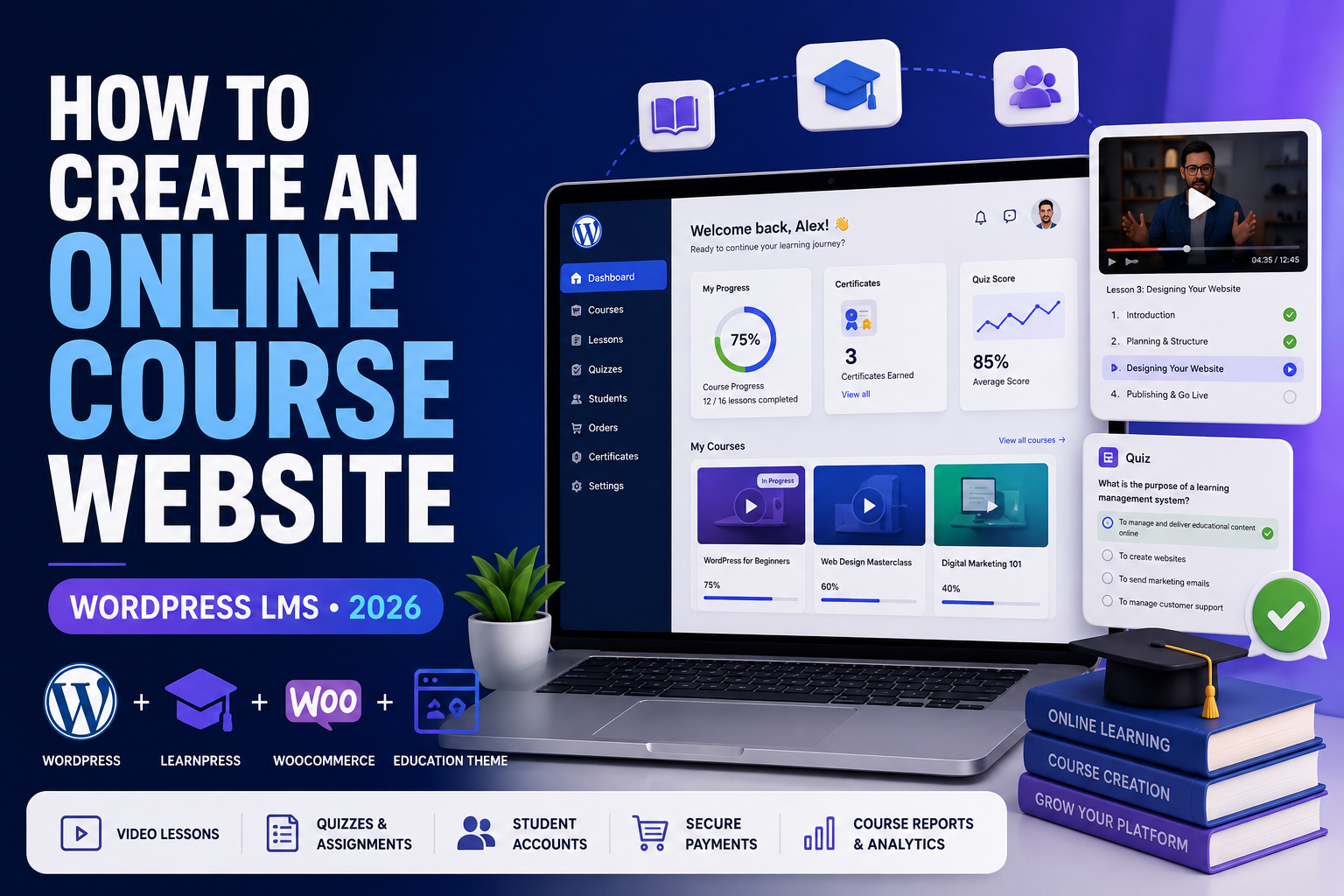
By combining WordPress, an LMS such as LearnPress, an education-focused theme such as Eduma, and ecommerce tools such as WooCommerce, you can create your own branded platform where visitors discover courses, enroll, take lessons, complete quizzes and purchase premium training.
What You Can Build With WordPress
Your finished online learning website can contain most of the features students expect from a modern educational platform.
Online Courses
Publish structured courses containing video, text, downloadable resources and multiple sections.
Quizzes
Test students after lessons and organize assessments throughout your curriculum.
Student Accounts
Let students register, log in, access purchased courses and monitor their learning progress.
Paid Courses
Sell premium courses and use ecommerce functionality to process purchases.
Instructor Profiles
Showcase instructor biographies, expertise and available courses.
Course Marketing
Use WordPress blogging, SEO, email and landing pages to attract potential students.
Get WordPress Hosting
Your first requirement is web hosting. Hosting stores your WordPress installation, database, plugins, images and website files.
Course websites can eventually consume more resources than simple blogs because students continuously log in, take quizzes, load account pages and interact with the LMS.
Recommended Starting Option: Hostinger
If you’re starting your first WordPress LMS, Hostinger is one option worth considering for WordPress hosting.
When comparing plans, consider backups, storage, SSL, WordPress management features and your ability to upgrade as your academy grows.
Check Hostinger Plans →What Should You Look For?
Choose a Domain Name
Your domain is the permanent address students type into their browsers. A simple example is:
Your domain should ideally be easy to type, memorable and broad enough to accommodate your future course catalog.
Example Domain Ideas
- DigitalSkillsAcademy.com
- LearnMarketingOnline.com
- CreatorEducationHub.com
- BusinessSkillsSchool.com
An exact-match keyword is not mandatory. A memorable brand can often provide more flexibility in the long run.
Install WordPress
After your hosting account and domain are ready, install WordPress. Many hosting companies provide a WordPress installer that handles most of the technical configuration.
Your administration area will normally be available at:
Inside WordPress you can manage:
- Pages
- Blog posts
- Themes
- Plugins
- Users
- Courses
- Products
- Orders
- Website settings
Install an LMS-Focused WordPress Theme
You can use LearnPress with different WordPress themes, but an education-focused theme can drastically reduce the amount of design work required.
One widely used option in the LearnPress ecosystem is Eduma.
Typical LMS Features You May Need
- Course grids
- Individual course pages
- Instructor layouts
- Student profiles
- Lesson pages
- Quiz layouts
- WooCommerce compatibility
- Page-builder support
Import a Prebuilt Education Demo
One of the easiest ways to accelerate development is to import an education demo and customize it.
Demo Customization Process
Replace all demo elements, including:
- Logo
- Colors
- Course titles
- Images
- Instructor profiles
- Testimonials
- Navigation links
- Footer content
Install LearnPress
LearnPress is the learning management system that transforms WordPress from a regular content website into an online education platform.
A typical LearnPress course contains:
Course
The complete training program students enroll in.
Sections
Modules used to organize related lessons.
Lessons
The educational content students study.
Quizzes
Assessments used to test student understanding.
Configure Your LMS Settings
Before publishing courses, review your LearnPress settings.
Important areas usually include:
- Currency
- Course configuration
- Student profiles
- Checkout
- Payment settings
- Email notifications
- Permalinks
- Instructor settings
Your exact options can change depending on your version of LearnPress and the add-ons you’ve installed.
Create Your First Online Course
Your course page is one of the most important sales pages on your website.
It should explain:
- What the course teaches
- Who should take it
- What students will be able to do afterward
- Course requirements
- Curriculum
- Instructor information
- Price
SEO Masterclass for Beginners
Learn keyword research, on-page optimization, WordPress SEO and content strategies designed to increase organic search visibility.
Search engines, ranking fundamentals and search intent.
Finding and evaluating keywords for your website.
Titles, headings, internal links and content optimization.
Build a Structured Curriculum
Avoid publishing one enormous lesson containing everything. Divide the course into sections that lead students through a logical progression.
Example Structure
- Module 1: Introduction
- Module 2: Fundamentals
- Module 3: Practical Strategy
- Module 4: Advanced Concepts
- Module 5: Final Project
A clear curriculum also makes your course sales page more persuasive because prospective students can immediately see what they’ll learn.
Add Video Lessons
Video remains one of the most popular formats for online courses, but you don’t need to rely exclusively on video.
Combine your video lessons with:
Add Quizzes and Assessments
Quizzes make your learning platform interactive and help students measure their understanding.
You can place quizzes:
- After individual lessons
- At the end of each module
- Before advanced sections
- At the end of the entire course
Keep assessments relevant to the learning objectives instead of adding quizzes simply because your LMS supports them.
Create Free and Paid Courses
Your academy doesn’t need to choose between offering everything free or charging for every course.
| Offer | Example | Main Purpose |
|---|---|---|
| Free Course | WordPress for Beginners | Generate leads and build trust |
| Entry Course | Build Your First Website | Convert new customers |
| Premium Course | Build a WordPress Business | Higher-value monetization |
| Membership | All Courses Library | Recurring revenue |
Connect WooCommerce
WooCommerce adds a powerful ecommerce layer to WordPress and can be integrated into an LMS course-selling workflow.
Your Student Purchase Journey
WooCommerce can help manage:
- Orders
- Products
- Customer records
- Coupons
- Payment gateways
- Checkout
Configure Payment Methods
The payment options available to you depend on your business, location and payment providers.
Common options can include:
- PayPal
- Stripe
- WooCommerce-compatible gateways
- Regional payment solutions
Test the Entire Checkout Process
Never launch a paid course without testing the same process your customer will experience.
- Visit your course page.
- Click the purchase or enroll button.
- Create a test student account.
- Go through checkout.
- Complete a test transaction.
- Verify the order.
- Confirm course enrollment.
- Log in as the student.
- Open the course.
- Complete a lesson.
Create a Useful Student Dashboard
Students should be able to quickly access their learning information.
My Courses
Display active and completed courses.
Progress
Show how much of each course the student has completed.
Account
Provide account, order and profile information.
Build a Udemy-Style Homepage
Your homepage should make it easy to understand what your academy teaches and immediately discover available courses.
Recommended Homepage Structure
- Hero section with your main value proposition
- Popular courses
- Course categories
- Benefits of learning with you
- Featured instructors
- Student testimonials
- Latest blog content
- Final enrollment CTA
Learn Practical Skills That Move Your Career Forward
Organize Courses Into Categories
Categories become increasingly important as your course library grows.
Business
Entrepreneurship, leadership, sales and management.
Marketing
SEO, social media, email and affiliate marketing.
Technology
WordPress, coding, AI and web development.
Creative
Graphic design, video, photography and content creation.
Finance
Budgeting, investing and personal finance.
Personal Growth
Productivity, communication and professional development.
Make the LMS Mobile Friendly
Many students may use your courses from smartphones and tablets. Test every important area at multiple screen sizes.
Optimize Website Performance
A WordPress LMS can become heavier than a simple website because you’re combining WordPress with course functionality, ecommerce, page builders and user accounts.
Helpful performance practices include:
- Compressing images
- Using appropriate caching
- Avoiding unnecessary plugins
- Keeping plugins and WordPress updated
- Using a hosting plan appropriate for your traffic
- Not storing huge raw video files directly on basic hosting
Enable HTTPS and SSL
Your website will contain student registrations, account logins and possibly online payments.
Make sure your WordPress LMS uses HTTPS and has a properly configured SSL certificate.
Use SEO to Attract Students
One of the biggest benefits of building your course business on WordPress is the ability to combine your LMS with a powerful blog.
Instead of waiting for people to discover your course directly, publish articles answering the questions your target audience searches for.
Example
Suppose your premium course is:
You could publish supporting articles such as:
- How to Start Affiliate Marketing
- Best Affiliate Programs for Beginners
- How Affiliate Links Work
- Affiliate Marketing Without a Website
- Best Affiliate Marketing Tools
SEO Funnel
Build an Email List
Email gives you a direct way to continue communicating with students and prospective customers.
You can use email to:
- Welcome new students
- Announce new courses
- Send tutorials
- Promote discounts
- Recommend related courses
- Bring inactive students back
Avoid turning every message into a sales pitch. Useful educational emails can build the trust that eventually produces sales.
Add Authentic Social Proof
Useful social proof can include:
- Real student reviews
- Testimonials
- Course ratings
- Student projects
- Instructor credentials
- Case studies
Consider Certificates
Certificates can provide additional motivation, especially for professional or skills-based courses.
Depending on your LMS configuration and add-ons, you could require students to complete lessons and pass assessments before receiving a certificate.
Add Memberships or Subscriptions
You don’t have to sell every course individually.
| Model | Example |
|---|---|
| Individual purchase | $79 per course |
| Monthly membership | $29/month for course-library access |
| Annual membership | $199/year for premium access |
| Hybrid | Individual courses + all-access membership |
Can WordPress Really Create a Website Like Udemy?
WordPress can recreate many of the core user-facing LMS functions associated with online course websites.
What you are not automatically receiving is Udemy’s global audience, massive infrastructure, proprietary algorithms or marketplace scale.
A more accurate goal is to create a professional independent education website with Udemy-style functionality and your own brand.
A Simple WordPress LMS Technology Stack
| Purpose | Recommended Tool |
|---|---|
| Website CMS | WordPress |
| Hosting | Hostinger or another suitable WordPress host |
| LMS | LearnPress |
| Education Theme | Eduma |
| Ecommerce | WooCommerce |
| Page Design | Elementor / theme builder tools |
| Payments | Compatible payment gateway |
| SEO | WordPress SEO plugin |
| Email marketing platform |
Need Hosting for Your LMS?
Start your WordPress installation, connect your domain and then build the LMS around your courses.
Visit Hostinger →Your Complete LMS Website Workflow
Frequently Asked Questions
Can I create an online course website with WordPress?
Yes. WordPress can be combined with an LMS plugin such as LearnPress to create courses, lessons, quizzes and student accounts.
Is LearnPress free?
LearnPress has a free core plugin. Additional functionality may require premium add-ons, themes or integrations.
Can I sell courses with LearnPress?
Yes. LearnPress can be configured for paid courses and can be connected with supported ecommerce and payment integrations.
Does LearnPress work with WooCommerce?
LearnPress can integrate with WooCommerce, allowing WooCommerce to become part of your course sales and checkout workflow.
What is Eduma?
Eduma is an education-focused WordPress theme designed around LMS websites and the LearnPress ecosystem.
Do I need Eduma to use LearnPress?
No. LearnPress can work with other compatible WordPress themes. An education-focused theme can simply make LMS design and setup easier.
Can students pay for courses online?
Yes. Your exact payment options depend on the payment integrations and gateways supported by your configuration.
Can I create free courses?
Yes. Free courses can be especially useful for generating leads, demonstrating your teaching quality and moving students toward premium training.
Can I create a website exactly like Udemy?
You can reproduce many LMS features, but building Udemy’s entire global marketplace infrastructure would require substantially more technology, capital and engineering.
Start With One Great Course
You don’t need hundreds of courses to launch a successful learning website.
Start with one valuable course, create a smooth student experience, test your checkout and then gradually expand your catalog.
The basic technology combination is straightforward:
Your results will ultimately depend on much more than the software. Course quality, marketing, trust, website usability and your ability to attract the right students will determine whether the platform grows.
Ready to Build Your Online Course Website?
Set up your WordPress website first, then install your LMS and start building your first course.
Get Started With Hostinger →