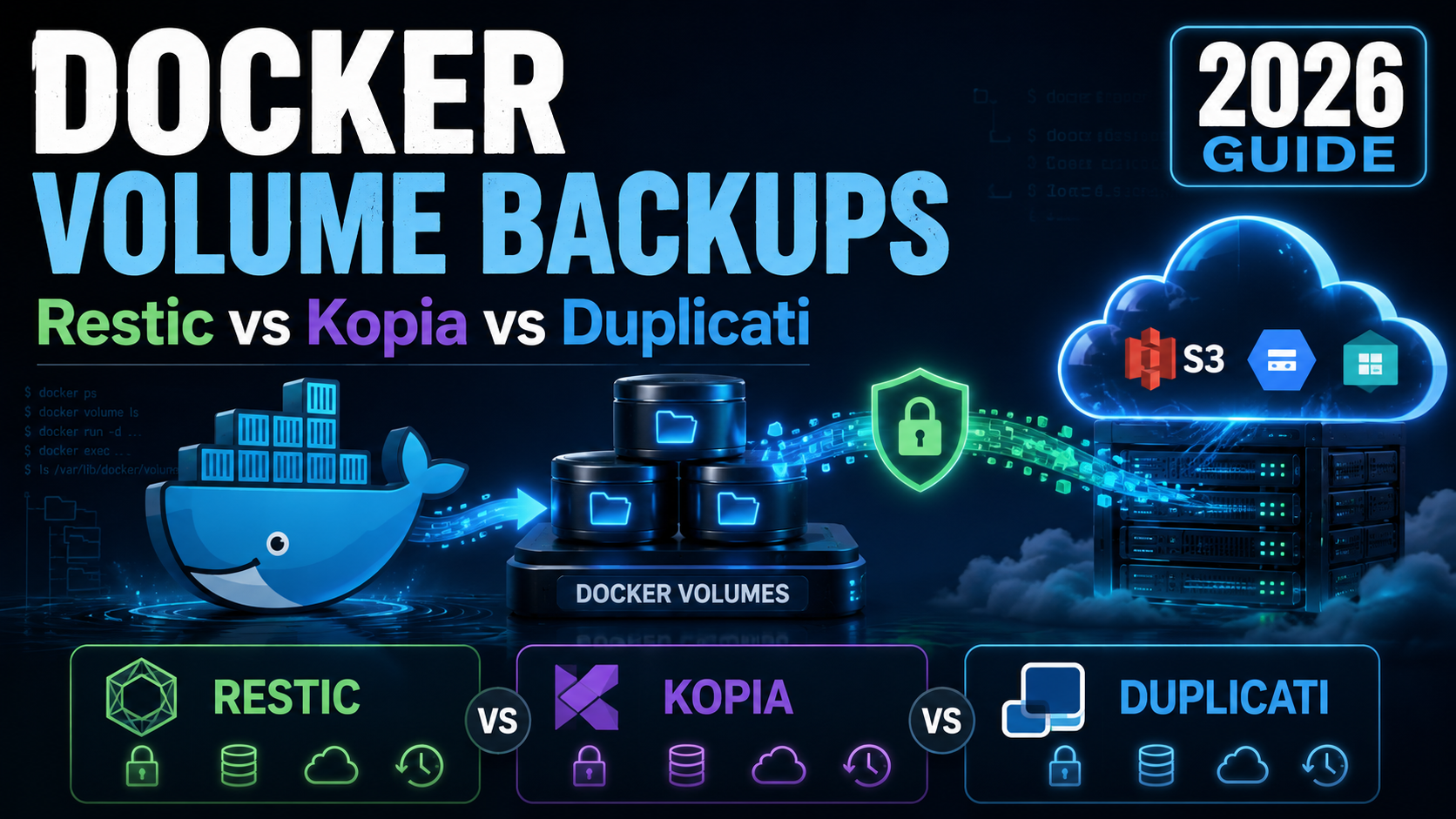
Docker Volume Backups Compared: Restic vs Kopia vs Duplicati
Running an application inside Docker makes deployment easier, but containers do not magically protect your data. A deleted volume, damaged server, broken disk, compromised VPS, or incorrect command can still wipe out an otherwise healthy application. This Docker backup guide explains a practical way to protect Docker volumes, create safe database exports, store backups away from the production server, and recover the application when something goes wrong.
A backup only matters when you can restore it.
The safest Docker backup workflow separates persistent files from the live database, creates a consistent database dump, stores both in an encrypted backup repository, and regularly verifies that the data can be restored.
$ database dump
      ↓
$ docker volume files
      ↓
$ encrypted snapshot
      ↓
$ off-server S3 storage
      ↓
$ tested restore ✓
For most Docker applications, protect two categories of data: persistent files and a consistent database dump. Do not depend on copying an actively changing database directory as your primary backup method. Send the final backup to a separate storage system instead of leaving the only copy on the same VPS.
Restic is an excellent default for people comfortable with the command line. Kopia is attractive when you want snapshot policies and an optional interface. Duplicati provides the most GUI-oriented workflow. The best tool is ultimately the one you automate and actually test.
Docker backup terminology in plain English
Before configuring anything, it helps to understand a few words that appear repeatedly in Docker backup documentation.
- What should you back up in Docker?
- Why live database folders are different
- A practical Docker backup architecture
- Choosing off-server backup storage
- Backing up Docker volumes with restic
- Using Kopia for Docker backups
- Using Duplicati for Docker backups
- Restic vs Kopia vs Duplicati
- How to test a Docker restore
- Automating Docker backups
- Backup retention strategy
- Docker backup FAQ
1. What should you back up in Docker?
An application usually contains replaceable components and irreplaceable components. The Docker image itself is normally replaceable because you can pull or rebuild it. Your application data is different.
Consider a self-hosted WordPress installation. WordPress may have a volume containing uploaded images, themes, or plugins. MariaDB has another volume containing the database. A different application might use PostgreSQL, SQLite, Redis, or MongoDB, but the general principle is similar.
The basic strategy can therefore be summarized in two operations:
- Create a consistent export of the application’s database.
- Back up persistent files together with that export to another location.
2. Why live database folders need special treatment
Archiving a directory with tar works well for many static files.
A busy database is not static. It may change data files, indexes, journals,
transaction logs, and metadata while the archive process is reading them.
That creates a risk that the backup contains files captured at slightly different moments. The archive may look perfectly normal even though its internal database state is inconsistent.
MariaDB / MySQL example
A common approach for InnoDB databases is to create a transactional dump first. Replace the container name, username, password variable, and database name with your own values.
mkdir -p /root/backups

docker exec your-db-container \
  mariadb-dump \
  -uroot \
  -p"$DB_PASS" \
  --single-transaction \
  --quick \
  your_database \
  > /root/backups/database.sql
The --single-transaction option is particularly useful for
transactional tables because the dump can work from a consistent database
view without requiring a long application outage.
PostgreSQL example
mkdir -p /root/backups

docker exec your-postgres-container \
  pg_dump \
  -U your_user \
  your_database \
  > /root/backups/database.sql
For production environments, review the backup recommendations of the exact database engine you use. Larger systems may need physical backups, write-ahead-log archiving, replication, or point-in-time recovery rather than only logical dumps.
3. A practical Docker backup architecture
A simple architecture keeps the production application, backup creation process, and backup destination separate enough that one failure does not destroy everything.
Containers write persistent application files to Docker volumes.
The database creates a consistent SQL dump before the backup snapshot.
Restic, Kopia, Duplicati, or another tool processes the selected data.
Snapshots are transferred to an S3 bucket or another independent host.
Ideally, the storage destination should not share the same disk, account, provider failure domain, or administrative credentials as the production data. The more independent it is, the more useful it becomes during a real incident.
4. Choosing off-server backup storage
Keeping /backups on the same VPS is convenient, but that copy
disappears with the server if the disk fails or the virtual machine is
accidentally deleted.
S3-compatible object storage is popular for Docker backups because many backup programs support it directly. Common choices include:
- DigitalOcean Spaces
- Backblaze B2
- Cloudflare R2
- MinIO on a separate server
- Amazon S3
5. Three useful Docker backup tools
restic
Lightweight command-line backup software with encryption, deduplication, snapshots, compression, and native support for many remote storage destinations.
- ✓ Excellent for automation
- ✓ Small operational footprint
- ✓ S3 support
- △ Primarily command-line driven
Kopia
Snapshot-focused backup software with encryption, deduplication, policies, multiple storage backends, and an optional graphical interface.
- ✓ Snapshot policies
- ✓ Optional web interface
- ✓ S3 support
- △ More configuration choices
Duplicati
Backup software designed around browser-based configuration, scheduling, retention settings, encryption, and guided restore workflows.
- ✓ Friendly web interface
- ✓ Built-in scheduling
- ✓ Guided restore options
- △ More moving components
6. Backing up Docker volumes with restic
restic is a good match for a small or medium self-hosted server because the normal workflow is straightforward: initialize a repository, create snapshots, periodically forget old snapshots, and test restores.
Install restic
On Ubuntu or Debian, the simplest installation method is often the distribution package:
sudo apt update
sudo apt install restic
Check the official restic documentation if you require a newer release than your operating system repository provides.
Configure an S3 repository
export AWS_ACCESS_KEY_ID="YOUR_ACCESS_KEY"
export AWS_SECRET_ACCESS_KEY="YOUR_SECRET_KEY"

export RESTIC_REPOSITORY="s3:https://YOUR-S3-ENDPOINT/YOUR-BUCKET/docker"
export RESTIC_PASSWORD="USE-A-LONG-RANDOM-PASSWORD"

restic initCreate the backup
Once your database dump exists, back up both the persistent application files and the dump.
restic backup \
  /var/lib/docker/volumes/yourapp_data/_data \
  /root/backups/database.sql
You can then view existing snapshots:
restic snapshotsAnd verify the repository:
restic check7. Using Kopia for Docker backups
Kopia follows a similar snapshot model but provides additional policy features and an optional user interface.
It may be a better choice when you want to inspect snapshots visually, configure retention policies within the backup program, or restore individual files without depending entirely on shell commands.
Create an S3 repository
kopia repository create s3 \
  --bucket=YOUR_BUCKET \
  --prefix=docker-kopia/ \
  --endpoint=YOUR-S3-ENDPOINT \
  --access-key=YOUR_ACCESS_KEY \
  --secret-access-key=YOUR_SECRET_KEY
Create a snapshot
kopia snapshot create \
  /var/lib/docker/volumes/yourapp_data/_data \
  /root/backups
Configure retention
kopia policy set --global \
  --keep-daily 7 \
  --keep-weekly 4 \
--keep-monthly 68. Using Duplicati for Docker backups
Duplicati is particularly attractive to administrators who prefer to create backup jobs from a graphical interface instead of writing the entire configuration by hand.
Duplicati itself can run inside Docker. Application volumes can be mounted read-only into the Duplicati container, reducing the possibility that the backup process modifies production application files.
docker run -d \
  --name duplicati \
  -p 127.0.0.1:8200:8200 \
  -e DUPLICATI__WEBSERVICE_PASSWORD="CHANGE_THIS_PASSWORD" \
  -v /var/lib/docker/volumes/yourapp_data/_data:/source/app:ro \
  -v /root/backups:/source/database:ro \
  -v duplicati_config:/data \
  duplicati/duplicati:latest
Notice that port 8200 in this example is bound to
127.0.0.1 rather than every network interface. You can then reach
the interface through a secure tunnel instead of simply opening an
administrative dashboard to the Internet.
9. Restic vs Kopia vs Duplicati: which should you use?
The three programs solve similar problems with different priorities. Rather than choosing only from raw speed tests, consider how you actually administer your server.
| Feature | Restic | Kopia | Duplicati |
|---|---|---|---|
| Main interface | Command line | CLI + optional UI | Web UI |
| Encryption | Yes | Yes | Yes |
| Deduplication | Yes | Yes | Uses block-based incremental storage |
| S3 destinations | Yes | Yes | Yes |
| Retention | forget/prune commands | Policy engine | Job settings |
| Best fit | Automation and minimal servers | Power users wanting policies + UI | Administrators preferring GUI workflows |
LearnWithHasan’s August 2026 comparison also tested these tools against the same Docker application and performed destructive restore drills rather than stopping at successful backup creation. His published comparison favored restic as the general default, with Kopia positioned as a strong alternative for users wanting a web interface and Duplicati for people who prefer a GUI-focused workflow.
You can read the original experiment here: LearnWithHasan Docker Volume Backups Test .
10. The step most backup tutorials skip: test the restore
A successful backup command only confirms that the backup software completed its job. It does not automatically prove that your entire application can be reconstructed from the stored data.
A restore test should ideally start with an empty or isolated environment. Do this on a staging server or disposable test instance rather than destroying a production application simply to experiment.
Restore files with restic
mkdir -p /root/restored

restic restore latest \
  --target /root/restored
Recreate a Docker volume
docker volume create yourapp_dataCopy the recovered application files into the recreated volume using the correct path for your own backup layout.
cp -a \
  /root/restored/path/to/your/app/. \
  /var/lib/docker/volumes/yourapp_data/_data/
Restore the database
Start a clean database service and import the SQL dump.
docker compose up -d db

docker exec -i your-db-container \
  mariadb \
  -uroot \
  -p"$DB_PASS" \
  your_database \
  < /root/restored/root/backups/database.sql
Start the remaining application containers only after the database and persistent files are ready:
docker compose up -dVerify more than the homepage
- The expected containers remain healthy after startup.
- The application homepage loads.
- Users can log in.
- Recent records exist in the database.
- Uploaded files are present.
- Application configuration is correct.
- Background jobs can run.
- Checksums or record counts match expected values.
11. Automating Docker backups with restic and systemd
Manual backups eventually become forgotten backups. Once you have tested the commands, place them in an automated script.
Create the backup script
Save a script such as
/usr/local/bin/backup-docker-app.sh.
#!/usr/bin/env bash

set -euo pipefail

mkdir -p /root/backups

docker exec your-db-container \
  mariadb-dump \
  -uroot \
  -p"$DB_PASS" \
  --single-transaction \
  --quick \
  your_database \
  > /root/backups/database.sql

restic backup \
  /var/lib/docker/volumes/yourapp_data/_data \
  /root/backups/database.sql

restic forget \
  --keep-daily 7 \
  --keep-weekly 4 \
  --keep-monthly 6 \
  --prune
Make it executable:
chmod 700 /usr/local/bin/backup-docker-app.shCreate a systemd service
[Unit]
Description=Backup Docker application

[Service]
Type=oneshot
EnvironmentFile=/root/docker-backup.env
Environment=HOME=/root
ExecStart=/usr/local/bin/backup-docker-app.sh
Keep credentials inside a root-readable environment file rather than putting secret keys directly inside publicly readable scripts.
Create a systemd timer
[Unit]
Description=Run Docker backup every night

[Timer]
OnCalendar=*-*-* 03:30:00
RandomizedDelaySec=15m
Persistent=true

[Install]
WantedBy=timers.target
Enable the timer:
systemctl daemon-reload

systemctl enable --now docker-backup.timer
Check when it will run:
systemctl list-timers docker-backup.timerAfter the first scheduled execution, inspect its result rather than assuming that enabling the timer was enough.
journalctl -u docker-backup.service12. How many Docker backups should you keep?
Retention depends on how quickly your application changes and how far back you may need to recover. Keeping only last night’s backup gives you little protection against corruption that went unnoticed for several days.
| Backup type | Example retention | Purpose |
|---|---|---|
| Daily | 7 snapshots | Recent mistakes and failures |
| Weekly | 4 snapshots | Longer rollback window |
| Monthly | 6–12 snapshots | Long-term recovery |
For a transactional business application, the recovery-point objective may require hourly or even more frequent database protection. A personal blog may be perfectly comfortable with nightly backups.
13. Docker backup security checklist
Backups frequently contain more sensitive data than the application interface itself. They may include user tables, API tokens, configuration values, uploaded documents, customer information, and database credentials.
- Use encrypted backup repositories.
- Use unique credentials for the backup destination.
- Restrict storage keys to only the permissions they require.
- Keep repository passwords outside public scripts.
- Do not expose backup dashboards directly to the Internet unnecessarily.
- Consider object-lock or immutable storage for important systems.
- Monitor failed backup jobs.
- Test restoring onto a separate machine periodically.
14. Common Docker backup mistakes
1. Keeping the only backup on the Docker host
Local copies are useful for quick recovery, but they do not protect against destruction of the host itself.
2. Backing up only the Docker Compose file
Compose describes how containers should run. It usually does not contain the actual database records or uploaded files.
3. Copying a busy database directory
Use a database-aware backup mechanism rather than assuming an arbitrary filesystem archive represents a consistent database state.
4. Never testing recovery
This is one of the most serious mistakes. Test the complete recovery sequence before an emergency forces you to learn it.
5. Keeping every snapshot forever
Without retention, repositories grow continuously. Use sensible daily, weekly, and monthly policies.
6. Ignoring backup-job failures
Automatic jobs need logs or notifications. A timer that has failed for three months provides very little protection.
Docker backup FAQ
Do Docker volumes automatically back themselves up?
No. Docker volumes provide persistent storage, but Docker does not automatically create historical off-server backups of those volumes.
Should I stop Docker containers before a backup?
Static application files can often be backed up while containers run. Databases should use a database-aware backup procedure such as mariadb-dump, mysqldump, pg_dump, snapshots coordinated with the database, or another method documented by the database vendor.
What is the best Docker volume backup tool?
Restic is a strong general choice for command-line environments. Kopia is attractive when you want integrated policies and an optional interface. Duplicati is useful when a GUI-oriented backup workflow is the priority.
Can Docker backups be stored in Amazon S3?
Yes. Restic, Kopia, Duplicati, and many other backup systems support Amazon S3 or S3-compatible storage.
Can I use Backblaze B2 or DigitalOcean Spaces instead?
Yes. Both provide storage options that can work with common Docker backup tools. Follow the provider’s current documentation for endpoints, access keys, regions, and permissions.
How often should Docker volumes be backed up?
Frequency should be based on your acceptable data-loss window. Nightly can be sufficient for a small site. Applications receiving important transactions throughout the day may require hourly or more advanced continuous database protection.
Can I restore a Docker backup onto another server?
Yes. That portability is one of the reasons remote backups are useful. Recreate the container stack, restore persistent files, restore the database using the appropriate database procedure, and validate the application.
Is a database dump enough for a complete Docker backup?
Not necessarily. The database may contain only part of the application’s state. Uploaded files, configuration, certificates, and other persistent volumes may also be required.
Do I need both local and remote backups?
Keeping both can be useful. A local backup may provide fast recovery from a small mistake, while an independent remote copy protects against loss of the complete Docker host.
What is the most important Docker backup rule?
Create a backup that protects all irreplaceable data, store at least one copy away from the production host, and prove through a restore test that you can actually recover it.
Final recommendation
Docker simplifies application deployment, but persistence and disaster recovery remain your responsibility. A practical backup strategy does not need to be complicated: generate a consistent database dump, protect the application’s persistent files, encrypt the resulting snapshots, copy them outside the Docker host, remove obsolete backups according to a retention policy, and periodically restore them.
If you manage a server primarily from the terminal, restic is one of the simplest places to start. Choose Kopia when integrated policies or snapshot browsing are important. Choose Duplicati when a graphical backup workflow is more important to you than maintaining a minimal command-line stack.
The program you select matters less than building a workflow that continues running when you are busy—and knowing that its restore procedure really works.
Build a safer self-hosted stack
Continue learning Docker, backups, deployment, server security, and self-hosting so a single VPS failure does not become a complete data-loss event.
More Docker Guides Self-Hosting Guides