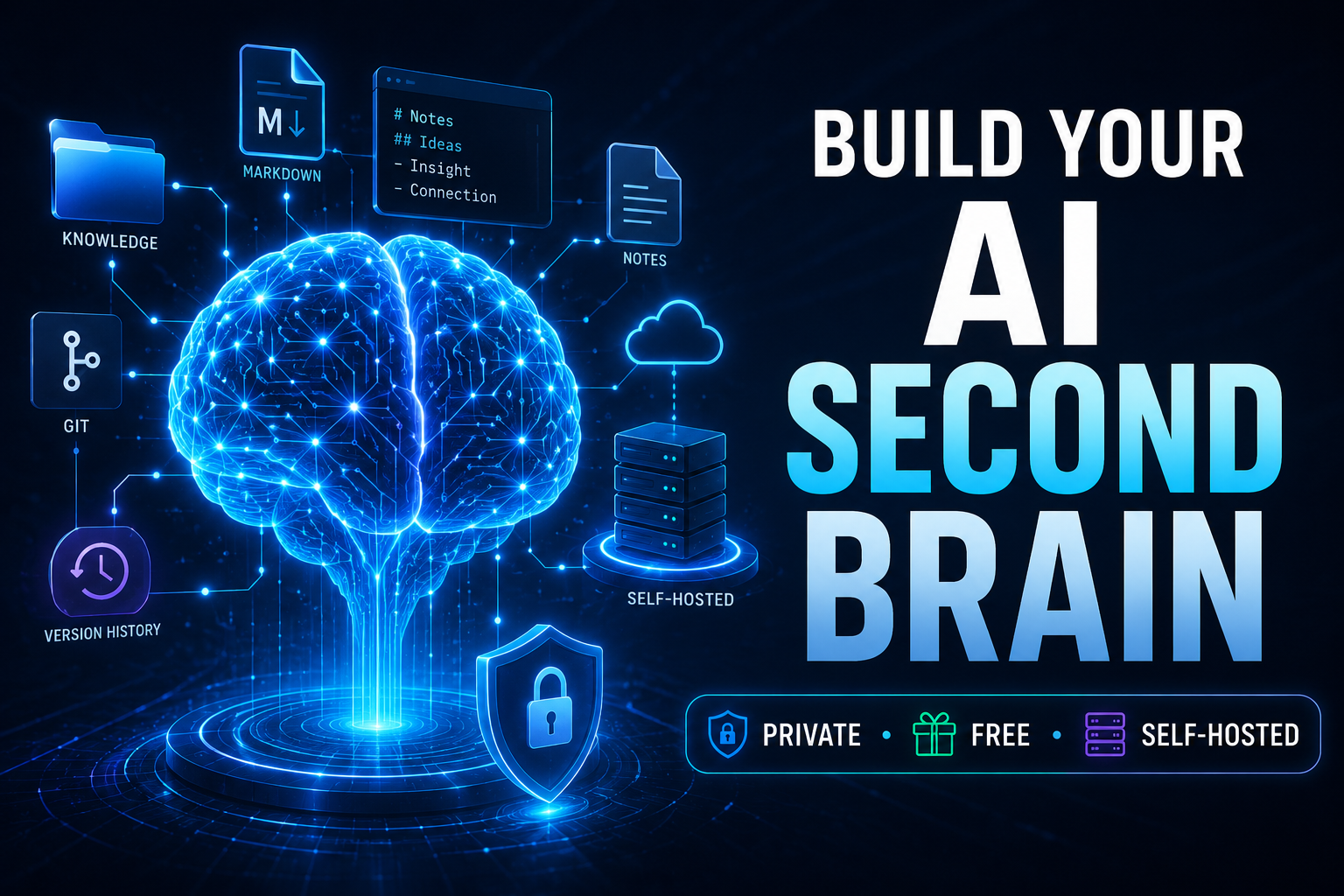
How to Build an AI Second Brain (Private, Free, and Self-Hosted)
Build a personal knowledge system that gives AI access to your ideas, writing style, projects, research, lessons, and important facts—without depending entirely on someone else’s memory system.
Disclosure: Some links in this guide may be affiliate links. If you purchase through one of those links, I may earn a commission at no additional cost to you.
TL;DR
Instead of repeatedly explaining yourself to an AI assistant, you can maintain an organized collection of Markdown files containing your identity, preferences, projects, ideas, facts and previous decisions. AI tools can then retrieve those files locally or through an MCP/API connection. Git provides version history, while a self-hosted server can make the same knowledge available to multiple AI clients.
What you’ll build
By the end of this guide, you will understand how to create a private repository containing your personal AI knowledge base, connect it to an AI coding assistant, optionally host it on your own VPS, and expose selected information through an MCP-compatible interface.
What Is an AI Second Brain?
An AI second brain is a personal information system designed to give artificial intelligence reliable context about you and your work.
Most people use an AI chatbot in a temporary way. They open a conversation, describe the project, explain their preferences, provide background information and eventually get a useful response.
Then they open another conversation and explain everything again.
A second-brain architecture changes that workflow.
Instead of relying entirely on conversation history, important knowledge is stored in files that you own. Those files might describe your writing voice, businesses, products, audiences, ongoing projects, research, personal frameworks and verified facts.
An AI agent retrieves the information when it needs it.
Readable
Your knowledge can remain in ordinary text or Markdown files instead of being hidden inside an opaque application.
Portable
Because the information belongs to you, it can potentially be used with different AI models and applications.
Version controlled
A Git repository can maintain a history of changes, letting you see when important information was added or modified.
AI accessible
MCP, APIs or direct filesystem access can give compatible AI clients permission to retrieve the information.
Why Your AI Needs Persistent Context
Generative AI is extremely capable, but its answers are only as relevant as the context available when the request is processed.
Imagine asking an AI:
“Write an introduction for my next article using my normal writing style and mention the results from my previous project.”
Without access to your previous work, the model has to either ask for more information or make assumptions.
Now imagine that the AI can retrieve:
- your preferred writing style;
- your biography and positioning;
- your past articles;
- your current projects;
- your saved statistics;
- your preferred terminology;
- ideas you have previously approved.
The model has substantially better context before writing a single sentence.
That does not make hallucinations impossible. What it does is give the model a stronger body of verified information from which to work.
The Basic Architecture
You do not need an enormous database to experiment with this concept. A surprisingly useful personal knowledge system can begin with a simple folder structure.
my-ai-brain/
│
├── identity/
│   ├── core.md
│   ├── voice.md
│   └── principles.md
│
├── projects/
│   ├── website.md
│   ├── youtube-channel.md
│   └── current-project.md
│
├── knowledge/
│   ├── facts/
│   ├── ideas/
│   ├── lessons/
│   ├── research/
│   └── stories/
│
├── archive/
│
└── index.md
The objective is not to save every sentence you have ever written. The objective is to preserve information that future AI interactions may need.
A useful rule
Save information when you believe you would otherwise have to explain it again to an AI in the future.
Create Your Private Knowledge Repository
GitHub is a convenient place to begin because Git provides both storage and version history.
Create a repository with a name such as:
my-ai-second-brain
For personal information, make the repository private.
Then clone it to your computer:
git clone YOUR_PRIVATE_REPOSITORY_URL
cd my-ai-second-brain
You can also keep the entire system only on your computer if you do not need remote access.
Important
Do not store passwords, banking credentials, private API keys, recovery codes or other high-risk secrets inside ordinary Markdown notes.
Build Your Identity Layer
Your identity files are among the most important documents in the entire system because they tell AI how to interpret everything else.
Start with three documents.
1. core.md
This file describes your professional identity and positioning.
# Core Identity

Name: YOUR NAME

Primary work:
- Business owner
- Content creator
- Affiliate marketer

Primary audiences:
- Entrepreneurs
- Online marketers
- Small business owners

Main topics:
- AI
- Online business
- WordPress
- Affiliate marketing
- Digital products

Current objectives:
- Grow organic traffic
- Build useful content
- Create scalable digital assets
2. voice.md
This describes how AI should communicate when writing for you.
# Writing Voice

Tone:
- Direct
- Practical
- Easy to understand
- Helpful rather than overly technical

Preferences:
- Short paragraphs
- Clear headings
- Actionable examples
- Explain technical terminology

Avoid:
- Corporate jargon
- Excessive filler
- Claims without evidence
- Overly complicated sentences
3. principles.md
Store opinions and working principles that you want AI to respect.
# Principles

- Useful information comes before promotion.
- Do not invent statistics.
- Clearly distinguish facts from opinions.
- Explain limitations when they matter.
- Prefer practical examples.
- Recommend products only when relevant.
Organize the Knowledge Your AI Can Retrieve
A second brain becomes more valuable as useful information accumulates, but organization matters.
Instead of saving one giant document, divide information by purpose.
Facts
Verified statistics, business information, dates, prices you personally recorded, measurements and other factual material.
Stories
Experiences and anecdotes that may later be useful for articles, emails, videos or social media content.
Ideas
Business ideas, article concepts, product opportunities and thoughts that are worth developing later.
Lessons
Things you learned from projects, mistakes, experiments and successful strategies.
A project file might look like this:
# Project: WordPress Content Site

Status: Active

Goal:
Build an authoritative content site around online business,
AI tools and marketing.

Platform:
WordPress

Current priorities:
1. Publish detailed tutorials
2. Improve organic search traffic
3. Add relevant affiliate offers
4. Improve internal linking
5. Refresh older articles

Important:
Never invent personal test results that have not been recorded.
Start Using Your Second Brain Locally
You do not necessarily need a VPS or public application. The simplest system is local.
Open an AI coding environment that can work with the files in the repository and ask it to inspect the relevant knowledge before responding.
For example:
Read the identity and project files in this repository.

Then help me write an article introduction about AI tools.

Use only personal facts that actually exist in the repository.
If information is missing, tell me instead of inventing it.
This simple instruction already creates an important behavior: retrieval before generation.
You can also establish permanent agent instructions requiring the model to consult specific folders whenever it performs certain tasks.
You can stop here
If all your work happens on one computer, a local Git/Markdown system may be enough. The server-based steps below become useful when you want multiple AI applications or devices to access the same knowledge.
Want to Build More AI Systems?
The same infrastructure used for a second brain can also support AI automations, internal tools, websites and self-hosted applications.
Explore My Recommended AI ToolsGet a VPS for the Online Version
To make your AI knowledge available outside your local computer, you can host an application on a virtual private server.
A VPS gives you a Linux machine on the internet where you control the software stack.
For a small personal AI application, you usually do not need an enormous server to begin. Requirements depend on the software you deploy and whether you are running AI models directly on the machine.
| Resource | Starting Point | Why It Matters |
|---|---|---|
| Operating system | Ubuntu Linux | Commonly supported by self-hosting tools |
| RAM | 4 GB+ | Provides room for containers and background services |
| CPU | 2+ vCPU | Suitable starting point for lightweight applications |
| Storage | 40 GB+ | Enough for containers, logs and application data |
Affiliate opportunity
This section is a natural place for your VPS hosting affiliate offer.
Replace the button URL below with your hosting referral link.
Install Coolify and Deploy Your Application
Managing containers manually is possible, but a deployment platform can make self-hosting significantly easier.
Coolify is an open-source deployment platform that can manage applications, databases, domains and Docker-based services from a browser interface.
After preparing your Ubuntu VPS, follow the current installation instructions from the official Coolify documentation rather than relying on an old command copied from a tutorial.
Once installed, the workflow generally looks like this:
- Create a project.
- Add a new application or Docker Compose resource.
- Connect the source repository.
- Configure environment variables.
- Attach your domain.
- Deploy the application.
- Verify HTTPS and application health.
Security comes first
An administrative deployment panel gives powerful access to your server. Use strong credentials, apply updates, limit unnecessary exposure and configure backups.
Do not expose private AI data simply because a dashboard makes deployment easy.
Connect Your AI Through MCP
MCP stands for Model Context Protocol.
At a high level, MCP provides a standardized way for AI applications to interact with external tools and information sources.
Instead of placing your entire personal knowledge base inside every prompt, an AI client can request the specific information it needs.
A conceptual configuration might resemble:
{
  "mcpServers": {
    "personal-brain": {
      "type": "http",
      "url": "https://brain.example.com/mcp/",
      "headers": {
        "Authorization": "Bearer YOUR_PRIVATE_KEY"
      }
    }
  }
}
Do not publish a real API key inside an article or public GitHub repository.
After the connection is configured, the AI may be able to call tools such as:
get_identitylist_projectssearch_notesget_noteassemble_contextpropose_update
Why context assembly matters
For a request such as:
Write an article introduction about the lessons I learned
while building my latest website.
the context layer can first search your project notes, identify relevant lessons and return only the information needed to produce the answer.
That is more useful than dumping hundreds of documents into the prompt.
Use an Approval System for AI-Written Memories
Giving AI permission to read your knowledge is different from giving it permission to permanently change that knowledge.
For important information, a safer architecture is:
- The AI receives new information.
- It proposes an update.
- You review the proposed change.
- You approve or reject it.
- Only approved information becomes part of the permanent brain.
This prevents one mistaken AI response from silently turning into permanent “knowledge.”
A good principle
AI can propose. The human decides what becomes memory.
Privacy Tiers: Not Every AI Needs to Know Everything
One of the biggest mistakes you can make is giving every application access to your complete knowledge base.
Instead, organize information by sensitivity.
| Tier | Example Information | Typical Access |
|---|---|---|
| Public | Published biography, public articles, public projects | Public-facing AI tools |
| Agent | Writing voice, unpublished ideas, internal project context | Your trusted AI assistants |
| Private | Sensitive personal or business information | Restricted or local access only |
The goal is least-privilege access: an AI application receives only the information required to perform its job.
Additional precautions
- Keep personal repositories private.
- Rotate API keys periodically.
- Use separate credentials for different applications.
- Enable HTTPS.
- Back up important data.
- Keep your VPS and containers updated.
- Do not store unnecessary secrets.
- Restrict administrative interfaces whenever practical.
AI Memory vs an AI Second Brain
These concepts overlap, but they are not exactly the same.
| Feature | Built-In AI Memory | Self-Owned Second Brain |
|---|---|---|
| Storage | Inside the AI service | Your own files/repository |
| Portability | Usually platform dependent | Potentially reusable across tools |
| Human readable | Varies | Yes, if Markdown/text based |
| Version history | Depends on service | Git can track changes |
| Control | Platform controlled | You control architecture |
| Setup difficulty | Very easy | Requires setup |
Built-in memory is convenient. A self-owned knowledge system offers more control.
You do not necessarily have to choose only one. They can complement each other.
What Changes When Your AI Has Context?
Consider a simple request:
“Write a short promotional email about my new article.”
❌ Without your brain
The AI may know nothing about your normal voice, audience, website, previous content or business positioning.
It produces a generic email that could belong to almost anyone.
✓ With relevant context
The AI can retrieve your audience, voice rules, article details and previous marketing principles before generating the email.
The resulting draft is much more likely to be aligned with your actual work.
This is the real value of a second brain.
It is not about making the model magically smarter. It is about giving the model the information required to make a better decision.
What Can You Do With an AI Second Brain?
Once your knowledge is structured, the same foundation can support many different workflows.
Blog Writing
Retrieve your previous articles, opinions, statistics and style guidelines before drafting new content.
YouTube Content
Store published videos, target topics and channel positioning to improve titles, descriptions and future scripts.
Affiliate Marketing
Maintain records of products, affiliate URLs, disclosures and previous recommendations.
Business Operations
Keep project decisions, procedures and recurring business information available to your AI assistants.
Software Development
Create one project note per application containing architecture, tools, important decisions and known problems.
Research
Store research notes with clear source information so future AI tasks can retrieve previously collected evidence.
Email Drafting
Give an AI assistant your communication preferences without re-explaining them every time.
Digital Products
Preserve product positioning, audience research, FAQs and marketing ideas in one structured knowledge system.
A Practical Content-Creator Workflow
Suppose you publish a new WordPress article.
After publishing, you could save a content record:
# Published Content

Title:
Best AI Tools for Online Business

URL:
https://example.com/best-ai-tools/

Published:
2026-08-13

Primary topic:
Artificial intelligence for entrepreneurs

Audience:
Small business owners and online marketers

Important points:
- AI research tools
- AI writing tools
- Automation
- Productivity

Related articles:
- AI marketing guide
- WordPress automation guide

Promotion status:
- Facebook: Done
- Pinterest: Pending
- YouTube: Pending
Later you could ask:
Find articles from my content catalog related to AI automation.

Create 10 internal-link opportunities for my next WordPress article.
Now your AI is not guessing which pages exist. It is retrieving them from your own content catalog.
How to Use Affiliate Links Naturally in This Article
Affiliate links tend to work best when they appear at the point where a reader actually needs the product.
For this type of tutorial, appropriate placements include:
- VPS hosting recommendation in the server section;
- domain registrar recommendation before domain configuration;
- AI subscription/tool recommendation in the AI connection section;
- email hosting or backup services in the security section;
- relevant AI courses near the end of the tutorial.
Recommended Hosting
If you want to host your own AI tools, choose a VPS provider that gives you root access and supports Docker-based applications.
Check My Recommended Hosting →What Does an AI Second Brain Cost?
There is no single price because the cost depends heavily on the architecture you choose.
| Component | Local Setup | Self-Hosted Setup |
|---|---|---|
| Markdown files | Free | Free |
| Git | Free | Free |
| Private repository | Often free | Often free |
| VPS | Not required | Monthly cost |
| Domain | Not required | Optional/annual cost |
| AI usage | Depends on provider | Depends on API/model usage |
| Coolify | Not required | Open-source self-hosted option |
The cheapest approach is therefore simple: use local files and an AI tool capable of reading them.
Only add infrastructure when remote access or multi-application integration creates enough value to justify it.
7 Mistakes to Avoid
1. Saving everything
A second brain should contain useful context, not every piece of text you have ever encountered.
2. Putting everything in one document
Smaller topic-focused files make information easier for both humans and AI systems to navigate.
3. Letting AI invent permanent facts
A generated claim should not become trusted memory simply because a model produced it.
4. Giving every application full access
Separate public, agent-level and sensitive information whenever possible.
5. Forgetting the source of important facts
For research-heavy content, store the origin and date of factual information.
6. Ignoring backups
If the system becomes central to your business or content operation, losing it can become expensive.
7. Overengineering too early
Start with Markdown files and a clear folder structure. You can add databases, APIs, automation and remote servers when you actually need them.
Start Simple
Create three identity documents, one project file and a few carefully organized knowledge notes. Use them for real AI tasks before adding more infrastructure.
See My Recommended AI Tools →Frequently Asked Questions
What exactly is an AI second brain?
It is a structured collection of information that an AI system can retrieve when completing tasks. It might contain your identity, preferences, projects, knowledge, research and previous decisions.
Do I need a vector database?
Not necessarily. For a relatively small and well-organized personal knowledge base, ordinary files and structured retrieval may be enough. Larger systems may benefit from search indexes, embeddings or databases.
Do I need to know how to code?
You can create a basic local second brain with very little coding knowledge. Self-hosting an online MCP server requires more technical work, although deployment tools can simplify the process.
Can I use GitHub?
Yes. A private Git repository is useful because Markdown files are easy to read and Git maintains a history of changes.
Can ChatGPT use a second brain?
The exact integration depends on the AI application’s available connector, tool and API capabilities. The important architectural principle is keeping your knowledge portable rather than assuming it will always belong to one AI provider.
Is a self-hosted second brain completely private?
Self-hosting gives you additional control, but it does not automatically make a system secure. Server configuration, credentials, network exposure, backups and third-party AI APIs can all affect privacy.
Can the AI automatically add new memories?
It can if your architecture permits writes, but a review-and-approval process is safer for important knowledge because it prevents inaccurate generated information from silently becoming permanent memory.
What should I put in my second brain first?
Start with your identity, writing voice, important principles, active projects and facts that you repeatedly provide to AI assistants.
What file format should I use?
Markdown is an excellent starting point because it is simple, portable, human-readable and compatible with Git.
Can I use it for blogging and affiliate marketing?
Yes. You can maintain a catalog of published articles, affiliate products, important links, SEO targets, audience information and editorial guidelines, then retrieve those records during future content creation.
Final Thoughts
The most useful idea behind an AI second brain is not a particular software product.
It is the idea that your knowledge should exist independently from the AI model currently using it.
Models will change. Applications will change. New AI assistants will appear.
A collection of well-organized, portable information gives you something far more durable: a reusable context layer representing your work, knowledge and preferences.
Start with a folder.
Write your identity files.
Add your active projects and important knowledge.
Let an AI retrieve that information locally.
Then, if the workflow proves useful, add remote access, MCP connections, automation and self-hosting.
That approach keeps the technology serving your knowledge instead of making your knowledge dependent on one technology.
Build Your AI Stack
Explore the tools and hosting services I recommend for building AI projects, websites and self-hosted applications.
View Recommended Tools →