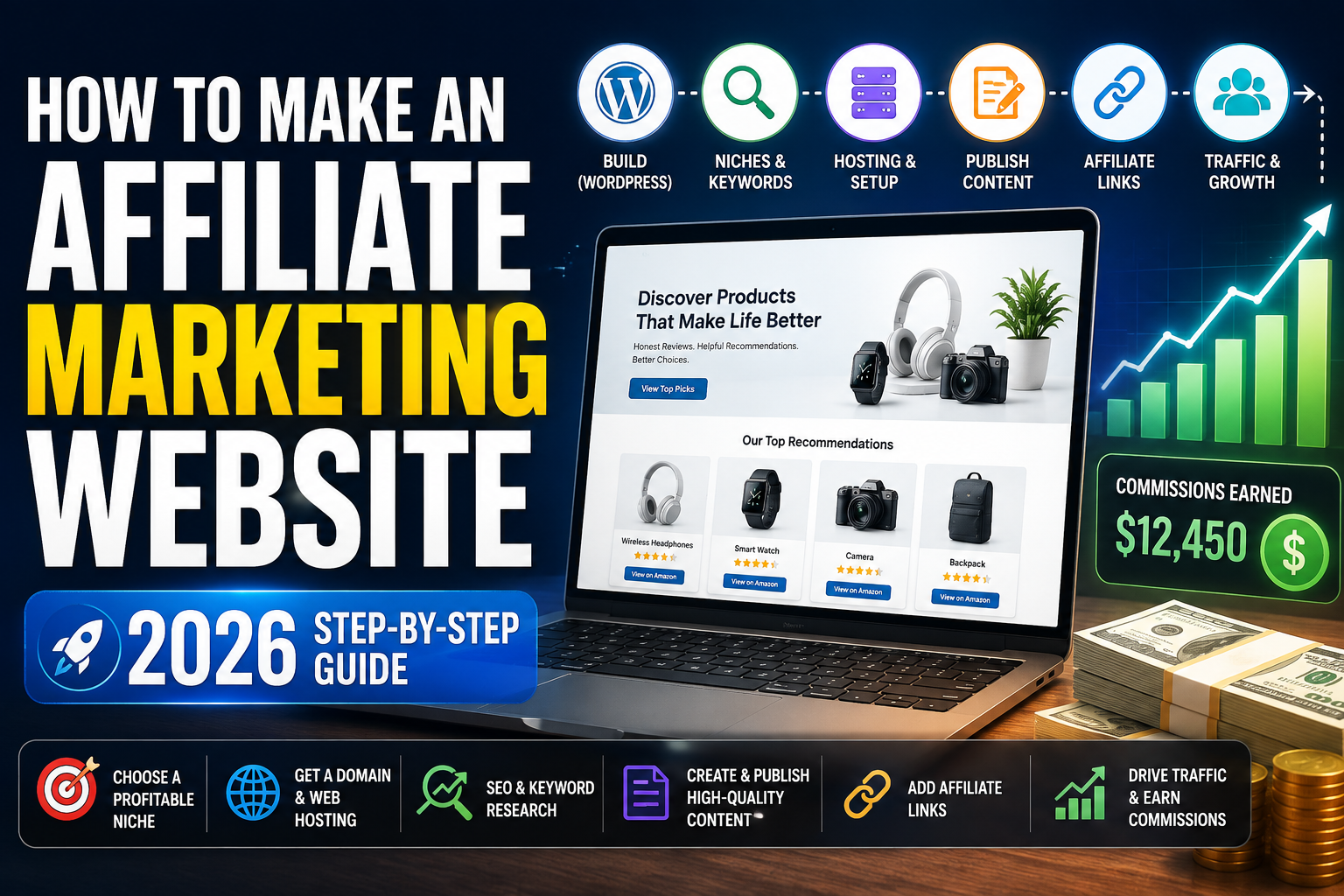
How to Make an Affiliate Marketing Website in 2026: Step-by-Step Guide
Learn how to build an affiliate marketing website with WordPress, choose a profitable niche, research keywords, publish SEO content, add affiliate links and turn your website traffic into commissions.
Starting an affiliate marketing website is one of the most accessible ways to build an online business because you do not need to manufacture products, keep inventory, ship packages or provide the merchant’s customer support.
Instead, your job is to build useful content around a specific audience, recommend relevant products or services and earn a commission when qualifying visitors purchase through your affiliate links.
How Affiliate Marketing Works
1. Choose Your Affiliate Marketing Niche
Your niche determines the type of visitors you attract, the products you can recommend and the affiliate programs that will be relevant to your website.
Avoid building a site about absolutely everything. A focused topic makes it easier for both readers and search engines to understand what your website specializes in.
Technology
- Laptops
- Headphones
- Cameras
- Smartwatches
- AI software
- Business tools
Home & Lifestyle
- Office furniture
- Mattresses
- Home security
- Kitchen products
- Smart-home products
- Outdoor equipment
2. Choose a Brandable Domain Name
Your domain name becomes the address and identity of your affiliate site.
- Make it easy to spell.
- Keep it reasonably short.
- Avoid confusing numbers and characters.
- Choose something memorable.
- Give yourself room to expand into related topics later.
A domain that is too specific can become limiting if you later decide to expand your content.
3. Get Web Hosting
Your WordPress affiliate website needs web hosting. Hosting stores the website files and makes your content accessible to visitors on the internet.
Start Your WordPress Affiliate Site With Hostinger
Hostinger is an option for beginners who want to create a WordPress blog, review website, affiliate site or other content-focused project.
- WordPress hosting options
- Beginner-friendly setup
- Suitable for content websites
- Website management dashboard
Your hosting plan should provide the performance and resources required for your site’s expected traffic and features.
Affiliate link. Check current plans, features and pricing on Hostinger before purchasing.
4. Install WordPress
WordPress gives you the publishing system used to manage your website without requiring you to manually code every page.
Content
Publish blog posts, reviews, comparisons and guides.
Design
Control themes, navigation, page layouts and visual elements.
SEO
Add SEO plugins, schema, internal links and search-focused content.
5. Choose a Fast WordPress Theme
Your theme controls the basic design of the website. For affiliate sites, prioritize speed, readability and mobile responsiveness instead of unnecessary visual effects.
| Theme | Best For | Key Benefit |
|---|---|---|
| OceanWP | Flexible affiliate sites | Highly customizable |
| Astra | Blogs and marketing sites | Lightweight structure |
| GeneratePress | Content-heavy websites | Performance oriented |
| Kadence | Modern WordPress websites | Flexible layout tools |
6. Customize Your Pages With Elementor
Elementor can help you build visual sections without coding every element manually.
- Hero sections
- Product boxes
- Call-to-action buttons
- Columns
- Icons
- Videos
- Testimonials
- Landing pages
For affiliate sites, avoid creating a design so complicated that it distracts visitors from the content.
7. Create the Essential Website Pages
Homepage
Explain what your website covers and direct users toward your most useful content.
About Page
Explain who is behind the website and why readers should trust the content.
Contact Page
Give visitors and potential business partners a way to contact you.
Affiliate Disclosure
Clearly disclose material affiliate relationships to your readers.
8. Start Publishing Affiliate Content
Your content is what brings people to the site. An affiliate site should provide useful information, not simply display advertisements.
Best Product Articles
Example: 10 Best Wireless Headphones in 2026
Individual Reviews
Example: Hostinger Review 2026
Comparison Articles
Example: Hostinger vs SiteGround
How-To Guides
Example: How to Start a Blog
9. Join Amazon Associates for Physical Products
Amazon Associates can be useful when your website reviews or recommends physical products. When you use Amazon affiliate links, make sure you follow Amazon’s current Associates policies.
A simple product CTA can look like this:
Recommended Product
Briefly explain why the product is relevant and who should consider it.
Check Price on Amazon10. Don’t Depend on Amazon Alone
Many companies operate direct affiliate programs or participate in larger affiliate networks.
Diversify Affiliate Revenue
Depending on your niche, you may find affiliate programs for:
- Web hosting
- SEO tools
- Email marketing software
- Online course platforms
- VPN services
- Ecommerce software
- Travel companies
- Electronics brands
- Business software
11. Manage Your Affiliate Links
As your site grows, keeping hundreds of affiliate URLs organized can become difficult. A centralized link-management system can make future updates easier.
- Organize frequently used affiliate URLs.
- Update merchant links centrally where permitted.
- Reduce broken or outdated links.
- Maintain consistent CTA buttons.
Always check whether the specific affiliate program permits redirects or link cloaking before using them.
12. Research Keywords Before Writing
Avoid publishing random topics and hoping they receive traffic. Build your content around problems and searches that potential visitors are already making.
For example, instead of writing:
Some Thoughts About Web Hosting
you could create an article around:
Best Web Hosting for Beginners
13. Use Keyword Research Tools
SEO platforms such as Semrush can help you investigate keywords, related topics, competing pages and search intent.
Start with a broad phrase and look for more specific variations.
Example: Standing Desk Keyword Expansion
- standing desk
- best standing desk
- best standing desk for home office
- standing desk with drawers
- standing desk for tall people
- standing desk under $500
14. Target Commercial Search Intent
Some searches indicate that the visitor may be closer to making a purchase than others.
| Keyword | Intent |
|---|---|
| What is a smartwatch? | Informational |
| Best smartwatch under $500 | Commercial investigation |
| Apple Watch vs Samsung Galaxy Watch | Comparison / commercial |
| Buy Apple Watch | Transactional |
Useful commercial modifiers include:
best, review, vs, alternatives, deals, discount, for beginners, for small business, under $100, under $500
15. Find Long-Tail Keywords
New websites often have a better chance of competing for specific searches than extremely broad keywords.
Too Broad
best laptops
best hosting
best headphones
More Specific
best lightweight laptop for remote work
best WordPress hosting for first-time bloggers
best USB headset with microphone for work from home
16. Analyze Google’s Existing Search Results
Before creating an article, search your target query and examine the pages already ranking.
- What type of pages dominate the results?
- Are users expecting reviews, lists or tutorials?
- How detailed are the top-ranking articles?
- What questions do they answer?
- What information is missing?
- Are the existing results outdated?
Do not copy a competing article. Use the search results to understand what users want, then build something more useful and original.
17. Optimize Every Article for SEO
SEO plugins can help with technical settings, but a plugin alone cannot make weak content rank.
SEO Title
Include your main topic naturally.
How to Make an Affiliate Marketing Website in 2026
SEO-Friendly URL
Keep the URL short and descriptive:
/how-to-make-an-affiliate-marketing-website/
Use Clear Heading Structure
Use one H1 for the main page title and organize the article using logical H2 and H3 sections.
Build Internal Links
Internal Linking Example
18. Add Original Graphics to Your Articles
Useful visuals can make long-form content easier to understand and more appealing.
Comparison Tables
Help readers compare important differences quickly.
Diagrams
Explain processes and strategies visually.
Screenshots
Show readers exactly what to do during tutorials.
Affiliate Website Roadmap
19. Build Topic Clusters Instead of Random Posts
A strong content website usually becomes easier to navigate when related articles are grouped around a major topic.
Example Web Hosting Topic Cluster
Main pillar article: Best Web Hosting Services
- Hostinger Review
- SiteGround Review
- Cloudways Review
- Hostinger vs SiteGround
- Best WordPress Hosting
- Best Hosting for Beginners
- How to Choose Web Hosting
- How to Install WordPress
20. Don’t Publish Thin AI Content
AI can help with brainstorming, outlining, editing and research organization, but simply publishing hundreds of generic articles is unlikely to create a strong competitive advantage.
Add something original to your content whenever possible:
- Original testing
- Your own screenshots
- First-hand experience
- Better explanations
- Unique comparison tables
- Original graphics
- Updated information
- Useful examples
21. Improve Your Affiliate Conversion Rate
Getting traffic is only part of the process. Visitors must be able to quickly understand which products you recommend and why.
Hostinger
Best for: Beginners who want a straightforward way to start a WordPress affiliate website.
- WordPress hosting options
- Suitable for blogs and content websites
- Beginner-oriented setup
Create Quick-Pick Sections
| Category | Recommendation | Action |
|---|---|---|
| Best Overall | Product A | Check Price |
| Best Budget | Product B | Check Price |
| Best Premium | Product C | Check Price |
| Best for Beginners | Product D | Check Price |
22. Build an Email List
A search visitor may leave after reading one article and never return. Email gives you another way to build a long-term audience.
You could offer a useful lead magnet such as:
Free Affiliate Website Launch Checklist
Give visitors a practical checklist in exchange for joining your email list.
How Much Can an Affiliate Website Make?
There is no universal amount of money an affiliate site will generate. Revenue depends on several variables.
Traffic Factors
- Monthly visitors
- Search rankings
- Visitor geography
- Search intent
Revenue Factors
- Commission rate
- Product price
- Click-through rate
- Merchant conversion rate
Two websites with the same amount of traffic can earn very different amounts because the visitors, products and affiliate programs may have completely different economics.
Affiliate Marketing Website Launch Checklist
- Choose a defined niche.
- Register a brandable domain.
- Get reliable hosting.
- Install WordPress.
- Choose a fast theme.
- Make the site mobile friendly.
- Create an About page.
- Create a Contact page.
- Add a Privacy Policy.
- Add an affiliate disclosure.
- Research keywords.
- Create a content plan.
- Join relevant affiliate programs.
- Create internal links.
- Add original visuals.
- Track traffic and conversions.
Frequently Asked Questions
Is affiliate marketing still worth starting in 2026?
Affiliate marketing remains a legitimate business model, but competitive markets reward websites that provide useful content, strong user experience and trustworthy recommendations.
Do I need a website for affiliate marketing?
Not every affiliate program requires a website, but owning a website gives you a central platform for SEO content, product comparisons, email collection and brand development.
Is WordPress good for affiliate marketing?
WordPress is popular for content-heavy websites because it supports themes, plugins, SEO tools, blogging, page builders and extensive customization.
How do affiliate websites make money?
They publish content containing tracked affiliate links. When eligible visitors complete qualifying purchases or actions with a merchant, the publisher may receive a commission under the program’s terms.
What should I write about first?
Start with relevant keyword opportunities that match your niche, including tutorials, reviews, comparisons, best-product lists and informational guides.
How many articles do I need?
There is no required number. A smaller collection of comprehensive, interconnected articles can be more valuable than hundreds of thin pages.
Ready to Build Your Affiliate Marketing Website?
Start with the foundation: choose your niche, register your domain, launch WordPress, research your first keywords and begin publishing useful content.
Start With Hostinger