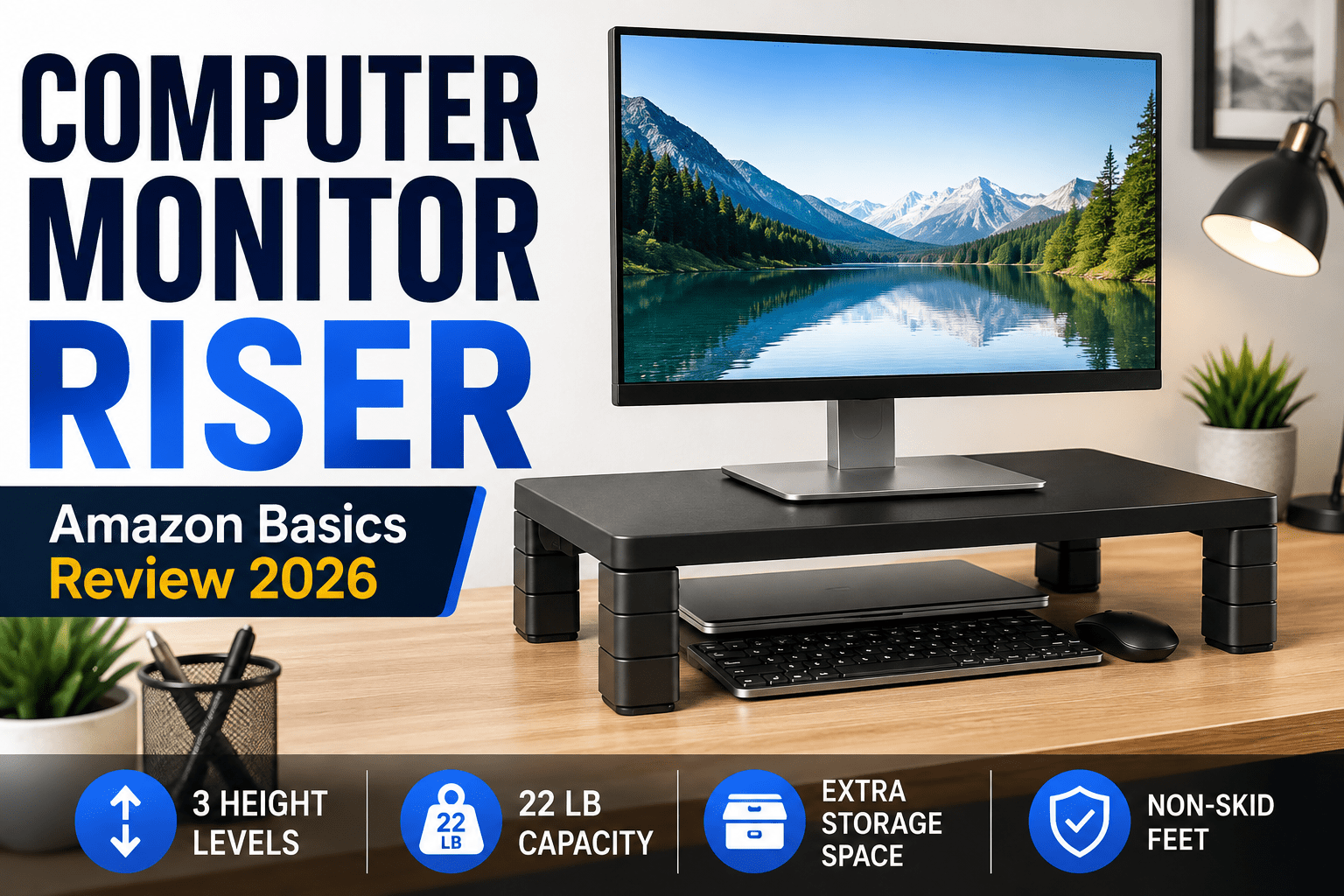
Computer Monitor Riser Review: Amazon Basics Adjustable Desk Stand
A practical review of the Amazon Basics Monitor riser, including its adjustable height, storage space, load capacity, setup, everyday usability, advantages, drawbacks, and who should buy this type of desk monitor stand for a home or office desk.
A monitor riser is one of the simplest desk upgrades you can make. Instead of replacing your desk or buying a complicated monitor arm, a desk monitor stand raises the screen and creates usable space underneath. The Amazon Basics Adjustable Computer Monitor Riser Desk Stand takes that straightforward approach and adds three height positions, non-skid feet, and support for devices weighing up to 22 pounds.
Quick verdict
Best for: home offices, dorm rooms, compact desks, laptop users, printer stands, and anyone who wants a low-cost way to raise a screen and reclaim a little desk space.
Skip it if: you need precise height adjustment, a wide platform for an oversized monitor, built-in drawers, or the flexibility of a VESA monitor arm.
If you are searching for a monitor riser to improve screen height, reduce desk clutter, and create extra storage without installing a monitor arm, this Amazon Basics model is designed for exactly that kind of simple desk upgrade.

Amazon Basics Adjustable Computer Monitor Riser Desk Stand. Click the image to view the current Amazon listing.
What Is a Computer Monitor Riser and How Does This One Work?
This monitor riser is a compact desktop platform designed to elevate a monitor, laptop, small printer, game console, or another piece of desk equipment. Its appeal is simplicity: there are no arms to clamp to a desk, no gas springs to tune, and no mounting plate to attach to your monitor.
The platform uses removable, stackable leg sections. By changing the leg configuration, you can select one of three fixed heights. That makes it more flexible than a basic one-height monitor shelf while keeping the setup easy enough for almost anyone.
| Product | Amazon Basics Adjustable Computer Monitor Riser Desk Stand |
|---|---|
| ASIN | B00X4SCCFG |
| Approx. dimensions | 16.1 × 11 inches footprint; up to about 4.9 inches high |
| Weight capacity | Up to 22 lb (10 kg) |
| Height settings | Three fixed positions |
| Feet | Non-skid design |
| Common uses | Monitor, laptop, printer, console, desk organizer |
Check the current Amazon price
Amazon pricing can change frequently, so use the button below for the current price, shipping information, and availability.
Check Price on AmazonComputer Monitor Riser Design and Build Quality
The riser follows a minimal black design that blends easily with most computer accessories. Its top platform is wide enough for many everyday monitors, yet the overall footprint remains compact enough for small desks. Because the sides are formed by the removable leg columns, the center area underneath remains open for storage.
The structure is made for practical desk duty rather than premium furniture aesthetics. That is important when deciding whether it is right for you. If you want a decorative wood shelf or a heavy metal workstation platform, this is not trying to be that product. The goal is a functional and affordable elevation platform.

The low-profile form is designed to raise a display without taking over the entire desk.
Computer Monitor Riser Height Adjustment
The most useful part of this Amazon Basics monitor riser is its stackable-leg system. The riser can be configured at three heights rather than locking you into a single position. The maximum height is roughly 4.9 inches, with lower configurations available by removing sections of the legs.
Fixed height settings are less precise than a monitor arm, but they also make the riser much easier to use. You do not need tools every time you want to change the height, and there is no mechanism that can slowly drift out of position.
For ergonomic use, the ideal screen position depends on your body, chair, desk, and monitor. A riser can help if your display currently sits too low, but it should not be treated as a universal ergonomic solution. Choose the height that lets you look comfortably at the screen without forcing your neck downward or upward.

The stackable leg design provides several fixed elevation choices.
Computer Monitor Riser Storage and Desk Organization
Raising a device creates a second benefit: open storage underneath. Amazon describes the usable space beneath the stand as wide enough for items such as laptops or game consoles, depending on the chosen height and the dimensions of your device.
On a crowded desk, that open area can be more valuable than it sounds. You can use it for a slim laptop, notebook, docking accessories, a compact keyboard, small electronics, or other items that would otherwise sit in your main working area. The exact fit will depend on the height configuration, so measure the item you plan to store before buying.
Computer Monitor Riser Stability and 22-Pound Capacity
The stand is rated to support up to 22 pounds, which covers many common monitors, laptops, and small printers. The non-skid feet are intended to reduce unwanted movement on the desktop.
Still, checking your equipment weight is worth doing before placing an expensive display on any riser. Large gaming displays and ultrawide monitors can be substantially heavier than basic office monitors, and their stand bases can also be physically wider than the platform.

Computer Monitor Riser Setup and Everyday Use
One reason this type of riser is attractive is the lack of complicated installation. You arrange the leg sections for the height you want, make sure each side is seated securely, set the stand on a stable flat surface, and place the monitor or other device on top.
Compared with a monitor arm, this also makes the riser friendly to desks where clamps are not practical. Thick desktops, glass surfaces, desks installed tightly against a wall, or furniture that you do not want to drill can make traditional monitor mounting inconvenient. A free-standing riser avoids those issues.
There is a tradeoff, however. A monitor arm can move forward, backward, higher, lower, and sometimes rotate into portrait orientation. This Amazon Basics stand only changes the vertical position of the surface. If you frequently reposition your display, an arm remains the more flexible solution.
Computer Monitor Riser Pros and Cons
What I like
- Three simple height choices
- Creates extra storage underneath
- No desk clamp or VESA mounting required
- Non-skid feet
- Up to 22 lb stated capacity
- Compact footprint for smaller desks
- Can also hold a laptop or small printer
What to consider
- Only fixed height positions
- Not as flexible as a monitor arm
- Platform may be too small for some large monitor bases
- No built-in drawer or cable-management system
- Plastic construction may not suit buyers wanting a premium desk aesthetic
Computer Monitor Riser vs. Monitor Arm
A computer monitor riser and a monitor arm solve some of the same problems in very different ways. A computer monitor riser is easier to install, portable, and usually less intimidating. It also provides a physical shelf that can create storage space. A monitor arm generally offers more adjustment and can free up even more desktop area because the monitor base disappears.
If your main problem is simply that your screen is several inches too low, this riser is the simpler answer. If you need perfect positioning or frequently move your screen, the extra flexibility of an arm may justify the added cost and installation.
Who Should Buy a Computer Monitor Riser?
This product makes the most sense for someone who wants a basic monitor-height correction without turning the desk into a hardware project. It is especially suitable for a compact home office, student setup, shared workspace, or secondary computer station where simplicity and price matter more than premium materials.
It can also be useful even when you are not placing a monitor on top. A small printer can be elevated to create paper storage underneath, a laptop can be raised closer to eye level when paired with an external keyboard, or a game console can be placed on the platform while accessories occupy the space below.
Amazon Basics Adjustable Computer Monitor Riser Desk Stand
If the size and 22-pound capacity work for your equipment, this is a simple way to add height and storage to a desk without installing a monitor arm.
View on AmazonFinal Computer Monitor Riser Review: Is It Worth Buying?
The Amazon Basics Adjustable Monitor riser Desk Stand succeeds because it keeps the idea simple. As a desk monitor stand, it gives you a compact platform, three height configurations, useful open storage, non-skid feet, and a stated 22-pound load limit. For many office setups, that is enough to make a noticeable improvement without spending much time on installation.
Its limitations are equally straightforward. You do not get continuous height adjustment, articulation, a drawer, or a large premium platform. Buyers with oversized monitors should also verify both the monitor weight and the dimensions of the base.
For a conventional monitor or laptop setup where you just need a little extra elevation and room underneath, it remains an easy product to understand and a practical desk accessory to consider.
Why a Computer Monitor Riser Can Improve a Desk Setup
A monitor riser is a simple accessory, but it can change the way a workstation feels. Many desks place a monitor lower than ideal, especially when the display sits directly on a thin factory stand. Raising the screen can make it easier to maintain a more neutral head and neck position. It can also create usable storage space below the display, which is valuable on a small desk where every inch matters.
The main advantage is simplicity. You do not have to replace the desk, drill holes, install a wall mount, or attach a clamp to the edge of the desktop. A monitor riser simply sits on the desk. That makes it appealing for renters, students, shared offices, dorm rooms, temporary workstations, and anyone who wants a quick setup that can be moved later.
Another benefit is flexibility of use. Although the name suggests that it is designed only for displays, a sturdy monitor riser can often support a laptop, compact printer, game console, small speakers, networking equipment, or other desk accessories. The open space underneath can hold notebooks, cables, a small keyboard, a docking station, or frequently used office items.
Computer Monitor Riser Ergonomics: What Actually Matters
Ergonomics is one of the biggest reasons people buy a monitor riser. However, simply raising a monitor does not automatically create a perfect ergonomic workstation. The right screen position depends on your chair height, desk height, body proportions, monitor size, viewing distance, and how much time you spend at the computer.
As a general principle, the screen should be positioned so you do not have to constantly tilt your head down or lift your chin upward. A computer monitor riser can help when the monitor is noticeably too low. The adjustable design of this Amazon Basics model is helpful because you can choose among three fixed height levels rather than accepting only one elevation.
You should also consider viewing distance. Raising the screen while placing it too close can create a different kind of discomfort. A balanced setup keeps the display at a comfortable distance while making text easy to read. If you use a large monitor, you may need slightly different positioning than someone using a compact 22-inch office display.
For laptop users, a monitor riser can be especially useful when the laptop is used with an external keyboard and mouse. Raising the laptop display helps move the screen closer to eye level, while the external input devices allow your hands and arms to remain in a more natural position. Using the laptop’s built-in keyboard while it is elevated is usually less comfortable for long sessions.
How to Choose the Right Computer Monitor Riser Height
Choosing the right height is one of the most important decisions when using a monitor riser. If the stand is too low, you may not notice much improvement. If it is too high, you may create unnecessary neck strain. The best approach is to adjust the height gradually and test how your body feels during normal computer use.
Start with your chair adjusted correctly for the desk. Sit naturally and look straight ahead. If the center of your screen feels significantly below your comfortable line of sight, a riser can help. With this Amazon Basics monitor riser, you can begin at the lowest setting and move upward until the monitor feels more natural.
Do not assume that the highest position is automatically the best. The highest setting is useful for some users, but a shorter person or someone with a tall desk may prefer one of the lower configurations. The benefit of a three-level design is that it gives you options without requiring a complicated mechanism.
Best Uses for a Computer Monitor Riser
Computer Monitor Riser for Small Desks
Small desks often benefit the most from a monitor riser. A compact workstation can become cluttered quickly with a monitor base, keyboard, mouse, notebooks, charging cables, phone, and accessories. By elevating the monitor, the area underneath becomes usable instead of wasted.
This can make a major difference in a home office where the desk may be placed in a bedroom, living room, or other shared area. The stand does not expand the physical size of the desk, but it helps use the vertical space more efficiently. That can make the workstation feel cleaner and more organized without buying new furniture.
Before purchasing, measure both the desk and the monitor base. A monitor riser should fit comfortably without hanging over the edge of the desk. The monitor base should also sit securely on the top platform. If you use an unusually wide or deep monitor stand, checking dimensions is especially important.
Using a Computer Monitor Riser in a Home Office
Home offices vary widely. Some people have a dedicated room with a large desk, while others work from a compact table in a bedroom or apartment. A monitor riser works well in both situations because it does not require permanent installation.
In a dedicated office, the riser can help create a cleaner visual layout and provide space for notebooks, a docking station, or small accessories. In a temporary workspace, the ability to move the riser easily is even more valuable. You can reposition the entire setup without dealing with clamps, screws, or mounting hardware.
This is also useful if more than one person uses the same desk. A fixed monitor arm may be difficult to adjust quickly, while a basic monitor riser can be moved or reconfigured with less effort. It is not as flexible as a high-end articulated arm, but it is easier for casual shared use.
Computer Monitor Riser for Gaming Setups
Gamers often care about monitor height, viewing angle, keyboard position, and desk space. A computer monitor riser can help organize a gaming desk, especially if the monitor’s original stand sits too low. The extra space underneath may also be useful for controllers, a compact console, game cases, or other accessories.
However, gaming monitors can be larger and heavier than standard office displays. Before placing one on this riser, check both the monitor weight and the dimensions of its base. The stated 22-pound capacity is suitable for many displays, but some large gaming monitors and ultrawide models may exceed that limit or have a stand that is too large for the platform.
Competitive gamers who constantly adjust the position of the monitor may prefer an articulated monitor arm. A monitor riser is better suited to users who want a stable fixed position with a few height choices rather than frequent repositioning.
Can You Use a Computer Monitor Riser with an Ultrawide Monitor?
An ultrawide monitor can sometimes be used with a monitor riser, but compatibility depends on two things: weight and base size. Ultrawide monitors often have broad V-shaped or Y-shaped stands that take up more desk space than a conventional rectangular monitor base.
If the base does not sit fully and securely on the platform, the riser is not a good fit. Even if the monitor is under the stated weight limit, an oversized base can create stability problems. Measure the monitor stand before buying and compare it with the usable top surface of the riser.
For very large ultrawide displays, a strong monitor arm or a wider purpose-built riser may be more appropriate. The Amazon Basics model is more naturally suited to common office monitors, smaller gaming displays, laptops, and compact equipment.
Computer Monitor Riser Comparisons
Computer Monitor Riser vs. Stack of Books
Some people raise a monitor with books, boxes, or other household objects. That can work temporarily, but a purpose-built monitor riser is generally more stable, more organized, and easier to adjust. Books may slide, shift, or create an uneven surface depending on their size and cover material.
A dedicated riser also looks more intentional. If the workstation is visible during video calls or used in a professional environment, a simple black platform can create a cleaner appearance than an improvised stack of items.
The storage space underneath is another advantage. A monitor riser is designed to create open space below the platform, while a stack of books completely fills that area. For a small desk, that difference can be significant.
Computer Monitor Riser vs. Laptop Stand
A laptop stand and a monitor riser overlap in function, but they are not exactly the same. A laptop stand is usually designed specifically around the shape and ventilation needs of a laptop. Many models tilt the device or hold it at an angle. A desk monitor stand provides a flat platform instead.
The flat design is more versatile because it can hold several types of equipment. It can support a monitor today and a printer or laptop later. A dedicated laptop stand may provide better airflow or a more optimized typing angle, but the monitor riser offers broader general-purpose use.
If you plan to use a laptop on the riser for long periods, pair it with an external keyboard and mouse. This allows you to benefit from the raised display position without forcing your wrists into an uncomfortable typing angle.
Computer Monitor Riser vs. Standing Desk Converter
A standing desk converter is a much larger product designed to raise both the monitor and keyboard so the user can alternate between sitting and standing. A computer monitor riser only elevates the monitor or device placed on top of it.
If your goal is simply to move the screen higher, a monitor riser is smaller, cheaper, easier to install, and takes up less desk space. If you want to stand while working and need the keyboard and mouse raised as well, a standing desk converter is the more appropriate tool.
The Amazon Basics model should therefore be viewed as a simple screen-height and organization accessory, not as a replacement for a full sit-stand workstation.
Computer Monitor Riser vs. Wall Mount
A wall mount can create a very clean desk by removing the monitor stand from the desktop entirely. It also allows the display to sit close to the wall. However, wall mounting requires compatible hardware, a suitable wall, proper installation, and a monitor that supports the necessary mounting standard.
A monitor riser avoids all of that. You can place it on almost any stable desk and move it whenever necessary. Renters and people who frequently rearrange a room may prefer this approach because it leaves the wall untouched.
The tradeoff is desk space. The riser still occupies part of the desktop, while a wall-mounted monitor can free more of the surface. The better option depends on how permanent you want the setup to be.
Stability, Fit, and Desk Compatibility
How Stable Is a Computer Monitor Riser?
Stability depends on construction, the surface underneath, the equipment placed on top, and whether the load is centered properly. A monitor riser should always sit on a flat, stable desk. The monitor base should be positioned so its weight is distributed safely across the platform.
The non-skid feet on this Amazon Basics model are designed to reduce movement. That is useful on smooth desks where a hard plastic accessory could otherwise slide. Even so, users should avoid placing the riser near the edge of the desk or loading it beyond its stated capacity.
If your desk itself wobbles, the riser cannot completely solve that issue. A stable workstation starts with the furniture. The stand can provide a secure platform, but it should be used on a desk that is already structurally sound.
Computer Monitor Riser Weight Capacity Explained
The 22-pound stated capacity is one of the most important specifications in this review. Many common office monitors fall below that number, but not every display does. Larger screens, older monitors, and premium gaming displays can weigh considerably more.
When checking compatibility, use the weight of the monitor with its stand attached, not just the panel weight. Product listings sometimes show several different weight measurements, so make sure you are comparing the correct figure.
It is also wise to avoid treating the maximum capacity as a target. A monitor riser should be used comfortably within its intended range. If your device is very close to or beyond the maximum, a heavier-duty stand may be a better choice.
How to Measure Your Desk for a Computer Monitor Riser
Measuring before purchase can prevent compatibility problems. Start by measuring the depth and width of the area where the riser will sit. Make sure the stand will not interfere with speakers, a lamp, a docking station, or other equipment already on the desk.
Next, measure the monitor base. The entire base should fit securely on the platform. If part of the base hangs over the edge, the setup may not be stable. This is especially important for monitors with wide angled feet.
Finally, consider the vertical space. If you plan to store a keyboard, laptop, or console under the monitor riser, measure the item’s height and width and compare it with the available opening at your preferred riser height.
Desk Organization and Everyday Use
Computer Monitor Riser Cable Management Tips
This model does not include an advanced built-in cable-management system, but you can still keep the desk organized. Route monitor power and video cables toward the back of the riser so they remain out of the main working area.
Reusable cable ties, adhesive clips, and a simple cable sleeve can help prevent wires from spreading across the desk. If you keep a docking station underneath the monitor riser, group the connected cables together so the area does not become cluttered.
It is also useful to leave a little slack in the monitor cable. A cable pulled too tightly can create unnecessary strain on the connector, especially when you move the monitor or change the riser height.
How a Computer Monitor Riser Helps with Desk Organization
The storage benefit is one of the most practical reasons to use a monitor riser. Most monitor stands occupy a section of the desk without providing usable space below the display. Raising the monitor converts that area into a second level of storage.
Items that are used occasionally can be placed underneath while the main desk surface stays clear for the keyboard and mouse. This can help reduce visual clutter and make a small workstation feel less crowded.
Good organization is not only about appearance. A cleaner desk can make frequently used items easier to find. It can also reduce the temptation to stack objects around the monitor base, which may interfere with airflow or cables.
Using a Computer Monitor Riser with Dual Monitors
A single compact monitor riser is generally designed for one monitor, but some users may consider using separate risers for a dual-monitor setup. This can work if both displays fit securely and the heights can be matched.
The challenge is alignment. Two independent stands may not position both monitors perfectly if the monitor bases differ in height or shape. If you use identical monitors, matching risers can create a consistent appearance more easily.
For a highly adjustable dual-monitor workstation, a dual monitor arm may be a better option. However, if you prefer a simple free-standing arrangement and do not want to clamp hardware to the desk, two compact risers can still be practical.
Who Can Benefit from a Computer Monitor Riser?
Computer Monitor Riser for Students and Dorm Rooms
Students often work with limited desk space, which makes a computer monitor riser especially useful. A dorm desk may need to hold a laptop, textbooks, phone, charging accessories, and study materials at the same time.
By creating vertical storage, the riser can help keep the main workspace clear. A laptop or notebook can be placed underneath when it is not being used, while the monitor or another device stays elevated above.
Because the stand does not require permanent installation, it is easy to move at the end of a semester. That is a practical advantage compared with a monitor arm or wall-mounted solution.
Computer Monitor Riser for Office Work
In a traditional office environment, a monitor riser can be useful when the standard desk and monitor stand do not place the screen at a comfortable height. It can also provide storage for notebooks, small office supplies, or a compact docking station.
The understated black design fits easily into most professional workspaces. It does not draw much attention, which is useful if you prefer a clean and neutral desk setup.
For employees who move between desks or use shared workstations, a portable riser can also be more practical than permanently mounted equipment. The exact suitability depends on company policies and the equipment used at the workstation.
Materials, Maintenance, and Long-Term Use
Computer Monitor Riser Materials and Durability
This Amazon Basics model emphasizes practical function rather than luxury materials. The construction is intended to be lightweight, easy to assemble, and suitable for everyday desk use.
Plastic construction has advantages and disadvantages. It keeps the stand lighter and easier to move, but some users may prefer the appearance and feel of metal or wood. The right choice depends on whether you prioritize portability and affordability or premium desk aesthetics.
Durability also depends on how the product is used. Keeping the load within the rated capacity and placing it on a stable surface will help reduce unnecessary stress on the legs and platform.
How to Clean a Computer Monitor Riser
Cleaning a monitor riser is simple. Remove the monitor or other equipment first, then wipe the surface with a soft cloth. For ordinary dust, a dry microfiber cloth is usually enough.
If the stand needs more cleaning, use a slightly damp cloth rather than soaking the surface. Avoid harsh chemicals unless the manufacturer specifically recommends them. Make sure the stand is completely dry before putting electronics back on top.
Cleaning the area underneath is also easier than cleaning around a conventional monitor base because the platform creates a clearly defined open space. Regularly removing dust can help keep the entire workstation looking better.
Buying and Setup Advice
Computer Monitor Riser Setup Mistakes to Avoid
One common mistake is placing a monitor on the riser without checking the weight rating. Another is ignoring the dimensions of the monitor base. Both specifications matter for safe use.
Another mistake is choosing the maximum height simply because it is available. The best height is the one that feels comfortable for your body and desk setup. Higher is not always better.
Users should also avoid placing the riser on an uneven surface. If one foot is not fully supported, the entire platform may become less stable. The desk should be flat, secure, and large enough to support the full footprint.
Finally, do not overload the storage area underneath. The open space is useful, but cables and devices should be arranged so they do not push against the legs or interfere with airflow.
What to Look for When Buying a Computer Monitor Riser
When comparing monitor risers, start with dimensions. The platform must be large enough for the monitor base, while the entire stand must fit comfortably on the desk.
Next, compare weight capacity. A heavier monitor requires a stronger riser. If you plan to use the stand for several types of equipment, choose a model that gives you enough capacity for the heaviest intended device.
Height adjustment is another important feature. Some risers have a single fixed height, while others provide several levels. A monitor riser with multiple height options gives you a better chance of finding a comfortable screen position.
Also consider storage, materials, style, and portability. A wood riser may look better in a decorative office, while a lightweight plastic riser may be easier to move. A model with drawers may provide more organization, but it can also take up more space and cost more.
Fixed vs. Adjustable Computer Monitor Riser
A fixed monitor riser is simple and stable, but it gives you only one height. If that height works well for your desk and body, there is nothing wrong with a fixed design.
An adjustable riser offers more flexibility. The Amazon Basics model uses three fixed positions rather than continuous adjustment. This is a practical compromise because it provides choice without adding complex moving parts.
Continuous height adjustment can be useful for users who need very precise positioning, but it usually increases cost and complexity. For basic office use, three well-spaced positions may be enough.
Wood vs. Metal vs. Plastic Computer Monitor Riser
Monitor risers are available in several materials. Wood models often focus on appearance and may blend well with traditional furniture. Metal risers can feel more industrial and may offer high strength. Plastic models are usually lighter and easier to move.
No material is automatically best. A premium wood riser may be ideal for a stylish executive desk, while a simple plastic model may be more practical for a student or home office.
The Amazon Basics riser is designed primarily around function and affordability. Buyers who care more about utility than decorative materials may appreciate that approach.
Computer Monitor Riser for Remote Work
Remote workers often build their workstations gradually. A monitor riser is an affordable accessory that can improve a basic desk without requiring a complete office redesign.
It is especially useful for people who began working from home with a laptop and later added an external monitor. The riser can raise the external display while providing storage underneath for the laptop or docking equipment.
Because the stand is easy to move, it also works well for flexible spaces where the desk may serve other purposes outside working hours.
Does a Computer Monitor Riser Save Desk Space?
A monitor riser does not reduce the physical footprint of the monitor stand in the same way a monitor arm can, but it can make the occupied space more useful. The area underneath becomes available for storage.
This is an important distinction. If your goal is to completely clear the desk beneath the monitor, an arm or wall mount is better. If your goal is to create a second storage level while keeping setup simple, a riser works well.
For many small desks, vertical organization is enough to make the workspace feel significantly less crowded.
Is a Computer Monitor Riser Worth It for a Laptop?
A monitor riser can be worthwhile for a laptop when the laptop is used as a primary display. Raising the screen can reduce the need to look downward for long periods.
The key is to avoid typing directly on the elevated laptop for extended sessions. An external keyboard and mouse allow the laptop to function more like a monitor while your hands remain at desk level.
For people who alternate between laptop and monitor use, a flat riser can be more versatile than a dedicated laptop stand because it accommodates several device types.
Is a Computer Monitor Riser Worth It for a Desktop PC?
Desktop users with a conventional monitor are the most obvious audience for a monitor riser. If the monitor sits too low, the riser provides a simple way to raise it.
The benefit is even greater when desk storage is limited. The space underneath can hold accessories that would otherwise sit around the monitor base.
If your monitor already has a highly adjustable factory stand, you may not need a riser. In that case, the decision may depend more on whether you want the additional storage space.
Computer Monitor Riser Safety Tips
Always use the riser on a flat and stable surface. Make sure all legs are correctly seated before placing equipment on top.
Do not exceed the manufacturer’s stated weight capacity. Keep the device centered and avoid placing heavy objects near the outer edge of the platform.
If you change the height, remove the monitor first rather than trying to adjust the legs while the display remains on top. This reduces the risk of tipping or dropping the equipment.
Inspect the riser occasionally for damage, especially if it has been moved frequently. If a leg or platform section appears cracked or unstable, stop using it until the issue is addressed.
Computer Monitor Riser Buying Checklist
Before buying a monitor riser, confirm five things: the monitor weight, monitor base dimensions, desk dimensions, preferred screen height, and what you plan to store underneath.
These simple checks can prevent most compatibility problems. They also help you decide whether a riser is the right solution or whether a monitor arm, wider stand, or standing desk converter would be better.
For the Amazon Basics model specifically, the combination of three height positions, compact dimensions, open storage, non-skid feet, and a 22-pound capacity makes it most suitable for conventional home and office equipment.
Who May Not Need a Computer Monitor Riser?
Not everyone needs a monitor riser. If your monitor already has a fully adjustable stand and sits at the correct height, raising it further may not improve anything.
Users with a wall-mounted display or monitor arm also receive many of the same height benefits without placing a platform on the desk. In those cases, the main reason to add a riser would be storage rather than screen positioning.
A riser may also be unnecessary if the desk is already very high. Before purchasing any ergonomic accessory, evaluate the entire workstation rather than focusing on only one component.
Who Gets the Most Value from a Computer Monitor Riser?
The product is most useful for someone whose monitor sits too low and who wants an affordable, uncomplicated solution. It is also valuable for people with small desks who want to use the space beneath the monitor more efficiently.
Students, remote workers, home-office users, casual gamers, and people with shared workstations are all strong candidates. The lack of permanent installation makes it particularly useful when flexibility matters.
Users with extremely large monitors, very heavy displays, or a need for precise articulation may be better served by a stronger specialty riser or monitor arm.
Detailed Computer Monitor Riser Verdict
The Amazon Basics Adjustable Monitor riser Desk Stand is not trying to be a complicated workstation system. Its value comes from doing a small number of things well. It raises a monitor, offers three height choices, provides open storage underneath, uses non-skid feet, and supports common desk devices within its stated weight limit.
For shoppers looking for a simple monitor riser, this model represents the straightforward end of the category. It is designed for people who want a functional platform rather than advanced articulation, premium materials, built-in electronics, or elaborate storage drawers.
The strongest reason to consider it is convenience. Setup is simple, the stand can be moved easily, and the extra space underneath is genuinely useful on a small desk. The biggest limitations are the fixed height levels and the relatively compact platform, which may not suit oversized monitor bases.
If your goal is to improve monitor height and desk organization without installing a monitor arm, this monitor riser is a practical option to consider. Measure your monitor, confirm its weight, check the current Amazon listing, and choose the height that works best for your workstation.
Frequently asked questions
How much weight can this computer monitor riser hold?
The product is rated for equipment weighing up to 22 pounds (10 kg). Always verify the weight of your monitor or other device before placing it on the stand.
Is this computer monitor riser height adjustable?
Yes. The stand uses stackable leg sections to provide three fixed height positions, with the highest configuration reaching roughly 4.9 inches.
Can I use this computer monitor riser with a laptop?
Yes, provided the laptop fits safely on the platform and stays within the rated weight limit. For prolonged laptop use, an external keyboard and mouse can make a raised screen position more practical.
Can it hold a printer?
It can support some compact printers as long as the printer’s footprint fits securely and its weight does not exceed the stand’s stated capacity.
Will a keyboard fit underneath?
That depends on the keyboard dimensions and the selected height. The opening is useful for many smaller items, but full-size keyboards can be too wide or tall. Measure your keyboard before relying on the stand for keyboard storage.
Does it require tools to assemble?
The height system is based on removable stackable leg sections, so setup is much simpler than installing a monitor arm or wall mount.